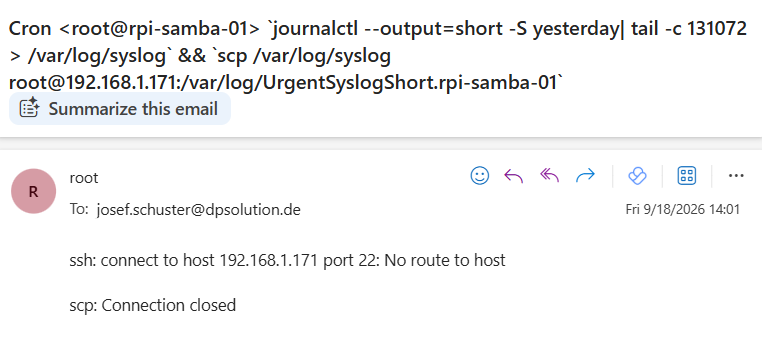
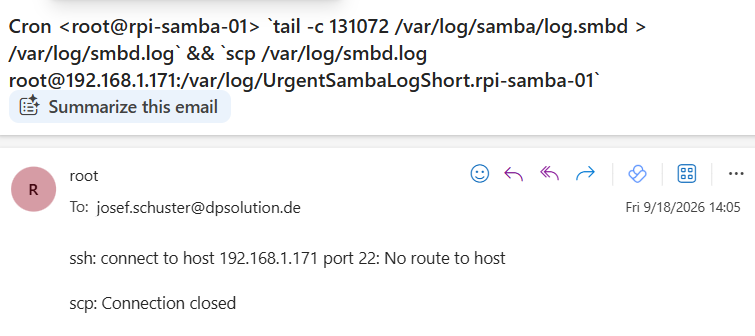
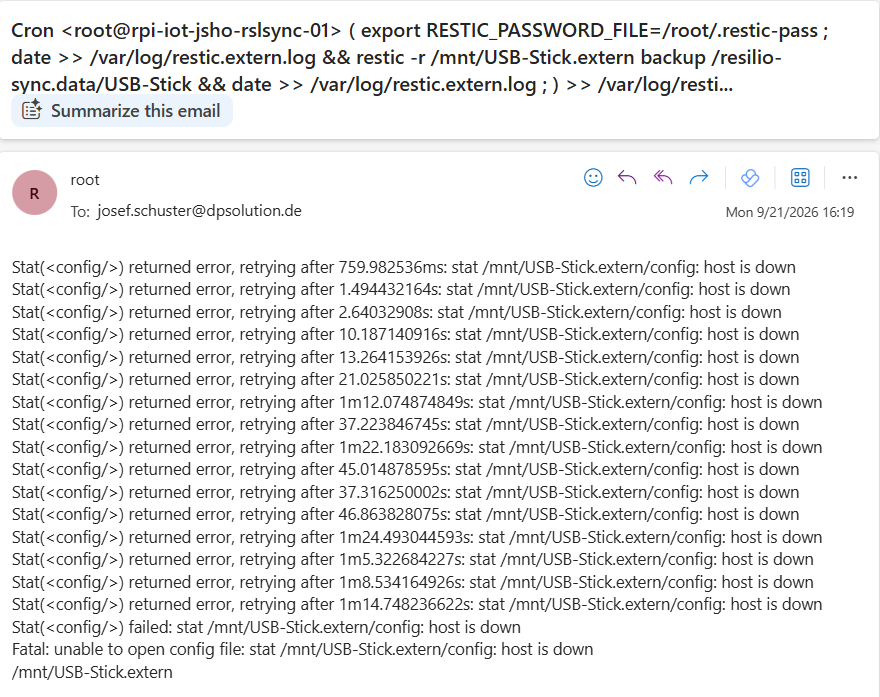
By default cron jobs sends an email via the MAILTO variable only if the cron job generates output (stdout or stderr) if a script runs completely error free and silently cron sends no message at all by default
root@js-ubuntu-26-04-01:~# msmtp –version msmtp version 1.8.32 Platform: x86_64-pc-linux-gnu TLS/SSL library: GnuTLS Authentication library: GNU SASL; oauthbearer and xoauth2: built-in Supported authentication methods: scram-sha-256-plus scram-sha-1-plus scram-sha-256 scram-sha-1 plain gssapi external oauthbearer cram-md5 digest-md5 login ntlm xoauth2 IDN support: enabled NLS: enabled, LOCALEDIR is /usr/share/locale Keyring support: Gnome System configuration file name: /etc/msmtprc User configuration file name: /root/.msmtprc
Copyright (C) 2025 Martin Lambers and others. This is free software. You may redistribute copies of it under the terms of the GNU General Public License <http://www.gnu.org/licenses/gpl.html>. There is NO WARRANTY, to the extent permitted by law.
root@js-ubuntu-26-04-01:~#
root@js-ubuntu-26-04-01:~# vi /etc/msmtprc # Default settings defaults auth on tls on tls_trust_file /etc/ssl/certs/ca-certificates.crt logfile /var/log/msmtp.log
# Target SMTP Server account default host smtp.1und1.com port 587 from josef.schuster@dpsolution.de user josef.schuster@dpsolution.de password <password>
root@js-ubuntu-26-04-01:~#
root@js-ubuntu-26-04-01:~# vi /etc/aliases root: josef.schuster@dpsolution.de default: josef.schuster@dpsolution.de
root@js-ubuntu-26-04-01:~#
root@js-ubuntu-26-04-01:~# vi /etc/mail.rc set sendmail=“/usr/bin/msmtp -t“
root@js-ubuntu-26-04-01:~#
root@js-ubuntu-26-04-01:~# echo „Inhalt der Mail“ | mail -s „Betreff: Mail Check“ josef.schuster@dpsolution.de
Restic – is a backup program that is fast efficient and secure
root@rpi-iot-jsho-rslsync-01:~# apt-get install restic Reading package lists… Done Building dependency tree… Done Reading state information… Done The following NEW packages will be installed: restic 0 upgraded, 1 newly installed, 0 to remove and 0 not upgraded. Need to get 7,575 kB of archives. After this operation, 19.8 MB of additional disk space will be used. Get:1 http://mirror.pyratelan.org/raspbian/raspbian bullseye/main armhf restic armhf 0.11.0-1 [7,575 kB] Fetched 7,575 kB in 3s (2,435 kB/s) Selecting previously unselected package restic. (Reading database … 106673 files and directories currently installed.) Preparing to unpack …/restic_0.11.0-1_armhf.deb … Unpacking restic (0.11.0-1) … Setting up restic (0.11.0-1) … Processing triggers for man-db (2.9.4-2) … root@rpi-iot-jsho-rslsync-01:~#
root@rpi-iot-jsho-rslsync-01:~#
root@rpi-iot-jsho-rslsync-01:~# restic version restic 0.11.0 compiled with go1.15.7 on linux/arm
root@rpi-iot-jsho-rslsync-01:~#
root@rpi-iot-jsho-rslsync-01:~# restic self-update writing restic to /usr/bin/restic find latest release of restic at GitHub latest version is 0.19.1 download SHA256SUMS download SHA256SUMS.asc GPG signature verification succeeded download restic_0.19.1_linux_arm.bz2 downloaded restic_0.19.1_linux_arm.bz2 saved 28770466 bytes in /usr/bin/restic successfully updated restic to version 0.19.1
root@rpi-iot-jsho-rslsync-01:~#
root@rpi-iot-jsho-rslsync-01:~# restic version restic 0.19.1 compiled with go1.26.4 on linux/arm
root@rpi-iot-jsho-rslsync-01:~#
root@rpi-iot-jsho-rslsync-01:~# restic -r /mnt/USB-Stick init enter password for new repository: enter password again: created restic repository c13f3caf1d at /mnt/USB-Stick
Please note that knowledge of your password is required to access the repository. Losing your password means that your data is irrecoverably lost.
root@rpi-iot-jsho-rslsync-01:~#
root@rpi-iot-jsho-rslsync-01:~# restic -r /mnt/USB-Stick backup /resilio-sync.data/USB-Stick enter password for repository: repository c13f3caf opened (version 2, compression level auto) created new cache in /root/.cache/restic no parent snapshot found, will read all files [0:00] 0 index files loaded
processed 20761 files, 7.314 GiB in 2:41:24 snapshot 0c2f7b54 saved
root@rpi-iot-jsho-rslsync-01:~#
root@rpi-iot-jsho-rslsync-01:~# restic -r /mnt/USB-Stick snapshots enter password for repository: repository c13f3caf opened (version 2, compression level auto) ID Time Host Tags Paths Size ———————————————————————————————————– 0c2f7b54 2026-09-15 14:19:23 rpi-iot-jsho-rslsync-01 /resilio-sync.data/USB-Stick 7.314 GiB ———————————————————————————————————– Timestamps shown in local time 1 snapshots
root@rpi-iot-jsho-rslsync-01:~# restic -r /mnt/USB-Stick restore 6ba46309 –target /tmp/USB-Stick-Recovery enter password for repository: repository c13f3caf opened (version 2, compression level auto) [0:04] 100.00% 16 / 16 index files loaded restoring snapshot 6ba46309 of [/resilio-sync.data/USB-Stick] at 2026-09-15 19:25:59.638884438 +0200 CEST by root@rpi-iot-jsho-rslsync-01 to /tmp/USB-Stick-Recovery Summary: Restored 21477 files/dirs (7.315 GiB) in 53:47
root@rpi-iot-jsho-rslsync-01:~# restic -r /mnt/USB-Stick check using temporary cache in /tmp/restic-check-cache-1548303136 create exclusive lock for repository enter password for repository: repository c13f3caf opened (version 2, compression level auto) created new cache in /tmp/restic-check-cache-1548303136 load indexes [0:06] 100.00% 16 / 16 index files loaded check all packs check snapshots, trees and blobs [0:14] 100.00% 2 / 2 snapshots no errors were found
Wenn das virtuelle Dateisystem ‚efivarfs‘ voll gemeldet wird (bei df -h unter /sys/firmware/efi/efivars) liegt das daran dass der NVRAM Speicher des Mainboards erschöpft ist und häufige Folgen sind fehlschlagende Firmware- oder Secure-Boot-Updates (fwupdmgr) oder Probleme beim Ändern von Boot Einträgen
# df -h Filesystem Size Used Avail Use% Mounted on efivarfs 304K 113K 187K 38% /sys/firmware/efi/efivars
Amazon Linux 2027 (AL2027) – the next version of the Amazon Linux operating system purpose built for cloud native workloads on AWS with performance scale and security in mind