Archive for the ‘Linux Solution’ Category
Proxmox Virtual Environment (VE) 9.2.10 – auf einem Raspberry Pi 5 installieren
Mittwoch, September 16th, 2026Restic 0.19.1 – allows you to easily create secure deduplicated backups via the command line
Montag, September 14th, 2026 Restic – is a backup program that is fast efficient and secure
root@rpi-iot-jsho-rslsync-01:~# apt-get install restic
Reading package lists… Done
Building dependency tree… Done
Reading state information… Done
The following NEW packages will be installed:
restic
0 upgraded, 1 newly installed, 0 to remove and 0 not upgraded.
Need to get 7,575 kB of archives.
After this operation, 19.8 MB of additional disk space will be used.
Get:1 http://mirror.pyratelan.org/raspbian/raspbian bullseye/main armhf restic armhf 0.11.0-1 [7,575 kB]
Fetched 7,575 kB in 3s (2,435 kB/s)
Selecting previously unselected package restic.
(Reading database … 106673 files and directories currently installed.)
Preparing to unpack …/restic_0.11.0-1_armhf.deb …
Unpacking restic (0.11.0-1) …
Setting up restic (0.11.0-1) …
Processing triggers for man-db (2.9.4-2) …
root@rpi-iot-jsho-rslsync-01:~#
root@rpi-iot-jsho-rslsync-01:~#
root@rpi-iot-jsho-rslsync-01:~# restic version
restic 0.11.0 compiled with go1.15.7 on linux/arm
root@rpi-iot-jsho-rslsync-01:~#
root@rpi-iot-jsho-rslsync-01:~# restic self-update
writing restic to /usr/bin/restic
find latest release of restic at GitHub
latest version is 0.19.1
download SHA256SUMS
download SHA256SUMS.asc
GPG signature verification succeeded
download restic_0.19.1_linux_arm.bz2
downloaded restic_0.19.1_linux_arm.bz2
saved 28770466 bytes in /usr/bin/restic
successfully updated restic to version 0.19.1
root@rpi-iot-jsho-rslsync-01:~#
root@rpi-iot-jsho-rslsync-01:~# restic version
restic 0.19.1 compiled with go1.26.4 on linux/arm
root@rpi-iot-jsho-rslsync-01:~#
root@rpi-iot-jsho-rslsync-01:~# restic -r /mnt/USB-Stick init
enter password for new repository:
enter password again:
created restic repository c13f3caf1d at /mnt/USB-Stick
Please note that knowledge of your password is required to access
the repository. Losing your password means that your data is
irrecoverably lost.
root@rpi-iot-jsho-rslsync-01:~#
root@rpi-iot-jsho-rslsync-01:~# restic -r /mnt/USB-Stick backup /resilio-sync.data/USB-Stick
enter password for repository:
repository c13f3caf opened (version 2, compression level auto)
created new cache in /root/.cache/restic
no parent snapshot found, will read all files
[0:00] 0 index files loaded
Files: 20761 new, 0 changed, 0 unmodified
Dirs: 707 new, 0 changed, 0 unmodified
Added to the repository: 6.362 GiB (4.417 GiB stored)
processed 20761 files, 7.314 GiB in 2:41:24
snapshot 0c2f7b54 saved
root@rpi-iot-jsho-rslsync-01:~#
root@rpi-iot-jsho-rslsync-01:~# restic -r /mnt/USB-Stick snapshots
enter password for repository:
repository c13f3caf opened (version 2, compression level auto)
ID Time Host Tags Paths Size
———————————————————————————————————–
0c2f7b54 2026-09-15 14:19:23 rpi-iot-jsho-rslsync-01 /resilio-sync.data/USB-Stick 7.314 GiB
———————————————————————————————————–
Timestamps shown in local time
1 snapshots
root@rpi-iot-jsho-rslsync-01:~#
root@rpi-iot-jsho-rslsync-01:~# restic -r /mnt/USB-Stick restore 6ba46309 –target /tmp/USB-Stick-Recovery
enter password for repository:
repository c13f3caf opened (version 2, compression level auto)
[0:04] 100.00% 16 / 16 index files loaded
restoring snapshot 6ba46309 of [/resilio-sync.data/USB-Stick] at 2026-09-15 19:25:59.638884438 +0200 CEST by root@rpi-iot-jsho-rslsync-01 to /tmp/USB-Stick-Recovery
Summary: Restored 21477 files/dirs (7.315 GiB) in 53:47
root@rpi-iot-jsho-rslsync-01:~#
root@rpi-iot-jsho-rslsync-01:~# restic -r /mnt/USB-Stick forget –keep-daily 7 –keep-weekly 4 –keep-monthly 6 –prune
enter password for repository:
repository c13f3caf opened (version 2, compression level auto)
Applying Policy: keep 7 daily, 4 weekly, 6 monthly snapshots
keep 2 snapshots:
ID Time Host Tags Reasons Paths Size
————————————————————————————————————————————
0c2f7b54 2026-09-15 14:19:23 rpi-iot-jsho-rslsync-01 oldest daily snapshot /resilio-sync.data/USB-Stick 7.314 GiB
oldest weekly snapshot
oldest monthly snapshot
6ba46309 2026-09-15 19:25:59 rpi-iot-jsho-rslsync-01 daily snapshot /resilio-sync.data/USB-Stick 7.315 GiB
weekly snapshot
monthly snapshot
————————————————————————————————————————————
Timestamps shown in local time
2 snapshots
root@rpi-iot-jsho-rslsync-01:~#
root@rpi-iot-jsho-rslsync-01:~# restic -r /mnt/USB-Stick check
using temporary cache in /tmp/restic-check-cache-1548303136
create exclusive lock for repository
enter password for repository:
repository c13f3caf opened (version 2, compression level auto)
created new cache in /tmp/restic-check-cache-1548303136
load indexes
[0:06] 100.00% 16 / 16 index files loaded
check all packs
check snapshots, trees and blobs
[0:14] 100.00% 2 / 2 snapshots
no errors were found
root@rpi-iot-jsho-rslsync-01:~#
root@rpi-iot-jsho-rslsync-01:~# echo ‚<password>‘ > /root/.restic-pass && chmod 600 /root/.restic-pass
root@rpi-iot-jsho-rslsync-01:~# export RESTIC_PASSWORD_FILE=/root/.restic-pass
root@rpi-iot-jsho-rslsync-01:~#
root@rpi-iot-jsho-rslsync-01:~# crontab -e
…
15 01 * * * export RESTIC_PASSWORD_FILE=/root/.restic-pass ; restic -r /mnt/USB-Stick check && restic -r /mnt/USB-Stick forget –keep-daily 7 –keep-weekly 4 –keep-monthly 6 –prune >> /var/log/restic.log 2>&1
05 * * * * export RESTIC_PASSWORD_FILE=/root/.restic-pass ; restic -r /mnt/USB-Stick backup /resilio-sync.data/USB-Stick >> /var/log/restic.log 2>&1
root@rpi-iot-jsho-rslsync-01:~#
Linux command ’shell‘ – a simple quick addition (integers only) this is built into the shell and does not require external tools
Montag, September 14th, 2026$(()) Arithmetic … e.g. echo $((10+5))
Linux command ‚rsync‘ – 6 Dinge die jeder Linux Nutzer wissen sollte
Sonntag, September 13th, 2026Kali Linux ‚Win-KeX‘ – provides a GUI desktop experience in Windows Subsystem for Linux (WSL 2)
Sonntag, September 13th, 2026Red Hat Enterprise Linux 9.5 (RHEL 9) ‚efivarfs‘ – ist ein virtuelles Dateisystem im Kernel das den Zugriff auf UEFI NVRAM Variablen ermöglicht
Dienstag, September 8th, 2026Wenn das virtuelle Dateisystem ‚efivarfs‘ voll gemeldet wird (bei df -h unter /sys/firmware/efi/efivars) liegt das daran dass der NVRAM Speicher des Mainboards erschöpft ist und häufige Folgen sind fehlschlagende Firmware- oder Secure-Boot-Updates (fwupdmgr) oder Probleme beim Ändern von Boot Einträgen
# df -h
Filesystem Size Used Avail Use% Mounted on
efivarfs 304K 113K 187K 38% /sys/firmware/efi/efivars
Amazon Web Services (AWS) – hat die Public Preview von Amazon Linux 2027 (AL2027) vorgestellt
Freitag, September 4th, 2026Amazon Linux 2027 (AL2027) – the next version of the Amazon Linux operating system purpose built for cloud native workloads on AWS with performance scale and security in mind
Proxmox Virtual Environment (VE) 9.2.10 – seven things you should install on a new server
Freitag, September 4th, 2026Proxmox Virtual Environment (VE) 9.2.10 – ist dein Proxmox Backup unvollständig
Freitag, September 4th, 2026Proxmox Virtual Environment (VE) 9.2.10 – die VMware Alternative der ausführliche Bericht plus eine Business Entscheidung
Montag, August 31st, 2026Linux 8 modern commands – how to use them instead of the old fashioned alternatives
Freitag, August 28th, 2026WordPress 7.1 – verfügbar
Freitag, August 21st, 2026Upgrade your system from Debian 10 Buster to Debian 11 Bullseye – using the command line by updating your package lists editing your repository sources and performing a full system upgrade
Montag, August 17th, 2026Make a complete backup of your system or virtual machine snapshot before you start
Update Current Packages
root@rpi-iot-jsho-cam-02:~#
root@rpi-iot-jsho-cam-02:~# apt-get update -y
root@rpi-iot-jsho-cam-02:~# apt-get upgrade -y
root@rpi-iot-jsho-cam-02:~# apt-get dist-upgrade -y
Reboot your system to apply the latest Buster change
Update Repository Sources replace every instance of the word buster with bullseye
root@rpi-iot-jsho-cam-02:~# vi /etc/apt/sources.list
Run the Upgrade to Bullseye update your package index with the new Bullseye repositories
root@rpi-iot-jsho-cam-02:~# apt-get update
Run a minimal upgrade first to prepare system dependencies
root@rpi-iot-jsho-cam-02:~# apt-get upgrade –without-new-pkgs
Perform the complete distribution upgrade
root@rpi-iot-jsho-cam-02:~# apt-get full-upgrade
Remove obsolete installation files
root@rpi-iot-jsho-cam-02:~# apt-get autoclean
Reboot your system to apply the latest Bullseye change
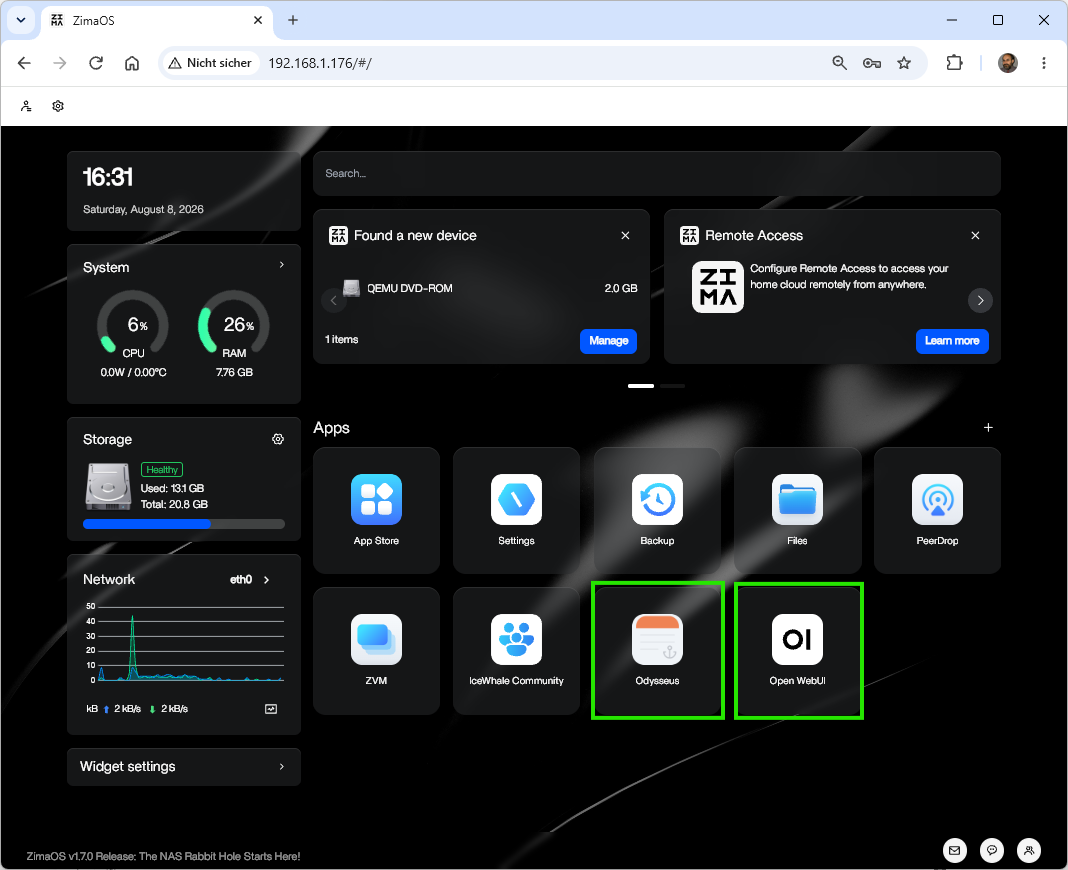
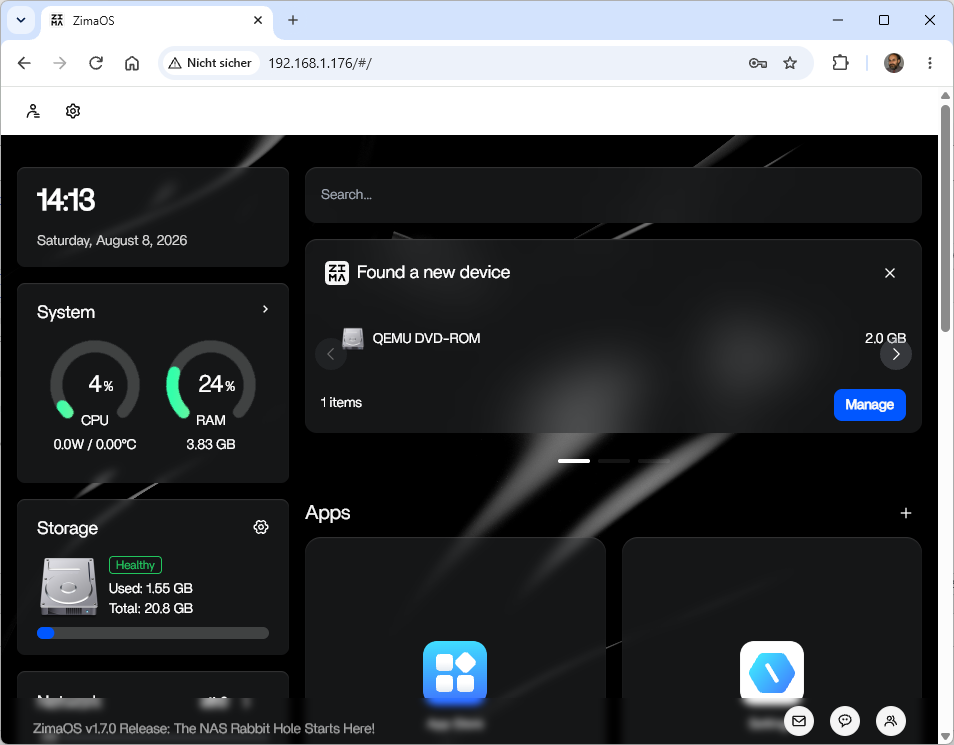
Proxmox Virtual Environment (VE) 9.2.10 – install ZimaOS using the ISO Image
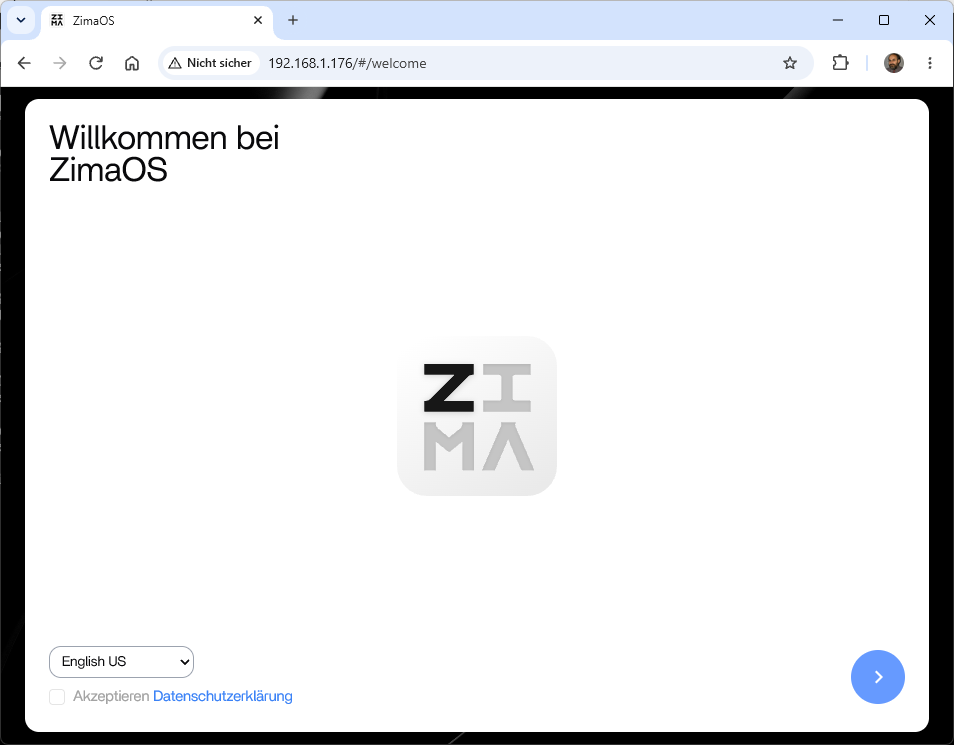
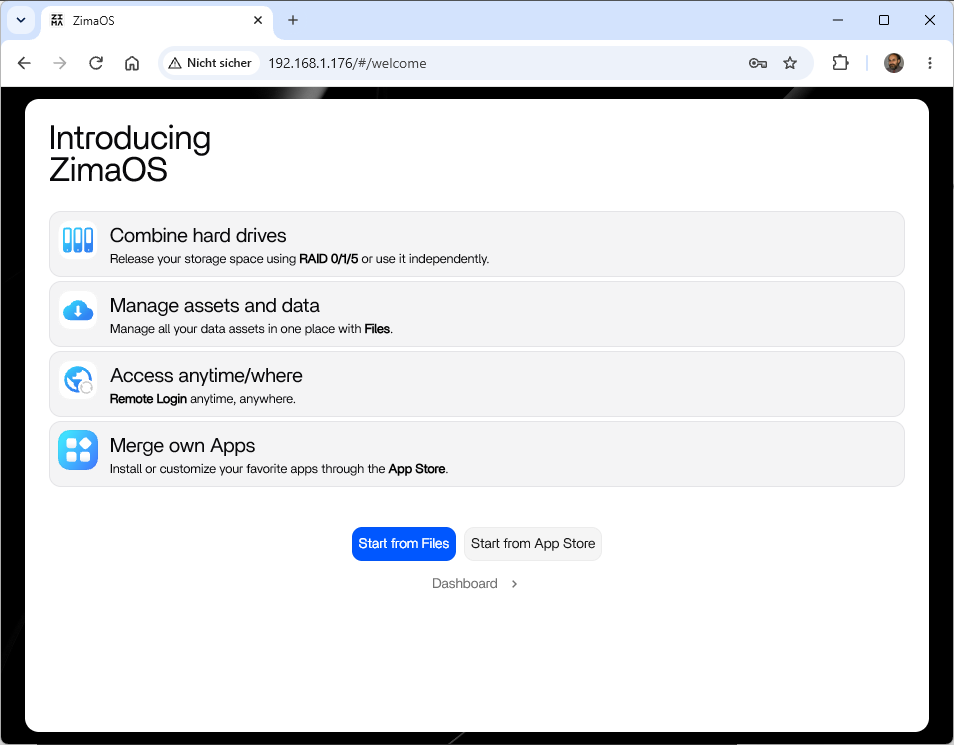
Samstag, August 8th, 2026ZimaOS Installation on Proxmox Virtual Environment (VE) – with an ISO Image ‚zimaos-x86_64-1.7.0_installer.iso‘
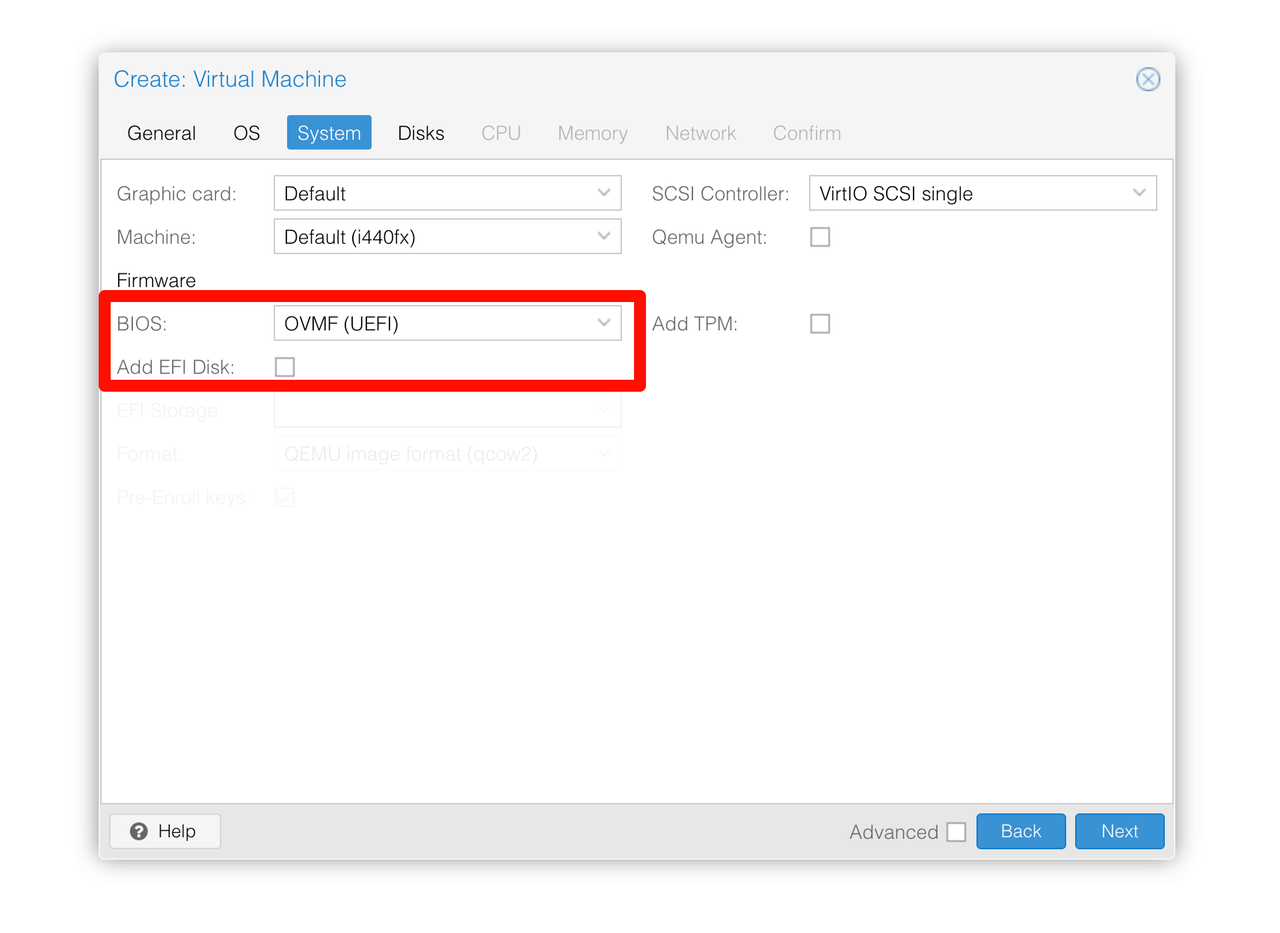
Important information on creating a virtual machine
Set BIOS to UEFI
Uncheck Add EFI Disk
.
.. simple installation of Odysseus AI / Open WebUI