Archive for the ‘Raspberry Pi’ Category
Proxmox Virtual Environment (VE) 9.2.10 – auf einem Raspberry Pi 5 installieren
Mittwoch, September 16th, 2026Upgrade your system from Debian 10 Buster to Debian 11 Bullseye – using the command line by updating your package lists editing your repository sources and performing a full system upgrade
Montag, August 17th, 2026Make a complete backup of your system or virtual machine snapshot before you start
Update Current Packages
root@rpi-iot-jsho-cam-02:~#
root@rpi-iot-jsho-cam-02:~# apt-get update -y
root@rpi-iot-jsho-cam-02:~# apt-get upgrade -y
root@rpi-iot-jsho-cam-02:~# apt-get dist-upgrade -y
Reboot your system to apply the latest Buster change
Update Repository Sources replace every instance of the word buster with bullseye
root@rpi-iot-jsho-cam-02:~# vi /etc/apt/sources.list
Run the Upgrade to Bullseye update your package index with the new Bullseye repositories
root@rpi-iot-jsho-cam-02:~# apt-get update
Run a minimal upgrade first to prepare system dependencies
root@rpi-iot-jsho-cam-02:~# apt-get upgrade –without-new-pkgs
Perform the complete distribution upgrade
root@rpi-iot-jsho-cam-02:~# apt-get full-upgrade
Remove obsolete installation files
root@rpi-iot-jsho-cam-02:~# apt-get autoclean
Reboot your system to apply the latest Bullseye change
Pi-hole v6.4.3 FTL v6.7 WEB Interface v6.6 – schließt Lücken
Dienstag, Juli 14th, 2026Pi-hole v6.4.3 FTL v6.7 WEB Interface v6.6 – released
Dienstag, Juli 7th, 2026
Podman 6.0.0 – was officially released on June 24 2026
Freitag, Juli 3rd, 2026 Podman 6.0.0 – this major release brings a host of significant improvements and new features designed to enhance your container management experience
Raspberry Pi OS 6.18.34 – release date June 18th 2026
Montag, Juni 22nd, 2026Uptime Kuma 2.x – it is a major version update it contains some breaking changes
Samstag, Mai 16th, 2026Raspberry Pi OS ‚Trixie‘ 6.2 – ’sudo‘ fragt jetzt nach einem Passwort
Dienstag, April 14th, 2026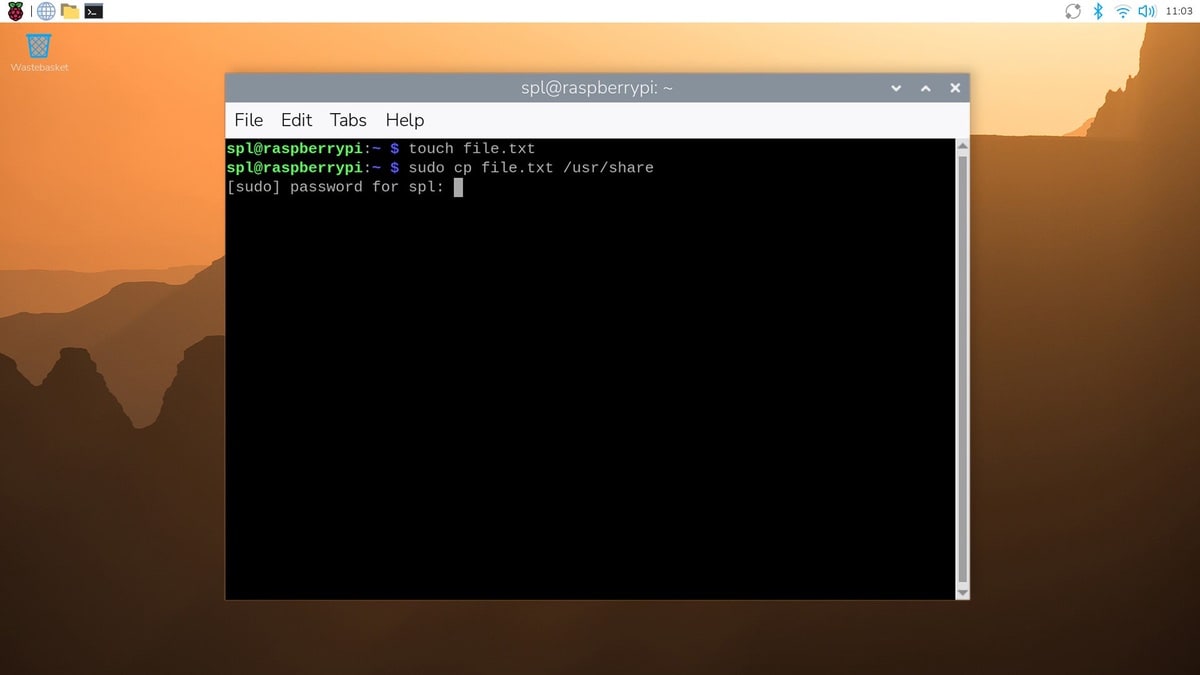
Migrate from MinIO to RustFS – today we are excited to announce that RustFS has introduced a key feature in the latest release so users can now migrate from MinIO to RustFS through direct binary replacement
Sonntag, April 12th, 2026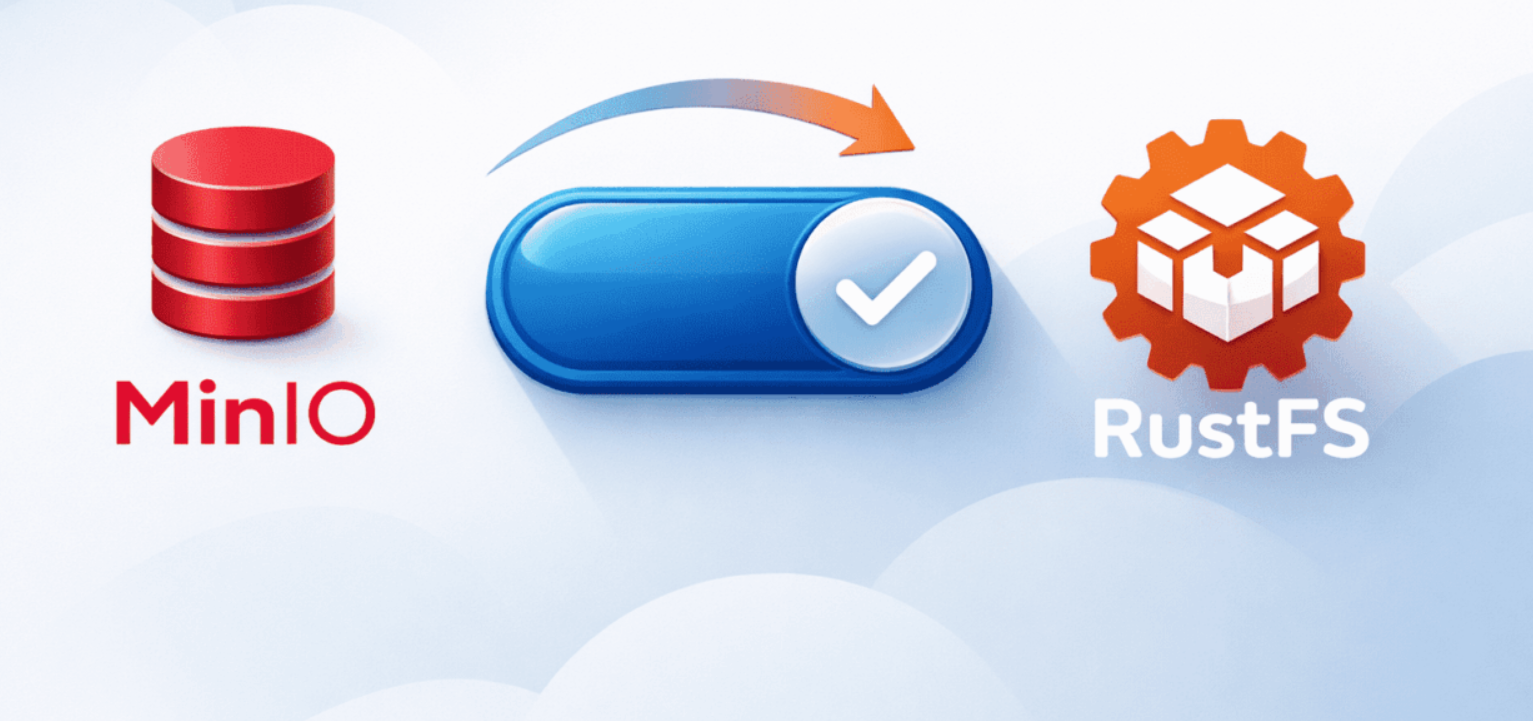
Podman 5.4.1 & RustFS S3 Storage v1.0.0-alpha.93 – mit Proxmox Virtual Environment (VE) 9.1.7 Container (LXC) Ubuntu 25.04 installieren für eine Backup Strategie ‚ProtectIT‘
Sonntag, April 12th, 2026
root@pve-pdman-03:~# apt-get update -y
root@pve-pdman-03:~# apt-get full-upgrade -y
root@pve-pdman-03:~# apt-get autoremove
root@pve-pdman-03:~# apt-get install podman -y
root@pve-pdman-03:~# podman –version
podman version 5.4.1
root@pve-pdman-03:~#
root@pve-pdman-03:~# mkdir -p $HOME/RustFS/data $HOME/RustFS/logs
root@pve-pdman-03:~# cd $HOME/RustFS
root@pve-pdman-03:~/RustFS# chown -R 10001:10001 data logs
root@pve-pdman-03:~/RustFS# vi /etc/containers/registries.conf
…
unqualified-search-registries=[„docker.io“]
„/etc/containers/registries.conf“ 78 lines, 3843 bytes written
root@pve-pdman-03:~/RustFS#
root@pve-pdman-03:~/RustFS# podman run -d –name RustFS -p 9000:9000 -p 9001:9001 -v $(pwd)/data:/data -v $(pwd)/logs:/logs rustfs/rustfs:latest
Resolving „rustfs/rustfs“ using unqualified-search registries (/etc/containers/registries.conf)
Trying to pull docker.io/rustfs/rustfs:latest…
Getting image source signatures
Copying blob 589002ba0eae done |
Copying blob 4f4fb700ef54 done |
Copying blob eb8cd37884ce done |
Copying blob 6f1a98617d5d done |
Copying blob 34d57dd12954 done |
Copying blob cc4c25ec86a3 done |
Copying blob 4e95abdc799c done |
Copying config 74b0dcc091 done |
Writing manifest to image destination
91aa798437f2b2e9fa51bbfb71ab4c1fa1845595027089f9047c4b3bcbf9d63e
root@pve-pdman-03:~/RustFS# podman ps
CONTAINER ID IMAGE COMMAND CREATED STATUS PORTS NAMES
91aa798437f2 docker.io/rustfs/rustfs:latest rustfs 6 seconds ago Up 6 seconds 0.0.0.0:9000-9001->9000-9001/tcp RustFS
root@pve-pdman-03:~/RustFS#
http://<IP@>:9001
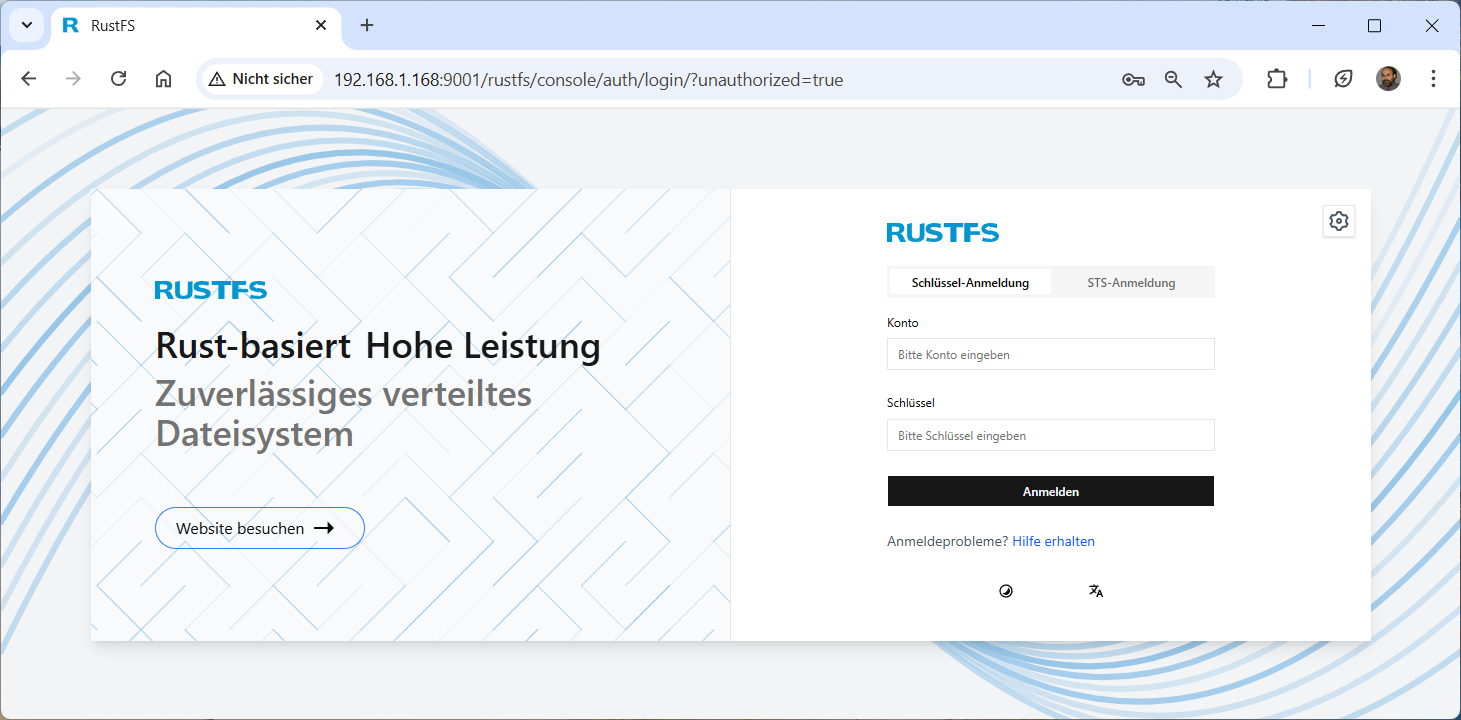
Here you will find an example of how to configure RustFS S3 Storage with the MinIO Client a free S3 client for Linux
root@pve-pdman-03:~# mkdir minio-binaries
root@pve-pdman-03:~#
root@pve-pdman-03:~# curl https://dl.min.io/client/mc/release/linux-amd64/mc -create-dirs -o $HOME/minio-binaries/mc
% Total % Received % Xferd Average Speed Time Time Time Current
Dload Upload Total Spent Left Speed
100 29.1M 100 29.1M 0 0 184k 0 0:02:41 0:02:41 –:–:– 3005k
root@pve-pdman-03:~#
root@pve-pdman-03:~# chmod +x $HOME/minio-binaries/mc
root@pve-pdman-03:~# export PATH=$PATH:$HOME/minio-binaries/
root@pve-pdman-03:~# mc -help
─────────────────────────────────────── (q)uit/esc
NAME:
mc – MinIO Client for object storage and filesystems.
USAGE:
mc [FLAGS] COMMAND [COMMAND FLAGS | -h] [ARGUMENTS…]
COMMANDS:
alias manage server credentials in configuration file
admin manage MinIO servers
anonymous manage anonymous access to buckets and objects
batch manage batch jobs
cp copy objects
cat display object contents
cors manage bucket CORS configuration
diff list differences in object name, size, and date between two buckets
du summarize disk usage recursively
encrypt manage bucket encryption config
event manage object notifications
find search for objects
get get s3 object to local
head display first ’n‘ lines of an object
ilm manage bucket lifecycle
root@pve-pdman-03:~#
root@pve-pdman-03:~# mc alias set myRustFS http://192.168.1.168:9000 <user> <password>
Added `myRustFS` successfully.
root@pve-pdman-03:~#
root@pve-pdman-03:~# mc mb –with-lock myRustFS/worm-with-versioning-and-retention-day
Bucket created successfully `myRustFS/worm-with-versioning-and-retention-day`.
root@pve-pdman-03:~#
root@pve-pdman-03:~# mc ilm add –expiry-days 15 myRustFS/worm-with-versioning-and-retention-day
Lifecycle configuration rule added with ID `d7ecamq8a59gmos4r4sg` to myRustFS/worm-with-versioning-and-retention-day.
root@pve-pdman-03:~#
root@pve-pdman-03:~# mc ilm add –noncurrentversion-expiration-days 3 myRustFS/worm-with-versioning-and-retention-day
Lifecycle configuration rule added with ID `d7eck328a59gn355l70g` to myRustFS/worm-with-versioning-and-retention-day.
root@pve-pdman-03:~#
root@pve-pdman-03:~# mc ilm export myRustFS/worm-with-versioning-and-retention-day
{
„Rules“: [
{
„Expiration“: {
„Days“: 15
},
„ID“: „d7ecamq8a59gmos4r4sg“,
„Status“: „Enabled“
},
{
„ID“: „d7eck328a59gn355l70g“,
„NoncurrentVersionExpiration“: {
„NoncurrentDays“: 3
},
„Status“: „Enabled“
}
]
}
root@pve-pdman-03:~#
root@pve-pdman-03:~# mc retention set –default compliance 7d myRustFS/worm-with-versioning-and-retention-day
Object locking ‚COMPLIANCE‘ is configured for 7DAYS.
root@pve-pdman-03:~#
root@pve-pdman-03:~# mc retention info myRustFS/worm-with-versioning-and-retention-day
Object locking ‚COMPLIANCE‘ is configured for 7DAYS.
root@pve-pdman-03:~#
root@pve-pdman-03:~# mc –json retention info myRustFS/worm-with-versioning-and-retention-day
{
„op“: „info“,
„enabled“: „Enabled“,
„mode“: „COMPLIANCE“,
„validity“: „7DAYS“,
„status“: „success“
}
root@pve-pdman-03:~#
root@pve-pdman-03:~# mc admin info myRustFS
● :::9000
Uptime: 16 hours
Version: 2026-04-10T21:38:29+08:00@1.0.0-alpha.93
Network: 1/1 OK
Drives: 1/1 OK
Pool: 1
┌──────┬──────────────────────┬─────────────────────┬──────────────┐
│ Pool │ Drives Usage │ Erasure stripe size │ Erasure sets │
│ 1st │ 2.5% (total: 59 GiB) │ 1 │ 1 │
└──────┴──────────────────────┴─────────────────────┴──────────────┘
0 B Used, 1 Bucket, 0 Objects
1 drive online, 0 drives offline, EC:0
root@pve-pdman-03:~#
Proxmox Virtual Environment (VE) 9.1.6 – should you run Docker in Linux Containers (LXC)
Donnerstag, März 19th, 2026MinIO AIStor Free Tier License Agreement – Last Updated January 30 2026
Samstag, März 14th, 2026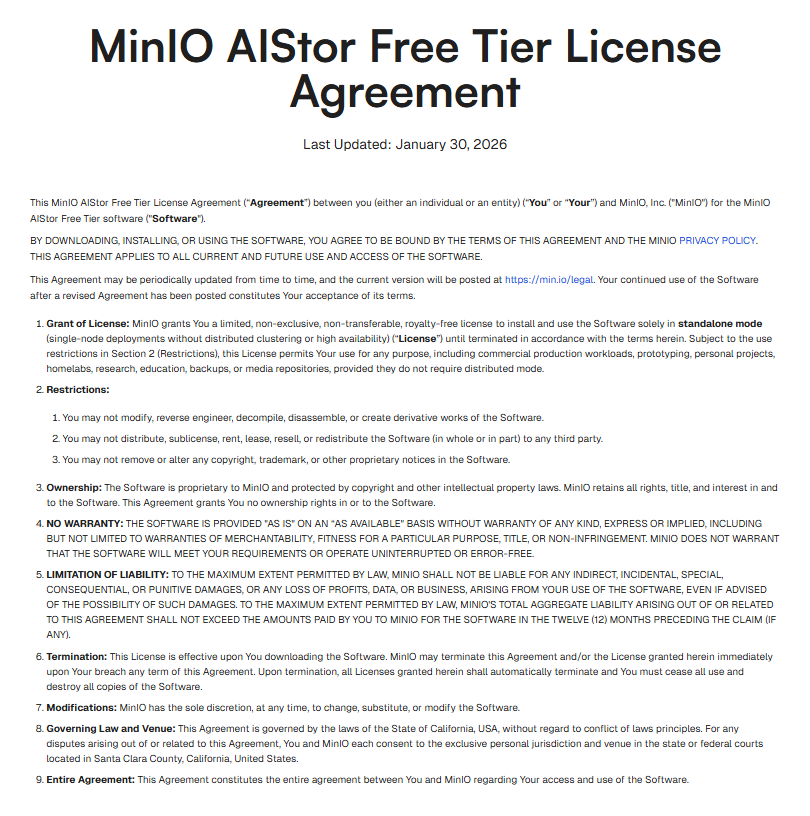
Raspberry Pi 5 – install a local AI and run OpenClaw ClawdBot MoltBot with Ollama
Samstag, März 14th, 2026AI Workflow Automation N8N 2.9.4 – use the S3 Bucket node to automate work in MinIO AIStor S3 storage and integrate S3 with other applications e.g. Google Drive
Mittwoch, März 11th, 2026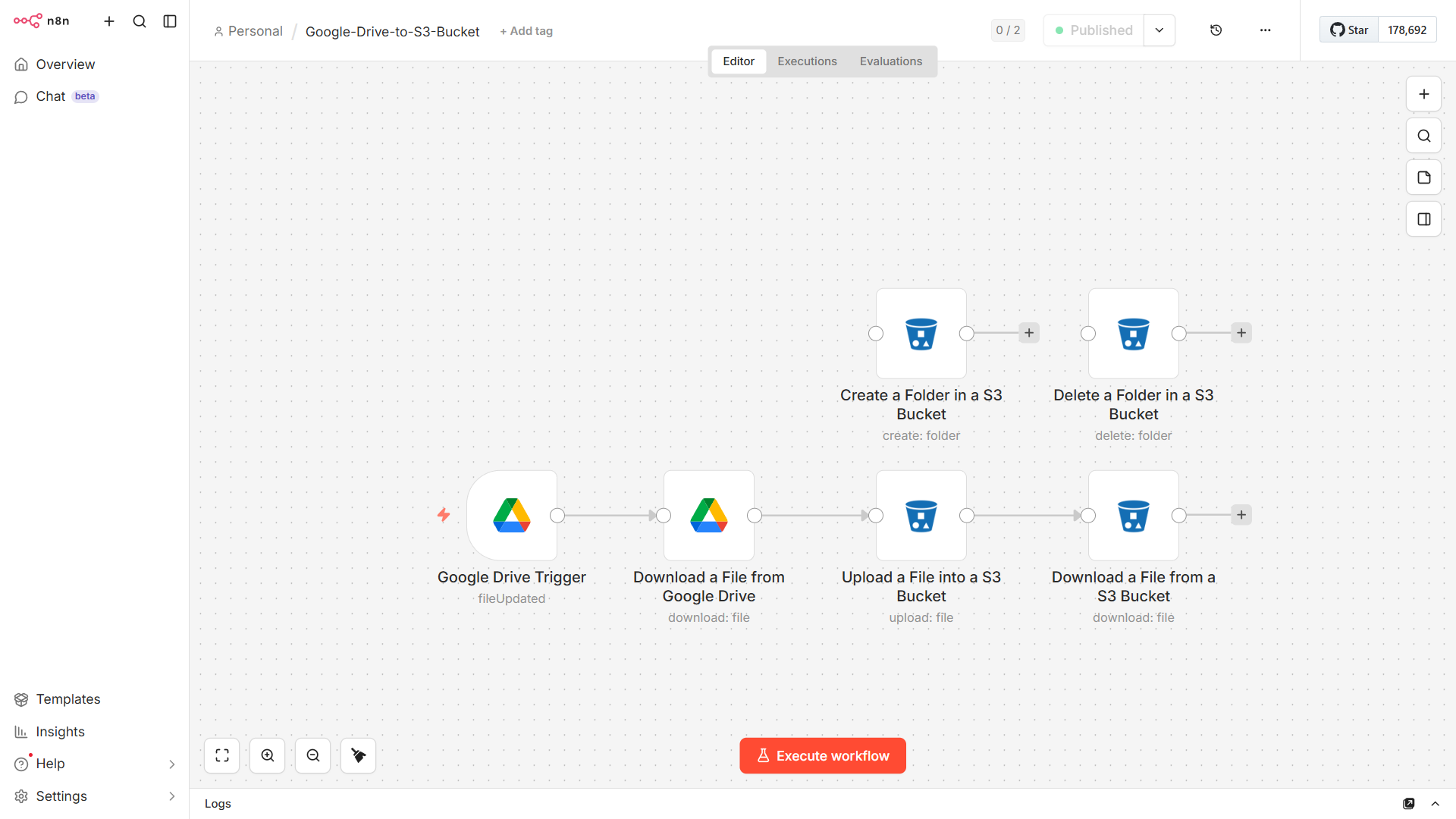
Podman 5.4.1 & AIStor MinIO S3 Storage – mit Proxmox Virtual Environment (VE) 9.1.6 Container (LXC) Ubuntu 25.04 installieren für eine Backup Strategie ‚ProtectIT‘
Montag, März 9th, 2026
root@pve-pdman-02:~# apt-get install podman -y
root@pve-pdman-02:~# podman –version
podman version 5.4.1
root@pve-pdman-02:~#
root@pve-pdman-02:~# mkdir -p $HOME/minio/data $HOME/minio/certs
root@pve-pdman-02:~#
root@pve-pdman-02:~# podman pull quay.io/minio/aistor/minio
Trying to pull quay.io/minio/aistor/minio:latest…
Getting image source signatures
Copying blob b9c0132d4fc4 done |
Copying blob a4040d7639ee done |
Copying blob 18c6d1aafeac done |
Copying blob 9b89e85e383a done |
Copying blob 07dad54395c5 done |
Copying blob 7d1fa4953c50 done |
Copying blob 4da47c45b87a done |
Copying blob a66c129ee211 done |
Copying blob a4a6f67359f4 done |
Copying blob 39dae2cafc87 done |
Copying blob 2632d3c09ca4 done |
Copying config 62640cc449 done |
Writing manifest to image destination
62640cc4499ca9b8235f6ade35019792dd8ee073f0059d0ed9de3e720eae7e54
root@pve-pdman-02:~#
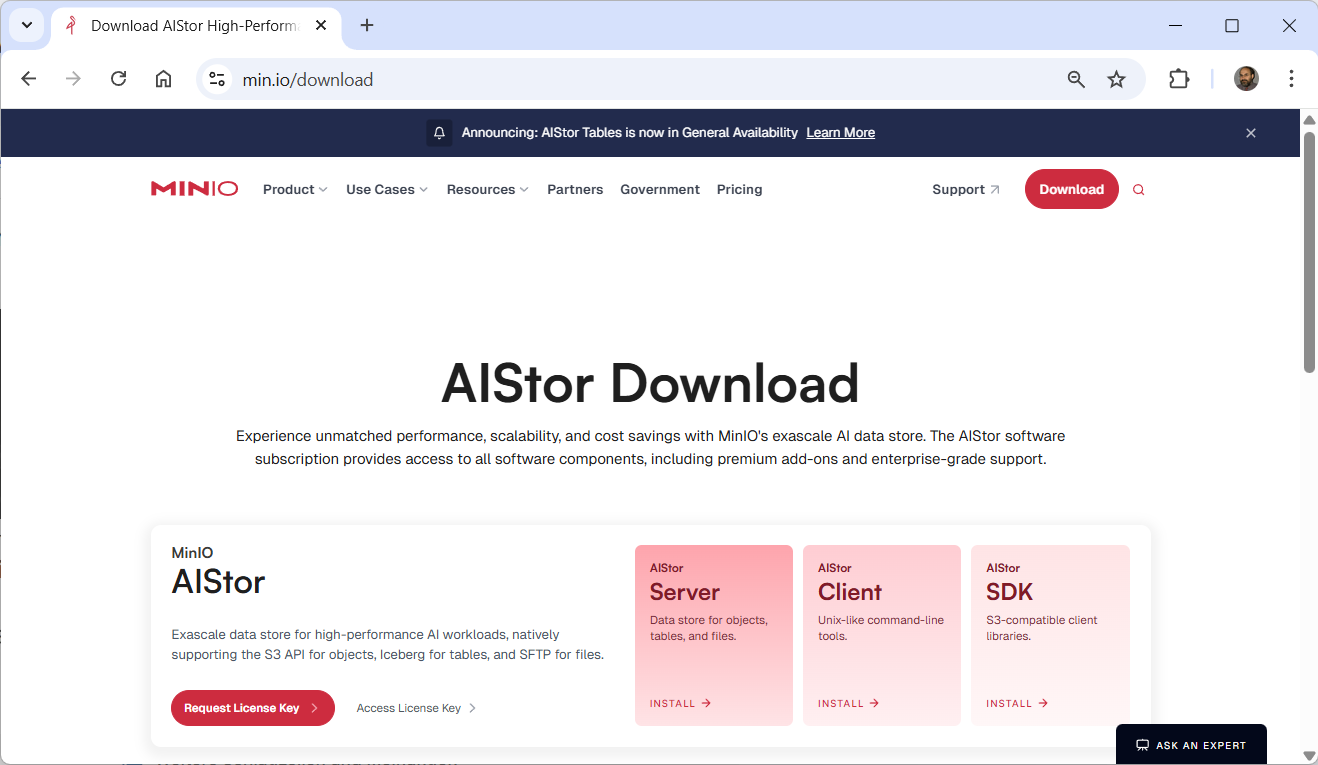
Download the license file to $HOME/minio/minio.license for use in the next step
root@pve-pdman-02:~# podman run -dt \
-p 9000:9000 -p 9001:9001 \
-v $HOME/minio/data:/mnt/data \
-v $HOME/minio/minio.license:/minio.license \
-v $HOME/minio/certs:/etc/minio/certs \
–name „aistor-server“ \
quay.io/minio/aistor/minio:latest minio server /mnt/data \
–license /minio.license
82c3a5cbdae6bd6623deb5acd8eaf882c20290af385e14d990f1d2566920552e
root@pve-pdman-02:~#
root@pve-pdman-02:~# podman ps
CONTAINER ID IMAGE COMMAND CREATED STATUS PORTS NAMES
82c3a5cbdae6 quay.io/minio/aistor/minio:latest minio server /mnt… 8 seconds ago Up 8 seconds 0.0.0.0:9000-9001->9000-9001/tcp aistor-server
root@pve-pdman-02:~#
root@pve-pdman-02:~# podman exec -it aistor-server /bin/bash
bash-5.1#
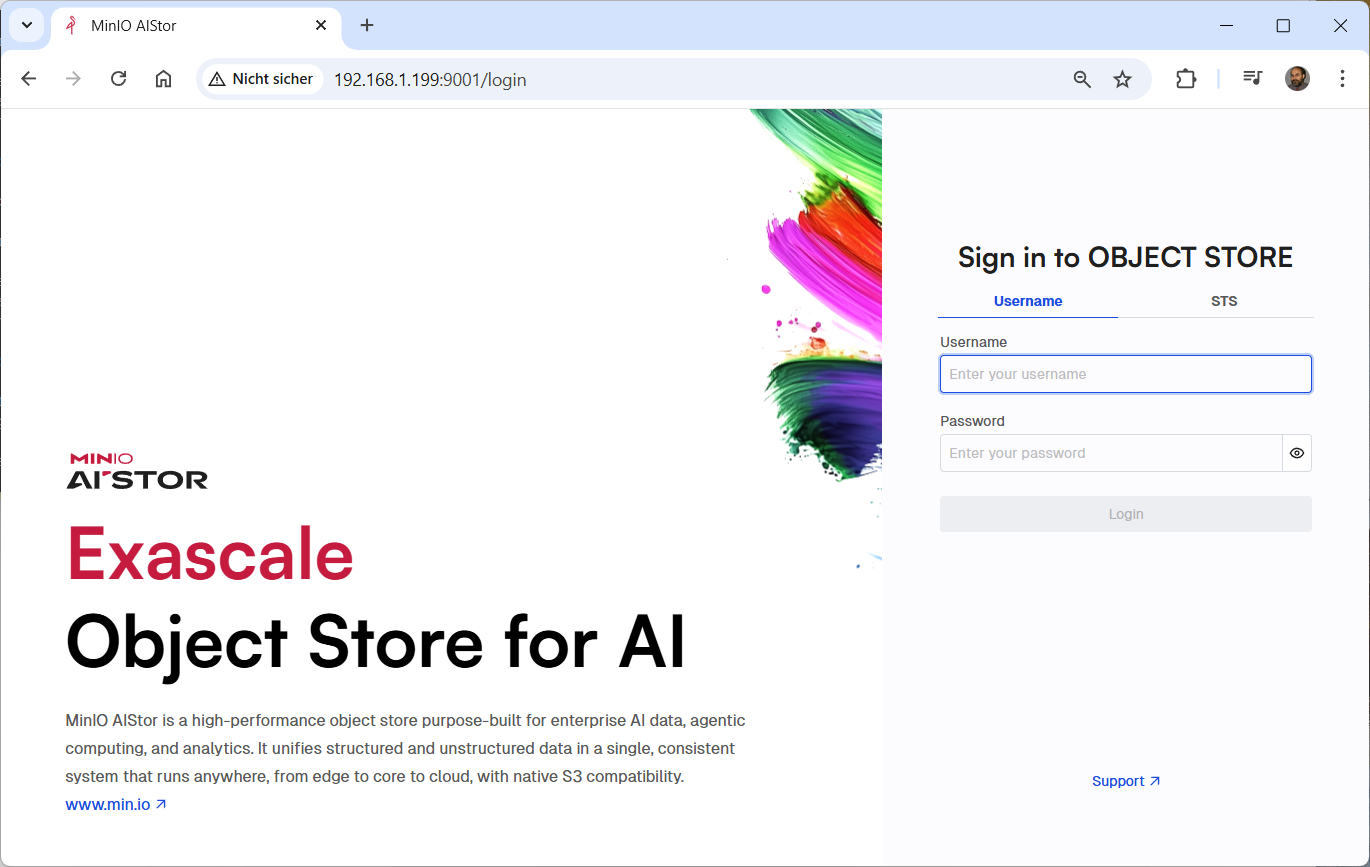
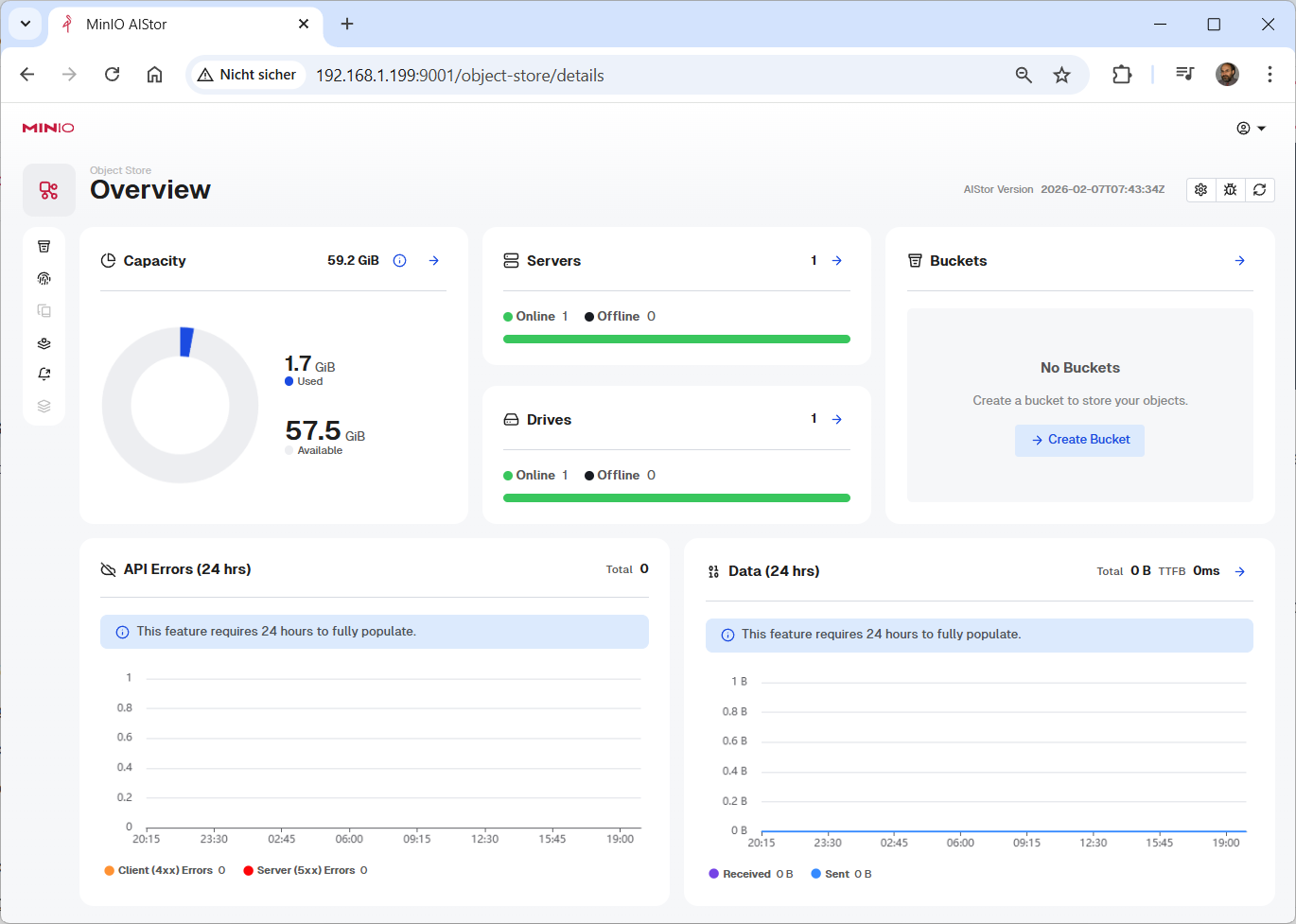
Open your browser to http://pve-pdman-02:9001
root@pve-pdman-02:~# cd minio
root@pve-pdman-02:~/minio# wget https://dl.min.io/aistor/mc/release/linux-amd64/mc
–2026-03-09 11:13:17– https://dl.min.io/aistor/mc/release/linux-amd64/mc
Resolving dl.min.io (dl.min.io)… 138.68.11.125, 178.128.69.202
Connecting to dl.min.io (dl.min.io)|138.68.11.125|:443… connected.
HTTP request sent, awaiting response… 200 OK
Length: 98529464 (94M) [application/octet-stream]
Saving to: ‚mc‘
mc 100%[===========================================>] 93.96M 9.03MB/s in 12s
2026-03-09 11:13:31 (7.56 MB/s) – ‚mc‘ saved [98529464/98529464]
root@pve-pdman-02:~/minio#
root@pve-pdman-02:~/minio# chmod +x mc
root@pve-pdman-02:~/minio# ./mc –version
mc version RELEASE.2026-02-19T10-32-25Z (commit-id=562ae1114bc24f7d8ffcf78db97b70058b85d659)
Runtime: go1.25.7 linux/amd64
Copyright (c) 2015-2026 MinIO, Inc.
MinIO Enterprise License
root@pve-pdman-02:~/minio#
root@pve-pdman-02:~/minio# ./mc alias set myminio http://192.168.1.199:9000 <user> <password>
Configuration written to `/root/.mc/config.json`. Please update your access credentials.
Successfully created `/root/.mc/share`.
Initialized share uploads `/root/.mc/share/uploads.json` file.
Initialized share downloads `/root/.mc/share/downloads.json` file.
Added `myminio` successfully.
root@pve-pdman-02:~/minio#
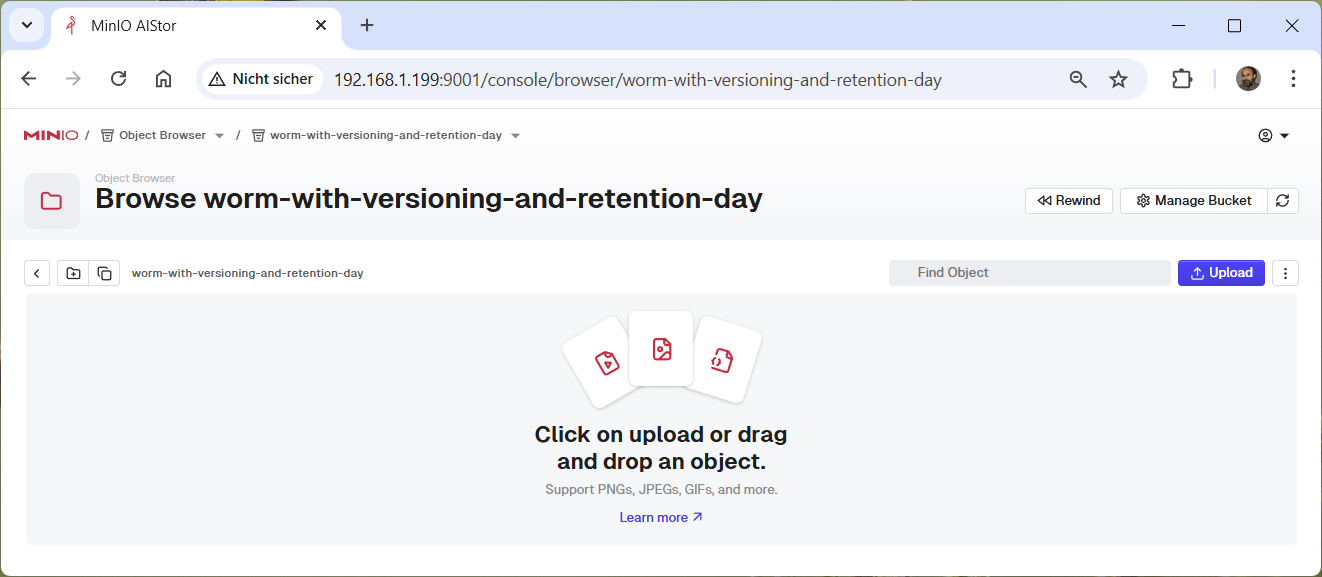
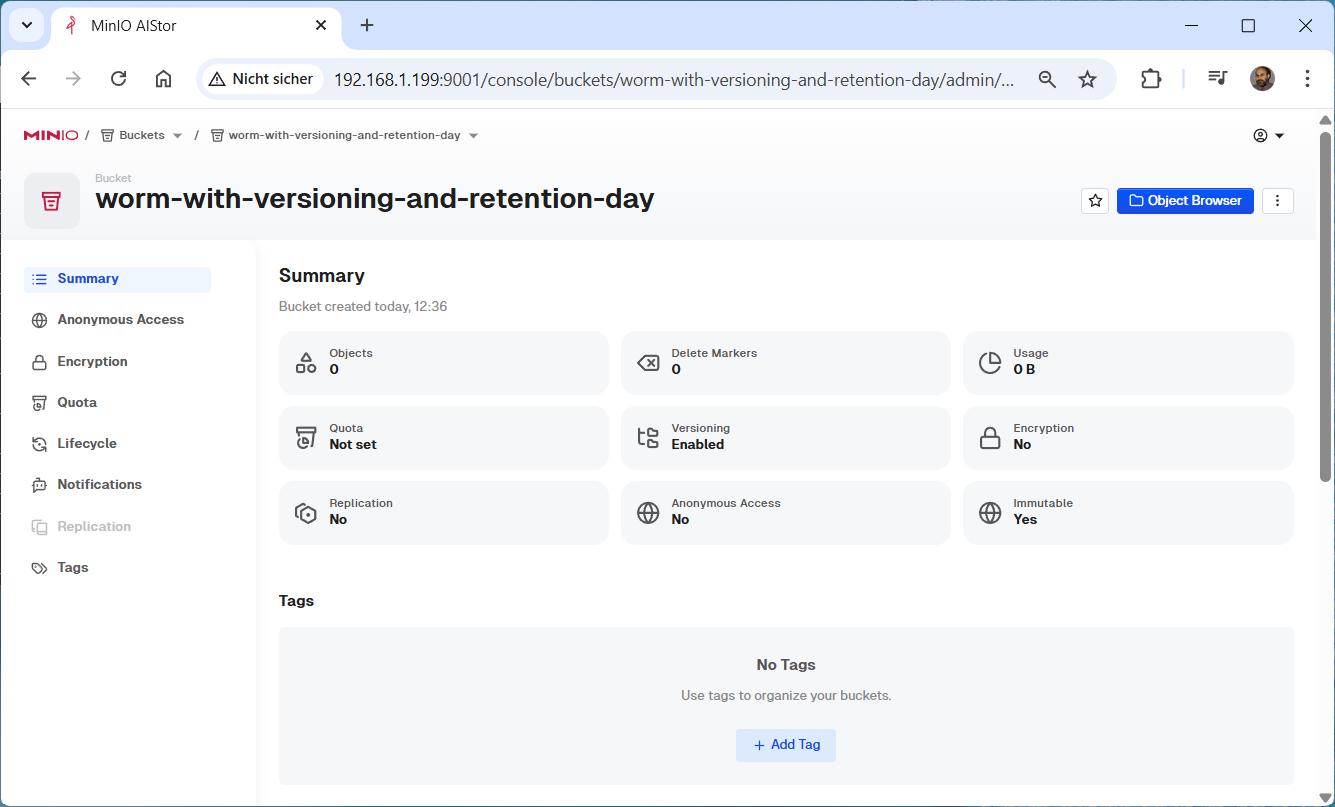
root@pve-pdman-02:~/minio# ./mc mb –with-lock myminio/worm-with-versioning-and-retention-day
Bucket created successfully `myminio/worm-with-versioning-and-retention-day`.
root@pve-pdman-02:~/minio#
root@pve-pdman-02:~/minio# ./mc ilm add –expiry-days 15 myminio/worm-with-versioning-and-retention-day
Lifecycle configuration rule added with ID `d6nb3i35sgm06udsobh0` to myminio/worm-with-versioning-and-retention-day.
root@pve-pdman-02:~/minio#
root@pve-pdman-02:~/minio# ./mc ilm export myminio/worm-with-versioning-and-retention-day
{
„Rules“: [
{
„Expiration“: {
„Days“: 15
},
„ID“: „d6nb3i35sgm06udsobh0“,
„Status“: „Enabled“
}
]
}
root@pve-pdman-02:~/minio#
root@pve-pdman-02:~/minio# ./mc retention set –default compliance 7d myminio/worm-with-versioning-and-retention-day
Object locking ‚COMPLIANCE‘ is configured for 7DAYS.
root@pve-pdman-02:~/minio#
root@pve-pdman-02:~/minio# ./mc –json retention info myminio/worm-with-versioning-and-retention-day
{
„op“: „info“,
„enabled“: „Enabled“,
„mode“: „COMPLIANCE“,
„validity“: „7DAYS“,
„status“: „success“
}
root@pve-pdman-02:~/minio#