Archive for the ‘Windows Server 2019’ Category

Microsoft Windows Server 2016 2019 2022 – all users get disconnected approximately every 30-60 minutes and the following is logged in the Application log on the Remote Desktop Gateway

Montag, Juli 29th, 2024

After installing KB5040430 we are seeing issues on the Server 2019 Remote Desktop Gateway on RDS


Faulting application name: svchost.exe_TSGateway, version: 10.0.17763.3346, time stamp: 0xb6a0daab
Faulting module name: aaedge.dll, version: 10.0.17763.6054, time stamp: 0xce1c5805
Exception code: 0xc0000005
Fault offset: 0x000000000005abe2
Faulting process id: 0x1db0
Faulting application start time: 0x01dad38ae65f65ae
Faulting application path: C:\Windows\system32\svchost.exe
Faulting module path: c:\windows\system32\aaedge.dll
Report Id: bbb10a26-fc25-4bba-9ed8-45c2eff5f5ba
Faulting package full name:
Faulting package-relative application ID:

The system was operating normally before the Windows Update

This is now listed as a Known Issue in each relevant KB article:

Windows Server 2022 KB5040437

Windows Server 2019 KB5040430

Windows Server 2016 KB5040434
Microsoft Windows Server ‚ldp.exe‘ – is a command line tool that comes with the Lightweight Directory Access Protocol (LDAP) server and it is used to query an LDAP directory over SSL/TLS

Mittwoch, Juli 3rd, 2024

ldp.exe -H <ldap_server> -P <port> -Y

Let’s break it down:

* `-H` specifies the hostname or IP address of the LDAP server
* `-P` specifies the port number (default is 389, but you might need to specify a different port if your LDAP server is using a non-standard port)
* `-Y` tells `ldp.exe` to use SSL/TLS encryption

So if you want to test an LDAP connection over SSL/TLS to ‚example.com‘ on port `636` you would run

ldp.exe -H example.com -P 636 -Y

This command will prompt you for a username and password. Enter the credentials of a user with sufficient privileges to perform the query

If everything is set up correctly you should see some LDAP data returned in a human-readable format if not you might get an error message indicating what went wrong (e.g., invalid credentials, server not responding)

Remember to replace `example.com` and `636` with your actual LDAP server’s hostname or IP address and the port number you’re using for SSL/TLS connections

Keep in mind that this is just a basic example you can modify the command to perform more complex queries, such as searching for specific users or groups

Microsoft Windows Server 2019 – die Sicherheitsupdates vom Mai Patchday schlagen auf Windows Server 2019 reihenweise mit der Fehlernummer 0x800f0982 fehl

Freitag, Mai 24th, 2024

Microsoft hat das Sicherheitsupdate KB5039705 für Windows Server 2019 und Windows 10 1809 außer der Reihe veröffentlicht welches das fehlerhafte KB5037765 ersetzt

Microsoft Windows Server 2019 – die Sicherheitsupdates vom Mai Patchday schlagen auf Windows Server 2019 reihenweise mit der Fehlernummer 0x800f0982 fehl

Samstag, Mai 18th, 2024

Microsoft Windows Server 2019 – das Problem tritt mit höherer Wahrscheinlichkeit auf Geräten auf die das englische Sprachpaket (English, United States) NICHT installiert haben

Microsoft Windows Server 2022 2019 2016 2012 R2 – mit einem wichtigen Out-of-band Update und dieses behebt ein bekanntes Problem das den Lokalen Sicherheitsautoritätssubsystemdienst (LSASS) betrifft

Samstag, März 23rd, 2024

Dieses Update behebt ein bekanntes Problem das den Lokalen Sicherheitsautoritätssubsystemdienst (LSASS) betrifft es kann Speicherverlusten auf Domänencontrollern (DCs) dieses Problem tritt auf nachdem Sie das Update vom 12.03.2024 installiert haben das Leck tritt auf wenn lokale und cloudbasierte Active Directory DCs Kerberos Authentifizierungsanforderungen verarbeiten dieser erhebliche Verlust kann zu einer übermäßigen Speicherauslastung führen aus diesem Fall reagiert LSASS möglicherweise nicht mehr und die DCs werden neu gestartet wenn sie dies nicht erwarten

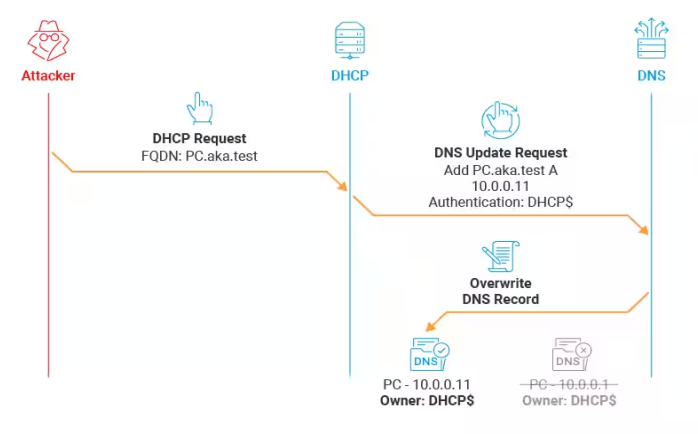
Microsoft Active Directory domains that use Microsoft Dynamic Host Configuration Protocol (DHCP) Servers – spoofing DNS Records by Abusing DHCP DNS Dynamic Updates

Samstag, Dezember 16th, 2023

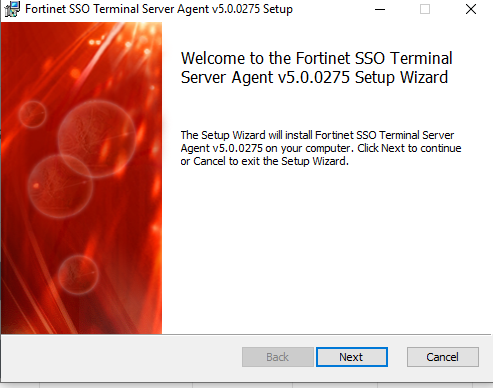
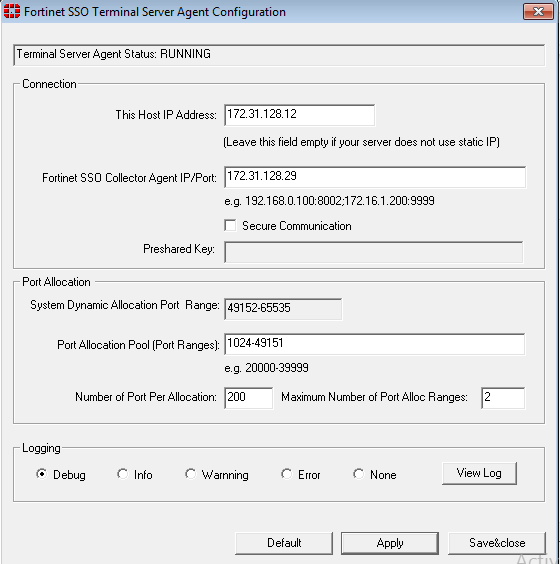
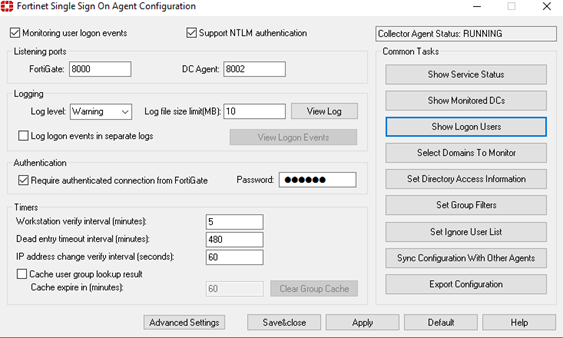
Fortinet SSO Terminalserver Agent – Next Generation Firewall utilizes purpose built security processors and threat intelligence security services from FortiGuard labs to deliver top-rated protection and high performance including encrypted traffic

Mittwoch, Oktober 11th, 2023

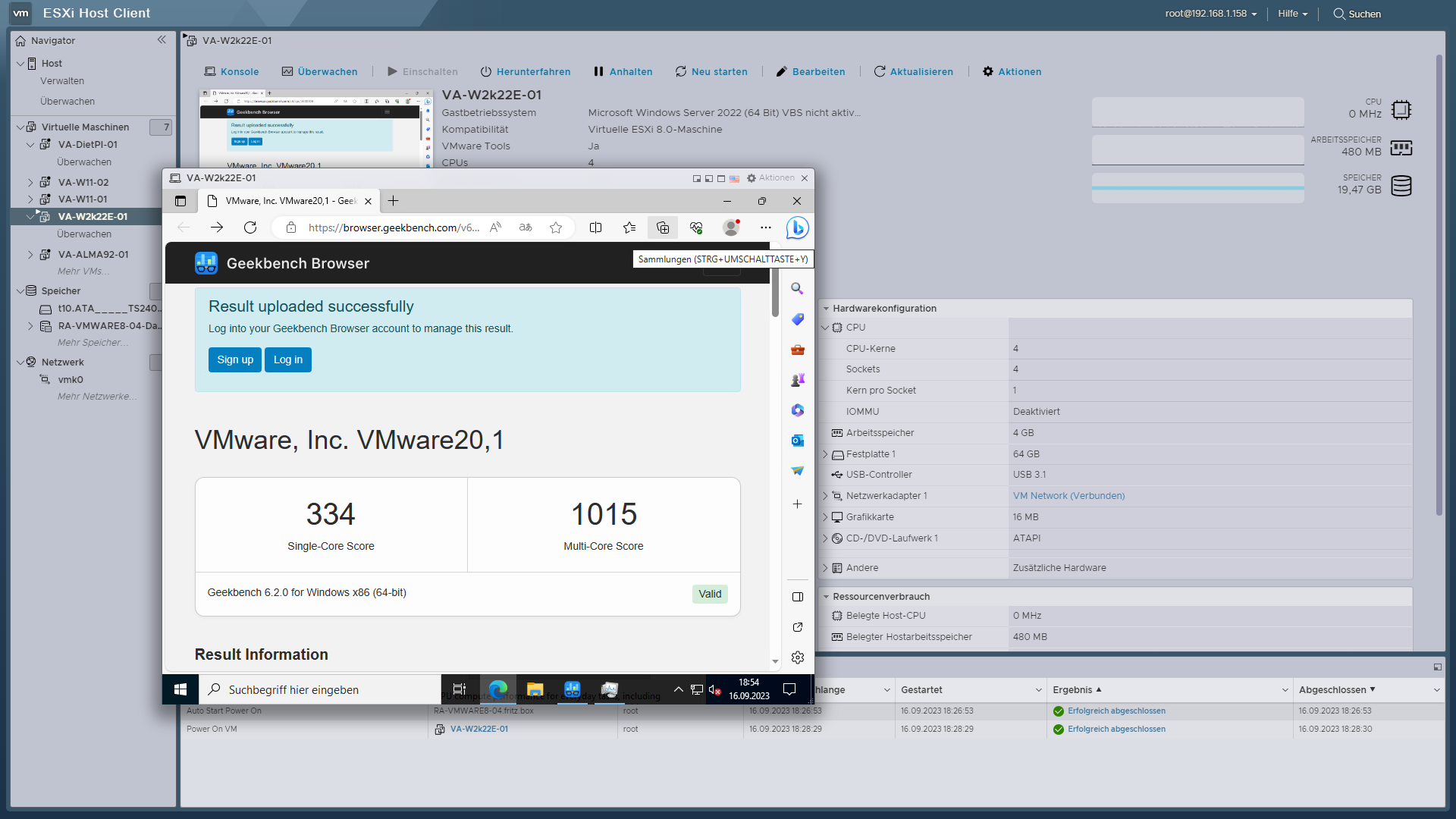
Geekbench 6.2 – is a cross platform benchmark that measure system performance with the press of a button

Samstag, September 16th, 2023

Geekbench – CPU benchmark measures performance in new application areas including Augmented Reality and Machine Learning so you’ll know how close your system is to the cutting-edge

with 4 CPU Cores 4 Sockets 1 Core/Socket
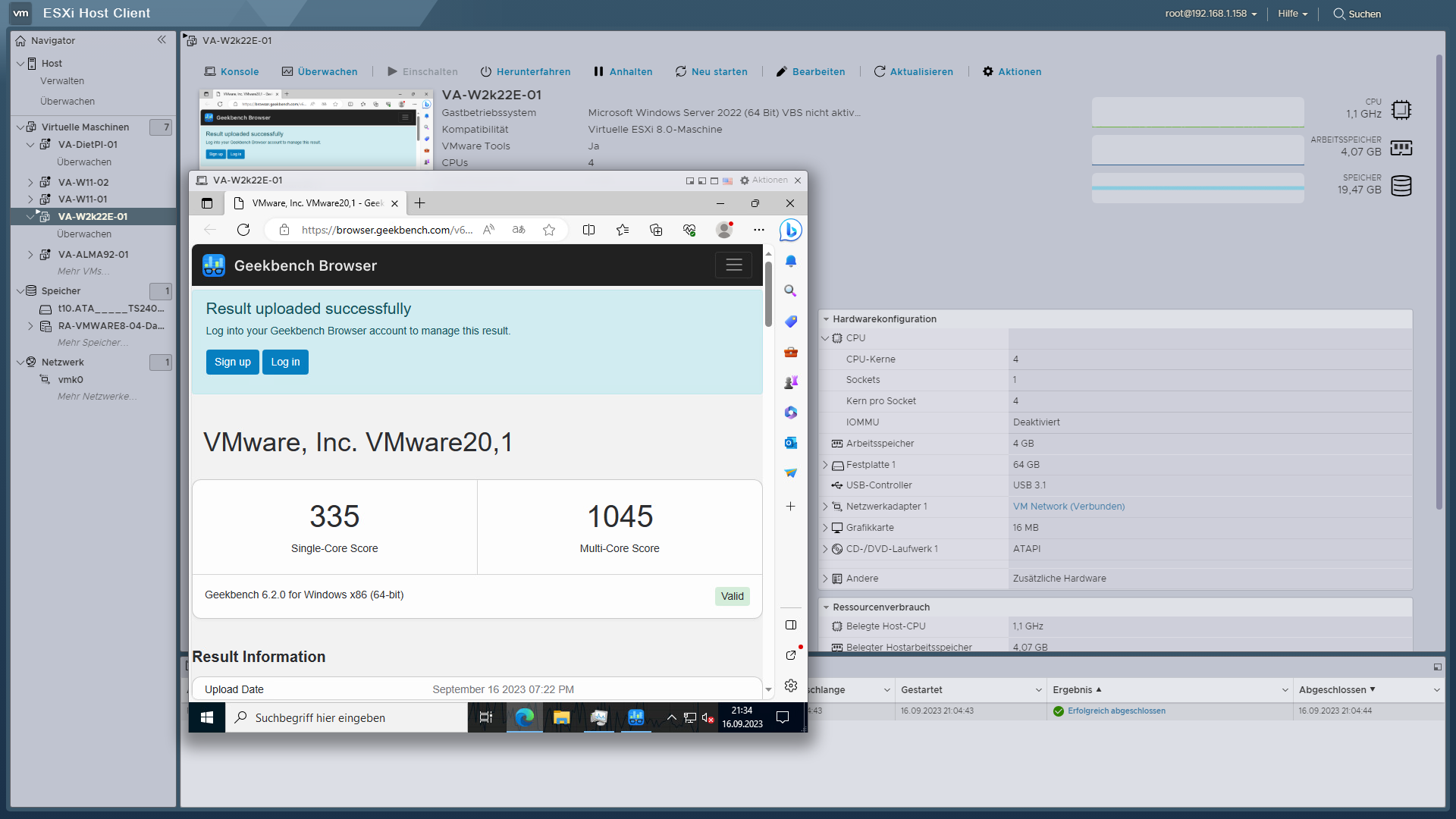
with 4 CPU Cores 1 Socket 4 Cores/Socket
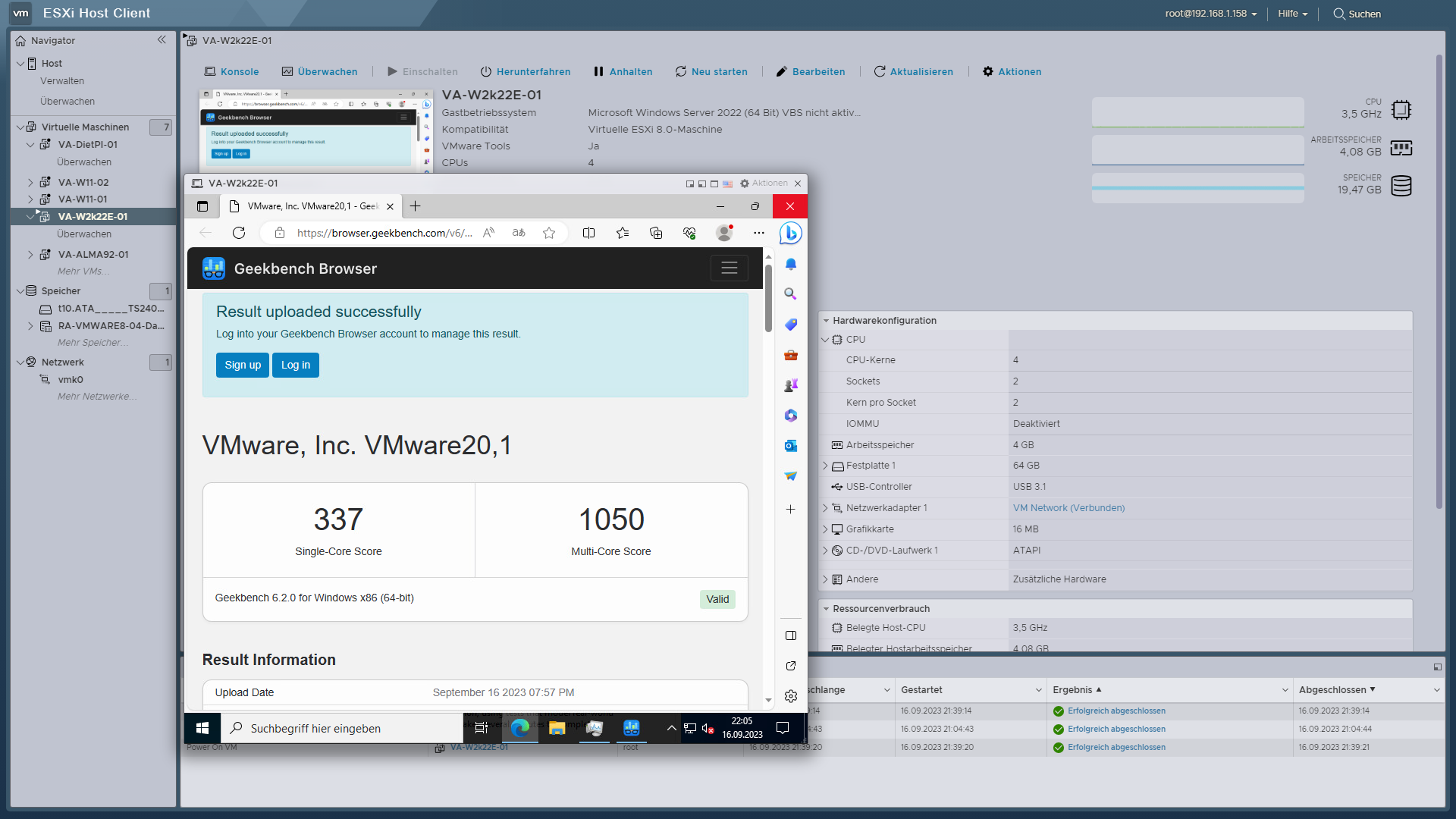
with 4 CPU Cores 2 Sockets 2 Cores/Socket
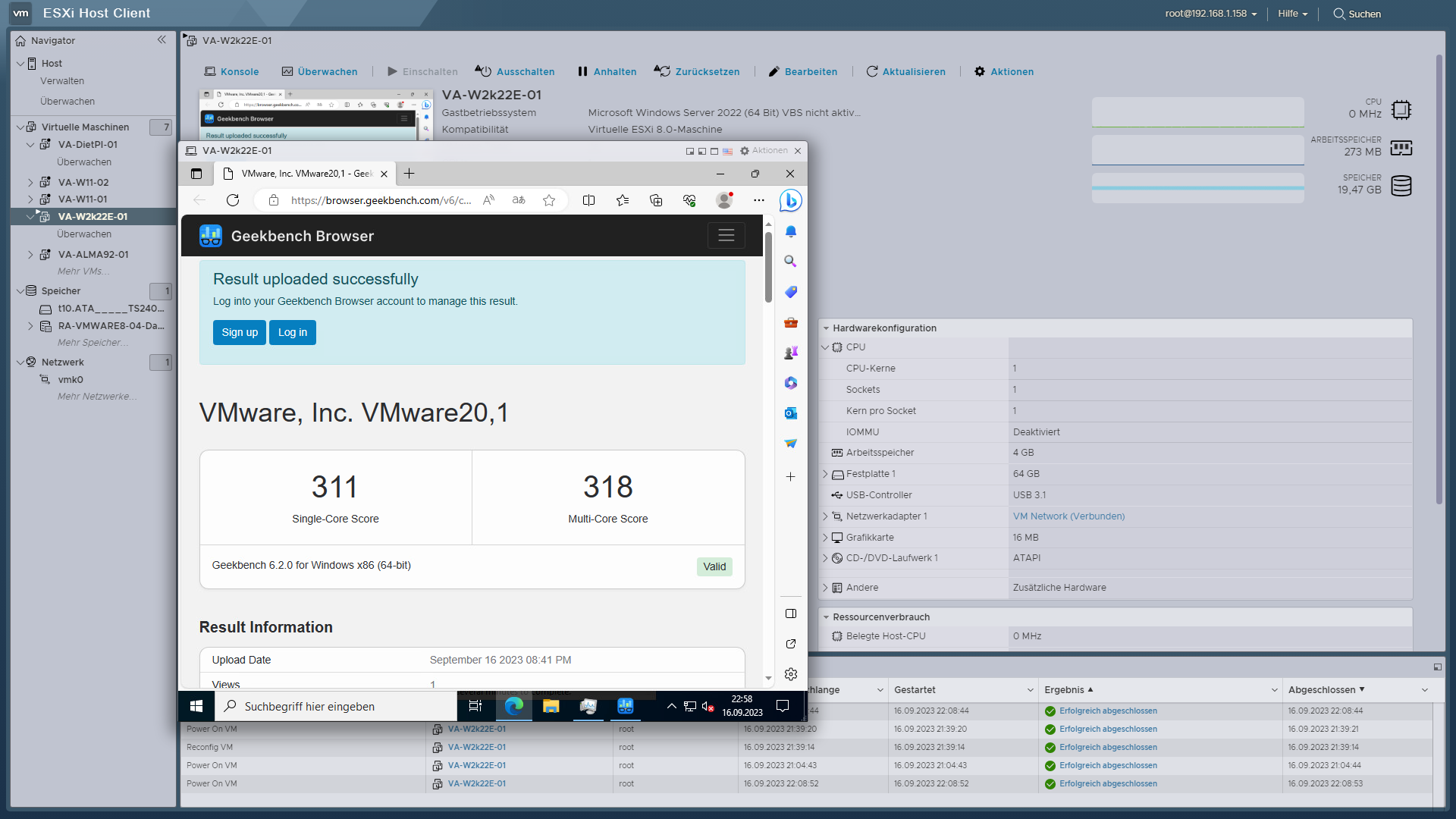
with 1 CPU Core 1 Socket 1 Core/Socket
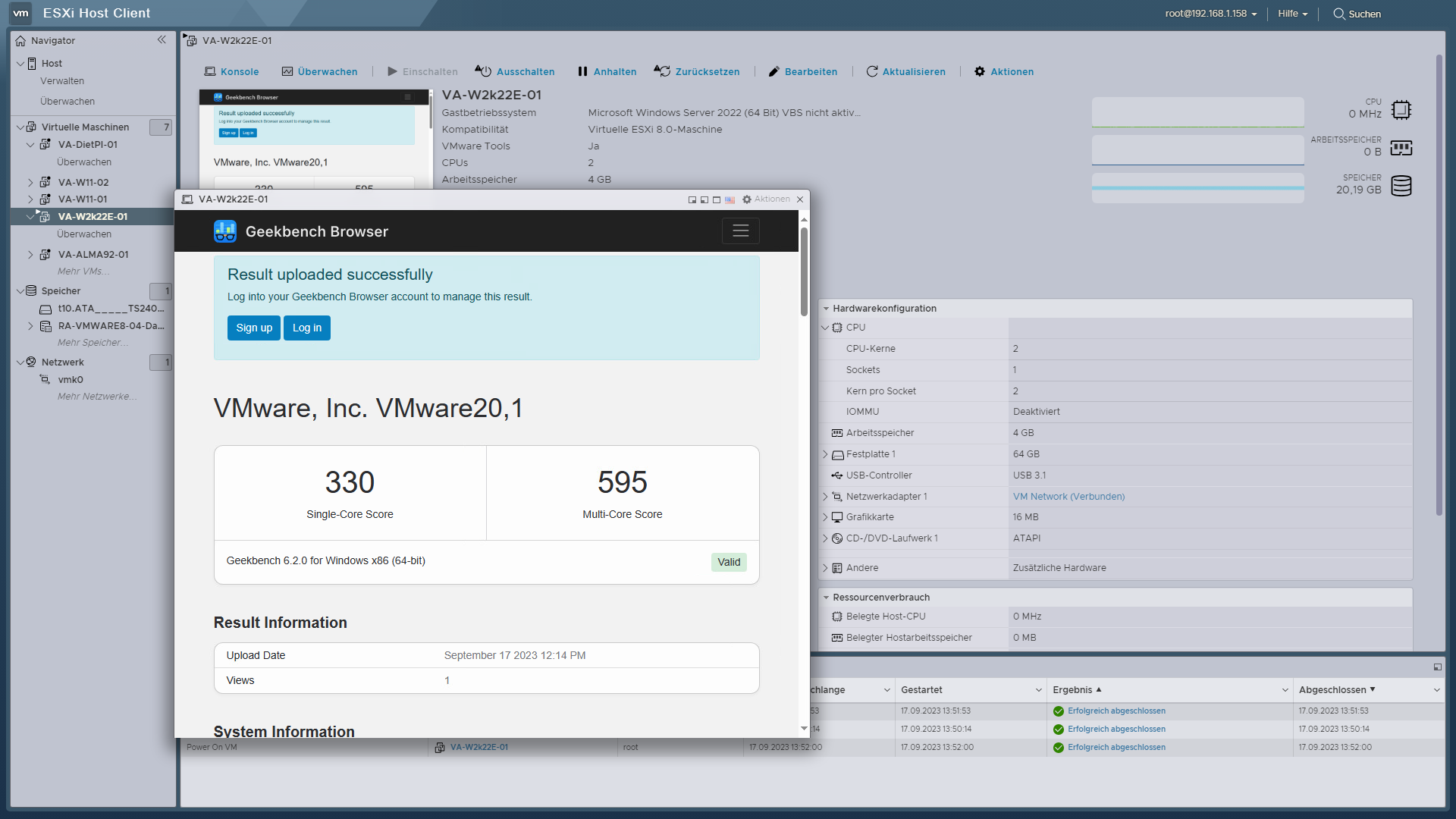
with 2 CPU Cores 1 Socket 2 Cores/Socket

Microsoft Windows Server 2019 / 2022 – how to tune the Windows Server TCP Transport Template ( for advanced users only )

Dienstag, Februar 21st, 2023

Windows Server TCP Transport Template(s) – the ‚Datacenter‘ template is designed for low-latency LAN environments and the ‚Internet‘ template is designed for higher latency WAN environments

PS C:\Users\Administrator> Get-NetTCPSetting

SettingName : Automatic
MinRto(ms) :
InitialCongestionWindow(MSS) :
CongestionProvider :
CwndRestart :
DelayedAckTimeout(ms) :
DelayedAckFrequency :
MemoryPressureProtection :
AutoTuningLevelLocal :
AutoTuningLevelGroupPolicy :
AutoTuningLevelEffective :
EcnCapability :
Timestamps :
InitialRto(ms) :
ScalingHeuristics :
DynamicPortRangeStartPort :
DynamicPortRangeNumberOfPorts :
AutomaticUseCustom :
NonSackRttResiliency :
ForceWS :
MaxSynRetransmissions :
AutoReusePortRangeStartPort :
AutoReusePortRangeNumberOfPorts :

SettingName : InternetCustom
MinRto(ms) : 300
InitialCongestionWindow(MSS) : 10
CongestionProvider : CUBIC
CwndRestart : False
DelayedAckTimeout(ms) : 40
DelayedAckFrequency : 2
MemoryPressureProtection : Enabled
AutoTuningLevelLocal : Normal
AutoTuningLevelGroupPolicy : NotConfigured
AutoTuningLevelEffective : Local
EcnCapability : Enabled
Timestamps : Allowed
InitialRto(ms) : 1000
ScalingHeuristics : Disabled
DynamicPortRangeStartPort : 49152
DynamicPortRangeNumberOfPorts : 16384
AutomaticUseCustom : Disabled
NonSackRttResiliency : Disabled
ForceWS : Enabled
MaxSynRetransmissions : 4
AutoReusePortRangeStartPort : 0
AutoReusePortRangeNumberOfPorts : 0
SettingName : DatacenterCustom
MinRto(ms) : 60
InitialCongestionWindow(MSS) : 10
CongestionProvider : CUBIC
CwndRestart : False
DelayedAckTimeout(ms) : 10
DelayedAckFrequency : 2
MemoryPressureProtection : Enabled
AutoTuningLevelLocal : Normal
AutoTuningLevelGroupPolicy : NotConfigured
AutoTuningLevelEffective : Local
EcnCapability : Enabled
Timestamps : Allowed
InitialRto(ms) : 1000
ScalingHeuristics : Disabled
DynamicPortRangeStartPort : 49152
DynamicPortRangeNumberOfPorts : 16384
AutomaticUseCustom : Disabled
NonSackRttResiliency : Disabled
ForceWS : Enabled
MaxSynRetransmissions : 4
AutoReusePortRangeStartPort : 0
AutoReusePortRangeNumberOfPorts : 0
SettingName : Compat
MinRto(ms) : 300
InitialCongestionWindow(MSS) : 4
CongestionProvider : NewReno
CwndRestart : False
DelayedAckTimeout(ms) : 200
DelayedAckFrequency : 2
MemoryPressureProtection : Enabled
AutoTuningLevelLocal : Normal
AutoTuningLevelGroupPolicy : NotConfigured
AutoTuningLevelEffective : Local
EcnCapability : Enabled
Timestamps : Allowed
InitialRto(ms) : 1000
ScalingHeuristics : Disabled
DynamicPortRangeStartPort : 49152
DynamicPortRangeNumberOfPorts : 16384
AutomaticUseCustom : Disabled
NonSackRttResiliency : Disabled
ForceWS : Enabled
MaxSynRetransmissions : 4
AutoReusePortRangeStartPort : 0
AutoReusePortRangeNumberOfPorts : 0
SettingName : Datacenter
MinRto(ms) : 60
InitialCongestionWindow(MSS) : 10
CongestionProvider : CUBIC
CwndRestart : False
DelayedAckTimeout(ms) : 10
DelayedAckFrequency : 2
MemoryPressureProtection : Enabled
AutoTuningLevelLocal : Normal
AutoTuningLevelGroupPolicy : NotConfigured
AutoTuningLevelEffective : Local
EcnCapability : Enabled
Timestamps : Allowed
InitialRto(ms) : 1000
ScalingHeuristics : Disabled
DynamicPortRangeStartPort : 49152
DynamicPortRangeNumberOfPorts : 16384
AutomaticUseCustom : Disabled
NonSackRttResiliency : Disabled
ForceWS : Enabled
MaxSynRetransmissions : 4
AutoReusePortRangeStartPort : 0
AutoReusePortRangeNumberOfPorts : 0
SettingName : Internet
MinRto(ms) : 300
InitialCongestionWindow(MSS) : 10
CongestionProvider : CUBIC
CwndRestart : False
DelayedAckTimeout(ms) : 40
DelayedAckFrequency : 2
MemoryPressureProtection : Enabled
AutoTuningLevelLocal : Normal
AutoTuningLevelGroupPolicy : NotConfigured
AutoTuningLevelEffective : Local
EcnCapability : Enabled
Timestamps : Allowed
InitialRto(ms) : 1000
ScalingHeuristics : Disabled
DynamicPortRangeStartPort : 49152
DynamicPortRangeNumberOfPorts : 16384
AutomaticUseCustom : Disabled
NonSackRttResiliency : Disabled
ForceWS : Enabled
MaxSynRetransmissions : 4
AutoReusePortRangeStartPort : 0
AutoReusePortRangeNumberOfPorts : 0
PS C:\Users\Administrator>
PS C:\Users\Administrator> Get-NetTCPConnection
LocalAddress LocalPort RemoteAddress RemotePort State AppliedSetting
———— ——— ————- ———- —– ————–
:: 65212 :: 0 Bound
:: 65205 :: 0 Bound
:: 65184 :: 0 Bound
::1 65212 ::1 6172 Established Datacenter
::1 65205 ::1 6172 Established Datacenter
::1 65202 ::1 6172 TimeWait
::1 65184 ::1 6172 Established Datacenter
:: 49698 :: 0 Listen
:: 49672 :: 0 Listen
:: 49671 :: 0 Listen
:: 49669 :: 0 Listen
:: 49668 :: 0 Listen
:: 49667 :: 0 Listen
:: 49666 :: 0 Listen
:: 49665 :: 0 Listen
:: 49664 :: 0 Listen
:: 47001 :: 0 Listen
:: 33034 :: 0 Listen
:: 11731 :: 0 Listen
:: 9419 :: 0 Listen
:: 6210 :: 0 Listen
:: 6190 :: 0 Listen
::1 6172 ::1 65212 Established Datacenter
::1 6172 ::1 65205 Established Datacenter
::1 6172 ::1 65184 Established Datacenter
:: 6172 :: 0 Listen
:: 6162 :: 0 Listen
:: 6161 :: 0 Listen
:: 6160 :: 0 Listen
:: 5985 :: 0 Listen
:: 3389 :: 0 Listen
:: 445 :: 0 Listen
:: 135 :: 0 Listen
0.0.0.0 65224 0.0.0.0 0 Bound
0.0.0.0 65223 0.0.0.0 0 Bound
0.0.0.0 65222 0.0.0.0 0 Bound
0.0.0.0 65221 0.0.0.0 0 Bound
0.0.0.0 49674 0.0.0.0 0 Bound
192.168.1.185 65224 192.168.1.185 9392 Established Datacenter
127.0.0.1 65223 127.0.0.1 6170 Established Datacenter
192.168.1.185 65222 192.168.1.185 9392 Established Datacenter
192.168.1.185 65221 192.168.1.185 9392 Established Datacenter
192.168.1.185 65220 192.168.1.185 9392 TimeWait
192.168.1.185 65219 192.168.1.185 9392 TimeWait
192.168.1.185 65218 192.168.1.185 9392 TimeWait
127.0.0.1 65217 127.0.0.1 6170 TimeWait
192.168.1.185 65216 192.168.1.185 9392 TimeWait
192.168.1.185 65215 192.168.1.185 9392 TimeWait
192.168.1.185 65214 192.168.1.185 9392 TimeWait
192.168.1.185 65213 192.168.1.185 9392 TimeWait
192.168.1.185 65211 192.168.1.185 9392 TimeWait
127.0.0.1 65210 127.0.0.1 6170 TimeWait
192.168.1.185 65209 192.168.1.185 9392 TimeWait
192.168.1.185 65208 192.168.1.185 9392 TimeWait
192.168.1.185 65207 192.168.1.185 9392 TimeWait
192.168.1.185 65206 192.168.1.185 9392 TimeWait
192.168.1.185 65204 192.168.1.185 9392 TimeWait
127.0.0.1 65203 127.0.0.1 6170 TimeWait
192.168.1.185 65201 192.168.1.185 9392 TimeWait
192.168.1.185 65200 192.168.1.185 9392 TimeWait
192.168.1.185 65199 192.168.1.185 9392 TimeWait
192.168.1.185 65198 192.168.1.185 9392 TimeWait
192.168.1.185 65197 192.168.1.185 9392 TimeWait
192.168.1.185 65196 192.168.1.185 9392 TimeWait
127.0.0.1 65195 127.0.0.1 6170 TimeWait
192.168.1.185 65194 192.168.1.185 9392 TimeWait
192.168.1.185 65193 192.168.1.185 9392 TimeWait
0.0.0.0 49698 0.0.0.0 0 Listen
127.0.0.1 49674 127.0.0.1 6290 Established Datacenter
0.0.0.0 49672 0.0.0.0 0 Listen
0.0.0.0 49671 0.0.0.0 0 Listen
0.0.0.0 49669 0.0.0.0 0 Listen
0.0.0.0 49668 0.0.0.0 0 Listen
0.0.0.0 49667 0.0.0.0 0 Listen
0.0.0.0 49666 0.0.0.0 0 Listen
0.0.0.0 49665 0.0.0.0 0 Listen
0.0.0.0 49664 0.0.0.0 0 Listen
0.0.0.0 20443 0.0.0.0 0 Listen
127.0.0.1 16170 0.0.0.0 0 Listen
0.0.0.0 11731 0.0.0.0 0 Listen
0.0.0.0 10006 0.0.0.0 0 Listen
192.168.1.185 10005 192.168.1.174 49714 Established Datacenter
0.0.0.0 10005 0.0.0.0 0 Listen
0.0.0.0 10003 0.0.0.0 0 Listen
0.0.0.0 10002 0.0.0.0 0 Listen
0.0.0.0 10001 0.0.0.0 0 Listen
0.0.0.0 9509 0.0.0.0 0 Listen
0.0.0.0 9501 0.0.0.0 0 Listen
0.0.0.0 9403 0.0.0.0 0 Listen
0.0.0.0 9402 0.0.0.0 0 Listen
0.0.0.0 9401 0.0.0.0 0 Listen
0.0.0.0 9396 0.0.0.0 0 Listen
0.0.0.0 9393 0.0.0.0 0 Listen
192.168.1.185 9392 192.168.1.185 65224 Established Datacenter
192.168.1.185 9392 192.168.1.185 65221 Established Datacenter
192.168.1.185 9392 192.168.1.185 65222 Established Datacenter
0.0.0.0 9392 0.0.0.0 0 Listen
0.0.0.0 9381 0.0.0.0 0 Listen
0.0.0.0 9380 0.0.0.0 0 Listen
127.0.0.1 6290 127.0.0.1 49674 Established Datacenter
0.0.0.0 6290 0.0.0.0 0 Listen
0.0.0.0 6210 0.0.0.0 0 Listen
0.0.0.0 6190 0.0.0.0 0 Listen
127.0.0.1 6170 127.0.0.1 65223 Established Datacenter
0.0.0.0 6170 0.0.0.0 0 Listen
0.0.0.0 6169 0.0.0.0 0 Listen
0.0.0.0 6162 0.0.0.0 0 Listen
0.0.0.0 6161 0.0.0.0 0 Listen
0.0.0.0 6160 0.0.0.0 0 Listen
192.168.1.185 3389 192.168.1.197 61560 Established Datacenter
0.0.0.0 3389 0.0.0.0 0 Listen
0.0.0.0 2049 0.0.0.0 0 Listen
0.0.0.0 1063 0.0.0.0 0 Listen
192.168.1.185 139 0.0.0.0 0 Listen
0.0.0.0 135 0.0.0.0 0 Listen
0.0.0.0 111 0.0.0.0 0 Listen
PS C:\Users\Administrator>

Microsoft Windows Server 2019 – Servergespeicherte Profile #Tutorial Teil 10

Samstag, Januar 28th, 2023

Microsoft Windows Server 2019 – erstellen einer Dateifreigabe für umgeleitete Ordner #Tutorial Teil 9

Freitag, Januar 27th, 2023

Microsoft Windows Server 2019 – das Windows Admin Center #Tutorial Teil 8

Freitag, Januar 20th, 2023

Microsoft Windows Server 2019 – Aufbau einer Zertifizierungsstelle #Tutorial Teil 7

Samstag, Januar 14th, 2023

Microsoft Windows Server 2019 – Redundanter File Server mit DFS #Tutorial Teil 6

Samstag, Januar 14th, 2023

Microsoft Windows Server 2019 – Gruppenrichtlinien #Tutorial Teil 5

Mittwoch, Januar 11th, 2023