VMware Tools 12.2.0 – release notes
Archive for the ‘VMware vSphere 7’ Category
VMware Tools 12.2.0 – release notes
Freitag, März 10th, 2023RVTools – the ultimate free VMware vSphere Tool you need to have
Donnerstag, März 9th, 2023Pure Storage FlashArray//X – how to configure NVMe/TCP on the FlashArray and in VMware vSphere
Montag, Februar 27th, 2023
VMware vSphere & vSAN – force delete vSAN Datastore from ESXi Host
Freitag, Februar 24th, 2023VMware vSphere & vSAN – force delete vSAN Datastore from ESXi Host
VMware vSAN Express Storage Architecture (ESA) – Erasure Coding at the Performance of RAID-1
Donnerstag, Februar 23rd, 2023Oracle RAC on VMware vSphere – requires local ’shared disks‘ to be accessed by all nodes of the RAC cluster so you have to use the VMware vSphere ‚Multi Writer / Paravirtual (PVSCSI)‘ technology
Sonntag, Februar 19th, 2023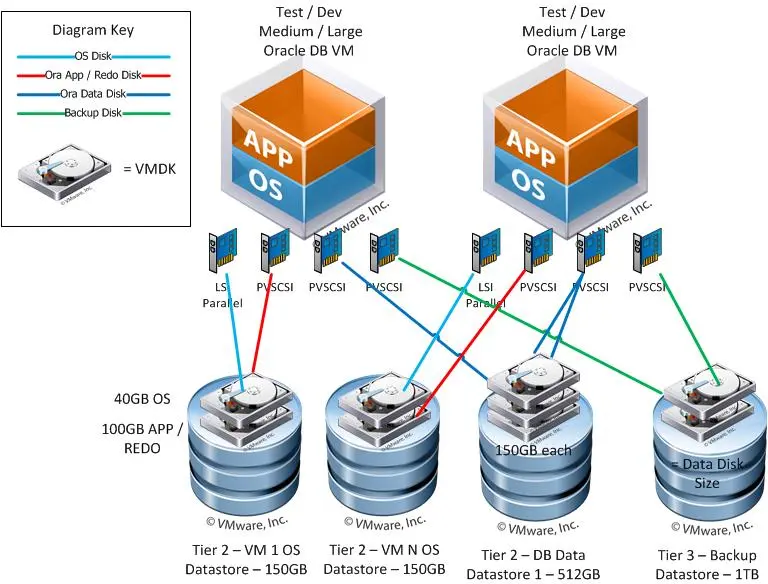
VMware vSphere & vSAN – vSAN Quickstart Installation
Dienstag, Februar 14th, 2023VMware vSphere & vSAN – how to store data on the physical disks of vSAN
Montag, Februar 13th, 2023VMware vSphere & vSAN – best practices you need to know about vSAN networking to increase performance consistency and availability
Samstag, Februar 11th, 2023VMware vSAN – how does a vSAN 2-node topology work
Samstag, Februar 4th, 2023VMware vSAN – how to configure a vSAN Stretched Cluster
Samstag, Februar 4th, 2023VMware vSphere Hypervisor (ESXi 3.5 – 8.0) – Hypervisor Size Comparison
Freitag, Januar 13th, 2023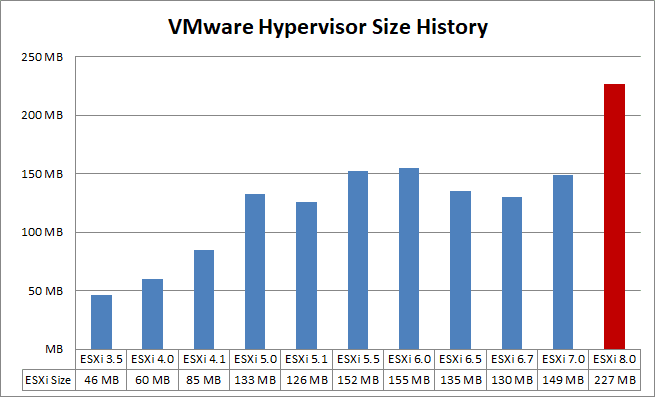
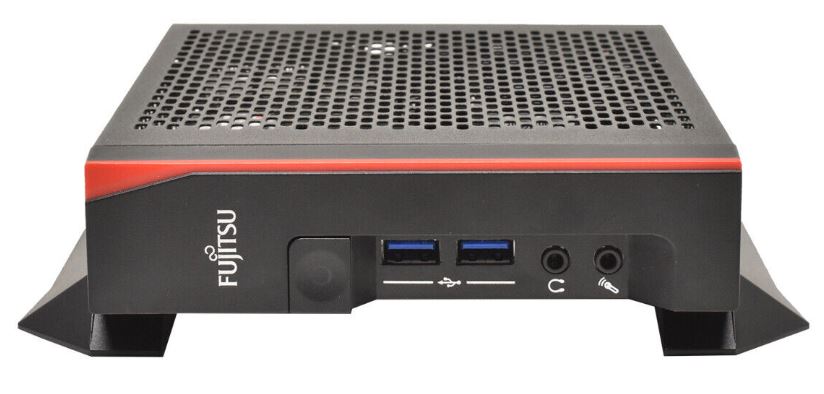
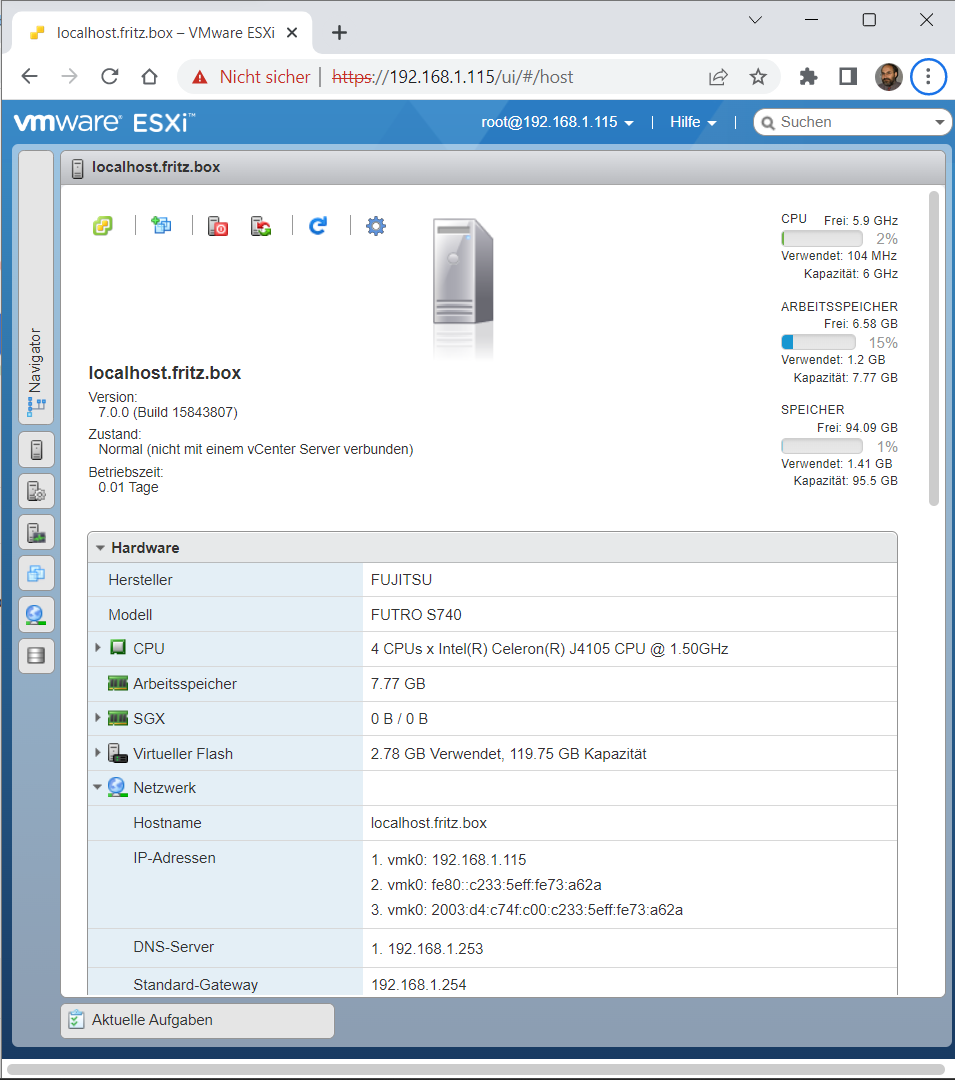
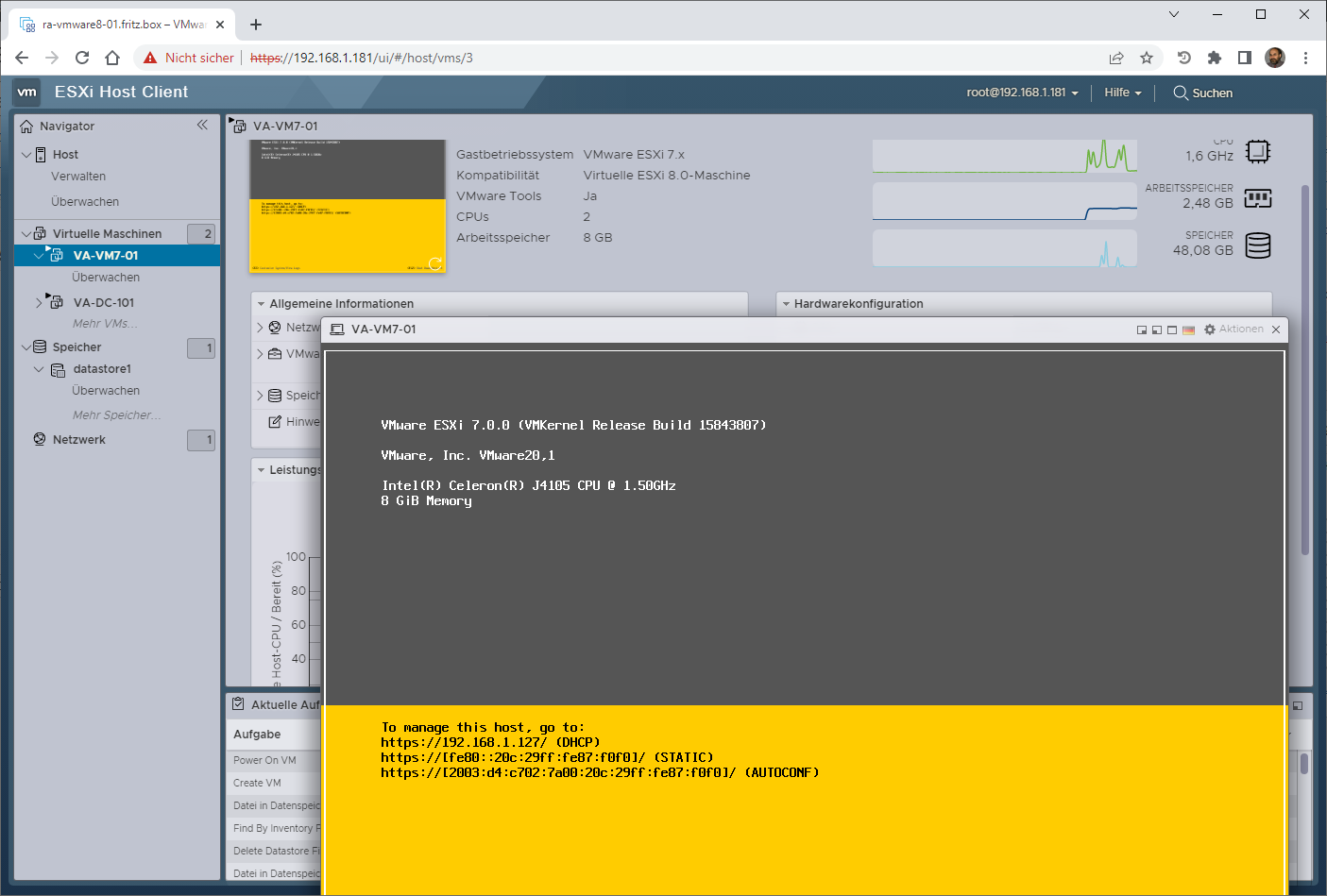
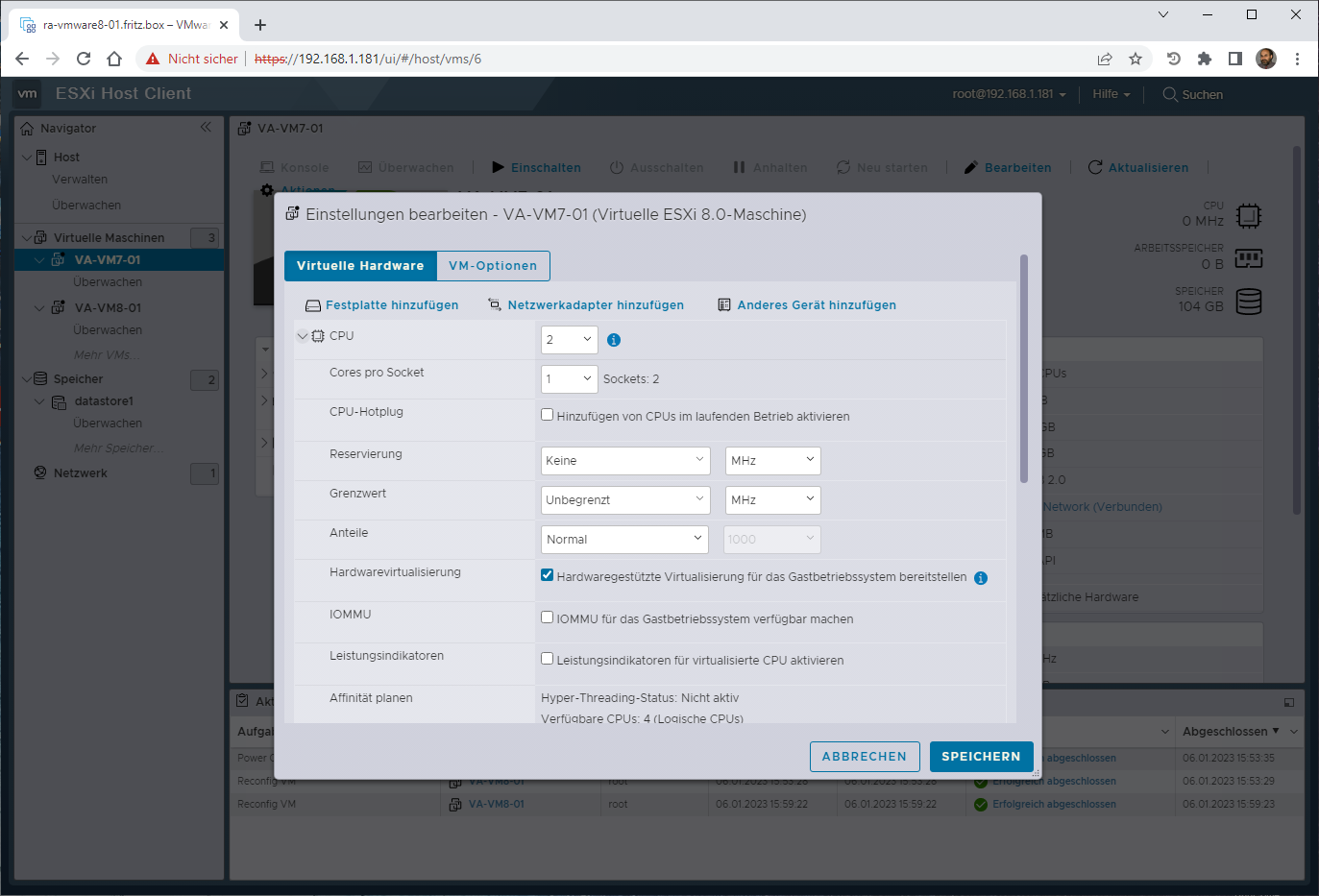
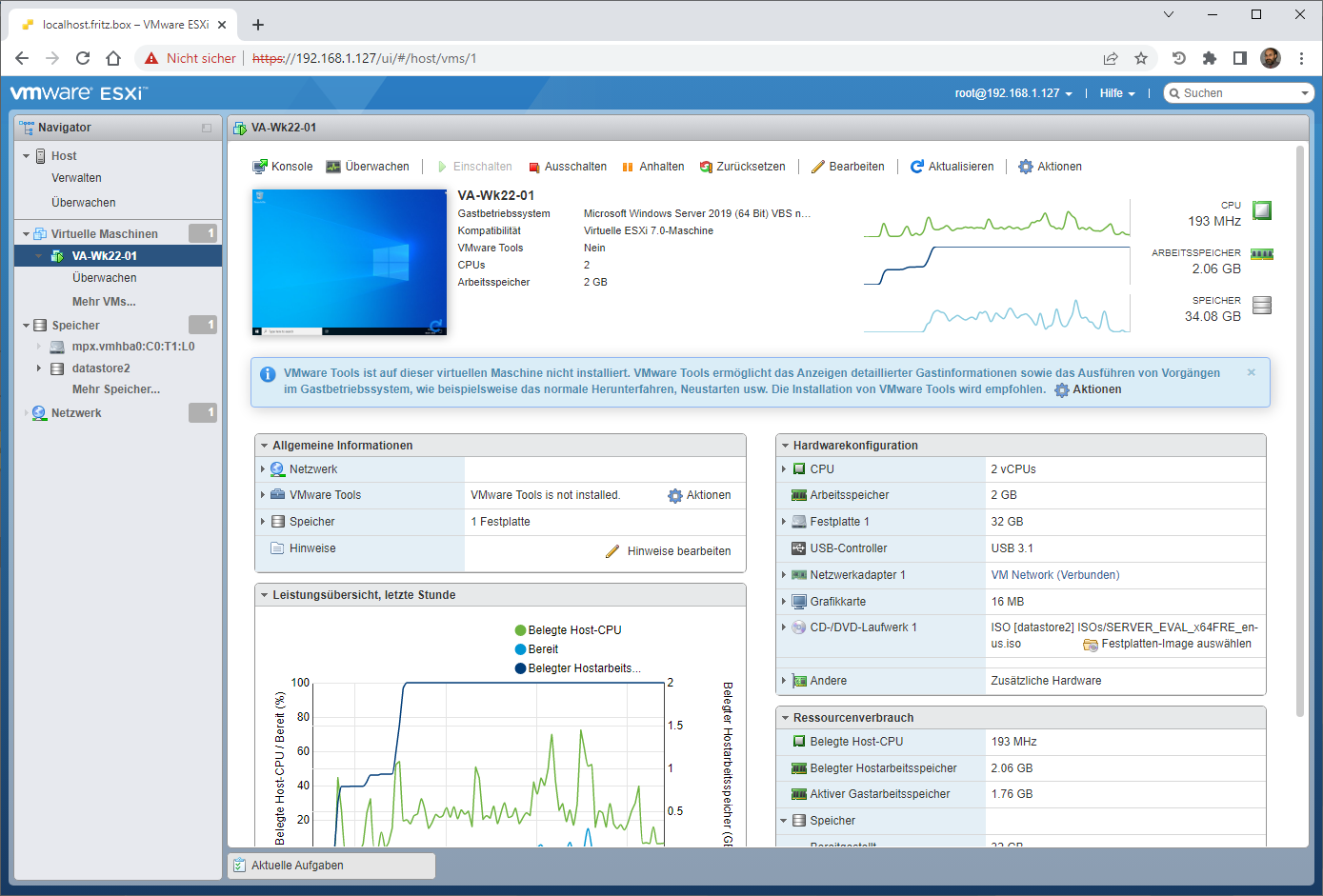
Fujitsu Futro S740 (refurbished) – VMware vSphere Hypervisor (ESXi 8.x) for running a VMware vSphere Hypervisor (ESXi 7.x) as a nested virtualization installation
Freitag, Januar 6th, 2023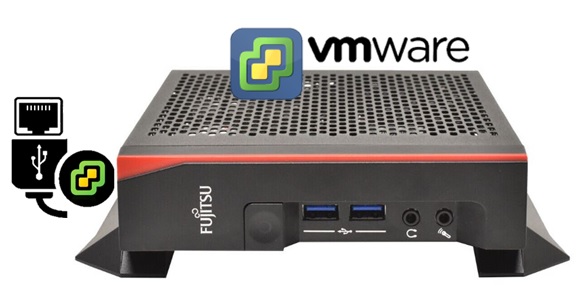
Checkmk Raw Edition 2.1.0p18 – Secure VMware Monitoring
Mittwoch, Dezember 28th, 2022VMware PowerCLI 13.0.0 – is a command line and scripting tool built on PowerShell
Dienstag, Dezember 13th, 2022VMware PowerCLI – is a command line and scripting tool built on PowerShell and provides more than 7000 cmdlets for managing and automating VMware vSphere, VMware Cloud Director, vRealize Operations Manager, vSAN, VMware NSX-T VMware Cloud Services VMware Cloud on AWS VMware HCX VMware Site Recovery Manager and VMware Horizon environments
Changes to building custom ESXi images in vSphere 7 – an eample how to add the USB NIC Fling to ESXi 7.0 Base Image

PS C:\WINDOWS\system32> (Get-Module VMware.PowerCLI -ListAvailable).RequiredModules | Uninstall-Module -Force
PS C:\WINDOWS\system32> Get-Module VMware.PowerCLI -ListAvailable | Uninstall-Module -Force
PS C:\WINDOWS\system32> Install-Module -Name VMware.PowerCLI -Scope CurrentUser
PS C:\WINDOWS\system32> cd C:\esxi
PS C:\esxi>
PS C:\esxi> Add-EsxSoftwareDepot https://hostupdate.vmware.com/software/VUM/PRODUCTION/main/vmw-depot-index.xml
PS C:\esxi> Export-ESXImageProfile -ImageProfile „ESXi-7.0.0-15843807-standard“ -ExportToBundle -filepath ESXi-7.0.0-15843807-standard.zip
PS C:\esxi> Remove-EsxSoftwareDepot https://hostupdate.vmware.com/software/VUM/PRODUCTION/main/vmw-depot-index.xml
PS C:\esxi> Add-EsxSoftwareDepot .\ESXi-7.0.0-15843807-standard.zip
PS C:\esxi> Add-EsxSoftwareDepot .\ESXi700-VMKUSB-NIC-FLING-39035884-component-16770668.zip
PS C:\esxi> New-EsxImageProfile -CloneProfile „ESXi-7.0.0-15843807-standard“ -name „ESXi-7.0.0-15843807-USBNIC“ -Vendor „virten.net“
PS C:\esxi> Add-EsxSoftwarePackage -ImageProfile „ESXi-7.0.0-15843807-USBNIC“ -SoftwarePackage „vmkusb-nic-fling“
PS C:\esxi> Export-ESXImageProfile -ImageProfile „ESXi-7.0.0-15843807-USBNIC“ -ExportToIso -filepath ESXi-7.0.0-15843807-USBNIC.iso
PS C:\esxi> Export-ESXImageProfile -ImageProfile „ESXi-7.0.0-15843807-USBNIC“ -ExportToBundle -filepath ESXi-7.0.0-15843807-USBNIC.zip