Archive for the ‘Network Info’ Category
Ping 192.168.0.1-192.168.0.254
Mittwoch, Januar 21st, 2026Shelly – ohne Cloud lokal & sicher nutzen
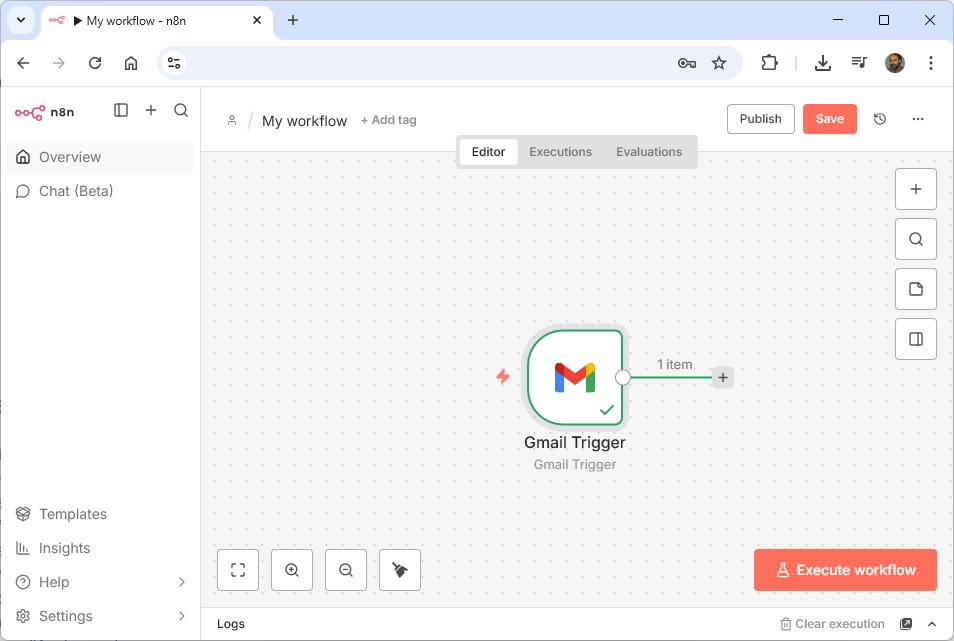
Mittwoch, Januar 7th, 2026AI Workflow Automation N8N 2.x – install locally and make it publicly accessible with Docker plus Ngrok which exposes local servers behind NATs and firewalls to the public internet via secure tunnels
Montag, Januar 5th, 2026root@pve-8n8-01:~# apt-get install curl
root@pve-8n8-01:~# curl -sSL https://ngrok-agent.s3.amazonaws.com/ngrok.asc \
| tee /etc/apt/trusted.gpg.d/ngrok.asc >/dev/null \
&& echo „deb https://ngrok-agent.s3.amazonaws.com bookworm main“ \
| tee /etc/apt/sources.list.d/ngrok.list \
&& apt update \
&& apt install ngrok
root@pve-8n8-01:~# ngrok config add-authtoken <token>
root@pve-8n8-01:~# ngrok version
ngrok version 3.34.1
root@pve-8n8-01:~#
root@pve-8n8-01:~# docker volume create n8n_data
root@pve-8n8-01:~# docker volume ls
DRIVER VOLUME NAME
local n8n_data
root@pve-8n8-01:~# ngrok http 80
ngrok (Ctrl+C to quit)
### N8N_HOST=<…>.ngrok-free.dev
### WEBHOOK_URL=“https://<…>.ngrok-free.dev/“
### N8N_PROTOCOL=https
root@pve-8n8-01:~# docker run -d \
–name n8n \
–restart=always \
-p 5678:5678 \
-e GENERIC_TIMEZONE=“Europe/Berlin“ \
-e TZ=“Europe/Berlin“ \
-e N8N_ENFORCE_SETTINGS_FILE_PERMISSIONS=true \
-e N8N_COMMUNITY_PACKAGES_ALLOW_TOOL_USAGE=true \
-e N8N_DEFAULT_BINARY_DATA_MODE=filesystem \
-e N8N_RUNNERS_ENABLED=true \
-e N8N_SECURE_COOKIE=false \
-e N8N_HOST=<…>.ngrok-free.dev \
-e WEBHOOK_URL=“https://<…>.ngrok-free.dev/“ \
-v n8n_data:/home/node/.n8n \
docker.n8n.io/n8nio/n8n
root@pve-8n8-01:~#
root@pve-n8n-01:~# docker logs -f n8n
Initializing n8n process
n8n ready on ::, port 5678
n8n Task Broker ready on 127.0.0.1, port 5679
Failed to start Python task runner in internal mode. because Python 3 is missing from this system. Launching a Python runner in internal mode is intended only for debugging and is not recommended for production. Users are encouraged to deploy in external mode. See: https://docs.n8n.io/hosting/configuration/task-runners/#setting-up-external-mode
There is a deprecation related to your environment variables. Please take the recommended actions to update your configuration:
– N8N_RUNNERS_ENABLED -> Remove this environment variable; it is no longer needed.
[license SDK] Skipping renewal on init: license cert is not due for renewal
Registered runner „JS Task Runner“ (SI-pgY7yGFGw7ZooRTvwS)
Instance registered
Discovered 4 cluster checks
Version: 2.21.7
Building workflow dependency index…
Finished building workflow dependency index. Processed 0 draft workflows, 0 published workflows.
Editor is now accessible via:
http://localhost:5678
Database connection timed out
Database connection recovered
root@pve-8n8-01:~#
root@pve-8n8-01:~# mkdir /mnt/n8n_data
root@pve-8n8-01:~# mount -o bind /var/lib/docker/volumes/n8n_data/_data /mnt/n8n_data
root@pve-8n8-01:~#
root@pve-8n8-01:~# cd /mnt/n8n_data
root@pve-8n8-01:/mnt/n8n_data# ls -la
total 4672
drwxr-sr-x 6 js js 4096 Dec 28 17:51 .
drwxr-xr-x 3 root root 4096 Dec 31 10:26 ..
drwxr-sr-x 2 js js 4096 Dec 28 17:27 binaryData
-rw——- 1 js js 56 Dec 28 17:26 config
-rw-r–r– 1 js js 0 Dec 28 17:51 crash.journal
-rw-r–r– 1 js js 585728 Dec 28 17:27 database.sqlite
-rw-r–r– 1 js js 32768 Dec 29 11:22 database.sqlite-shm
-rw-r–r– 1 js js 4124152 Dec 29 11:22 database.sqlite-wal
drwxr-sr-x 2 js js 4096 Dec 28 17:27 git
-rw-r–r– 1 js js 0 Dec 28 17:27 n8nEventLog-1.log
-rw-r–r– 1 js js 11616 Dec 29 11:22 n8nEventLog.log
drwxr-sr-x 2 js js 4096 Dec 28 17:27 nodes
drwxr-sr-x 2 js js 4096 Dec 28 17:27 ssh
root@pve-8n8-01:~#
root@pve-8n8-01:~# ngrok http 5678
ngrok (Ctrl+C to quit)
One gateway for every AI model. Available in early access *now*: https://ngrok.com/r/ai
Session Status online
Account <user>@googlemail.com (Plan: Free)
Version 3.34.1
Region Europe (eu)
Latency 11ms
Web Interface http://127.0.0.1:4040
Forwarding https://<…>.ngrok-free.dev -> http://localhost:5678
Connections ttl opn rt1 rt5 p50 p90
285 0 0.01 0.21 0.59 1.50
HTTP Requests
————-
15:36:03.632 UTC GET /signin 200 OK
15:35:04.766 UTC POST /rest/logout 200 OK
Home Lab 2026 – stop drawing network diagrams manually ‚Scanopy‘ does it for you
Freitag, Januar 2nd, 2026Proxmox Virtual Environment (VE) 9.1.4 – how to use Proxmox as a Mikrotik router
Donnerstag, Januar 1st, 2026Proxmox Virtual Environment (VE) 9.1.4 – how to use Proxmox as VPN Server with WireGuard
Mittwoch, Dezember 31st, 2025Proxmox Virtual Environment (VE) 9.1.4 – how to use Proxmox as VPN Server with OpenVPN
Dienstag, Dezember 30th, 2025Wireshark Packet Capture(s) – how to quickly locate any packet
Freitag, Dezember 19th, 2025Proxmox Virtual Environment (VE) – a specific bug where the Intel e1000e driver clashes with the new Linux kernel leading to network failure and „digital silence“
Donnerstag, Dezember 18th, 2025TCP offload is a feature that can be disabled at the driver level or at the hardware itself at the driver level if we want to disable TSO we run the ethtool -K command for which we received ‚function not implemented‘ then that means that the driver does not allow the feature to be disabled
To enable TSO for a network device eth0 issue:
# ethtool -K eth0 tx on sg on tso on
To disable TSO for a network device eth0 issue:
# ethtool -K eth0 tx off sg off tso off
HackerSploit Blue Team Series – Intrusion Detection with Snort
Dienstag, Dezember 16th, 2025HackerSploit Blue Team Series – Network Traffic Analysis with Wireshark
Dienstag, Dezember 16th, 2025FRITZ! Tech – IPv6 und so funktioniert es mit der FRITZ!Box
Donnerstag, Dezember 11th, 2025Proxmox Virtual Environment (VE) 9.1.1 – install and configure pfSense
Mittwoch, Dezember 10th, 2025FRITZ!Tech – das FRITZ!Mesh deaktivieren
Donnerstag, November 27th, 2025Wireshark 4.6.1 Portable – the current stable release
Samstag, November 22nd, 2025 Wireshark 4.6.1 – release notes