Archive for the ‘MinIO S3 Storage’ Category
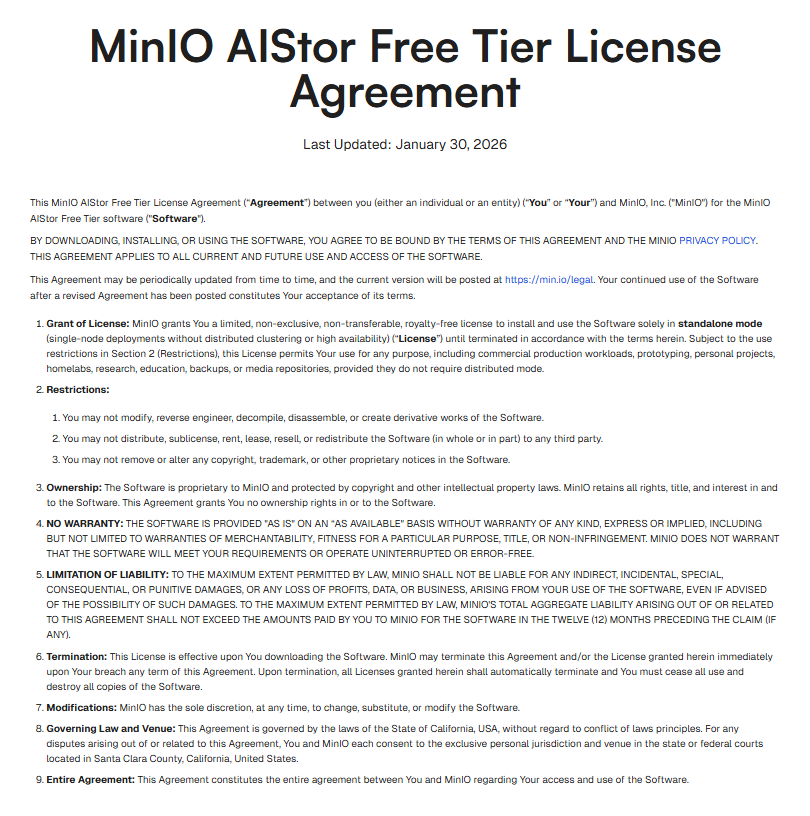
MinIO AIStor Free Tier License Agreement – Last Updated January 30 2026
Samstag, März 14th, 2026AI Workflow Automation N8N 2.9.4 – use the S3 Bucket node to automate work in MinIO AIStor S3 storage and integrate S3 with other applications e.g. Google Drive
Mittwoch, März 11th, 2026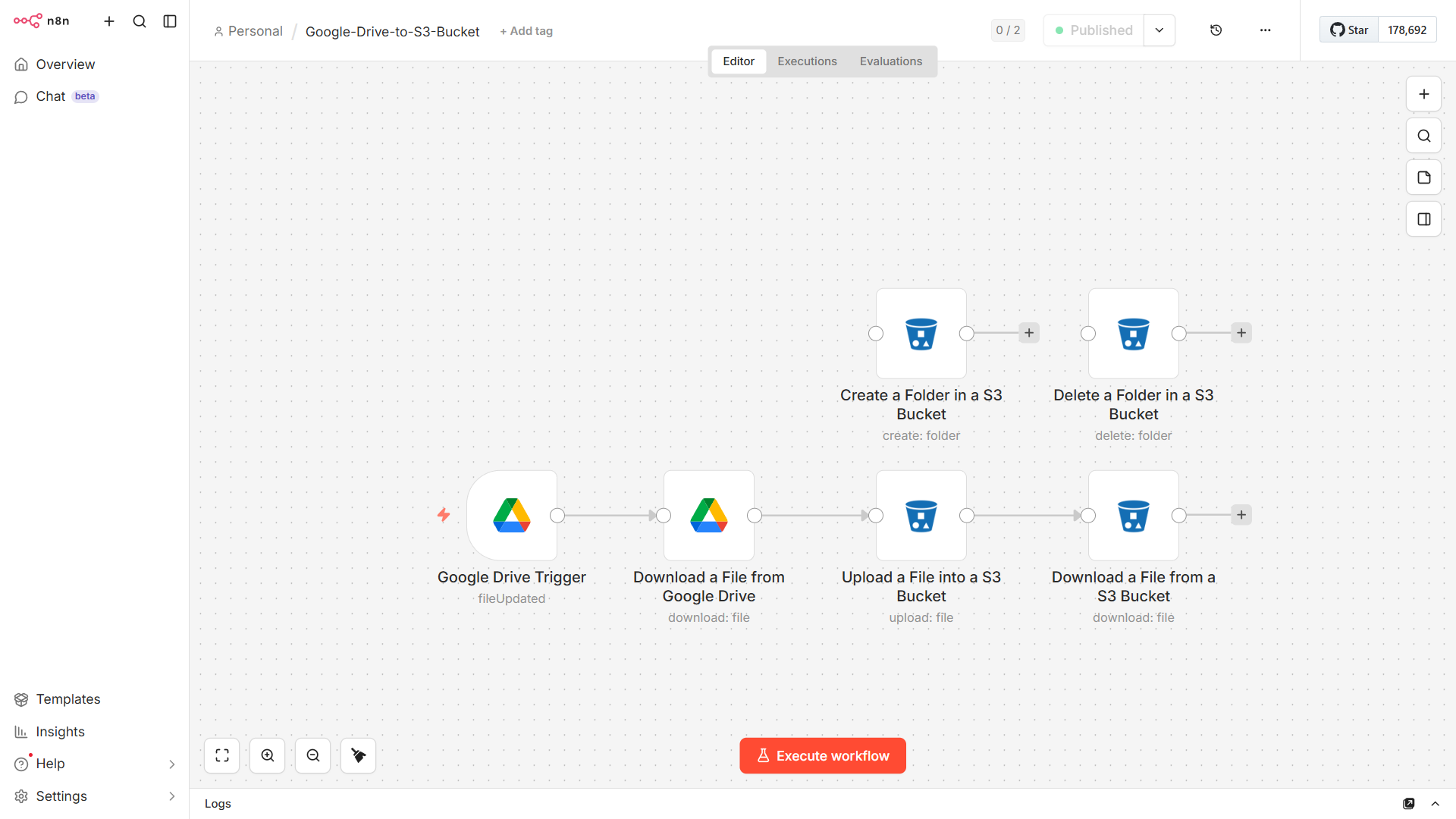
Podman 5.4.1 & AIStor MinIO S3 Storage – mit Proxmox Virtual Environment (VE) 9.1.6 Container (LXC) Ubuntu 25.04 installieren für eine Backup Strategie ‚ProtectIT‘
Montag, März 9th, 2026
root@pve-pdman-02:~# apt-get install podman -y
root@pve-pdman-02:~# podman –version
podman version 5.4.1
root@pve-pdman-02:~#
root@pve-pdman-02:~# mkdir -p $HOME/minio/data $HOME/minio/certs
root@pve-pdman-02:~#
root@pve-pdman-02:~# podman pull quay.io/minio/aistor/minio
Trying to pull quay.io/minio/aistor/minio:latest…
Getting image source signatures
Copying blob b9c0132d4fc4 done |
Copying blob a4040d7639ee done |
Copying blob 18c6d1aafeac done |
Copying blob 9b89e85e383a done |
Copying blob 07dad54395c5 done |
Copying blob 7d1fa4953c50 done |
Copying blob 4da47c45b87a done |
Copying blob a66c129ee211 done |
Copying blob a4a6f67359f4 done |
Copying blob 39dae2cafc87 done |
Copying blob 2632d3c09ca4 done |
Copying config 62640cc449 done |
Writing manifest to image destination
62640cc4499ca9b8235f6ade35019792dd8ee073f0059d0ed9de3e720eae7e54
root@pve-pdman-02:~#
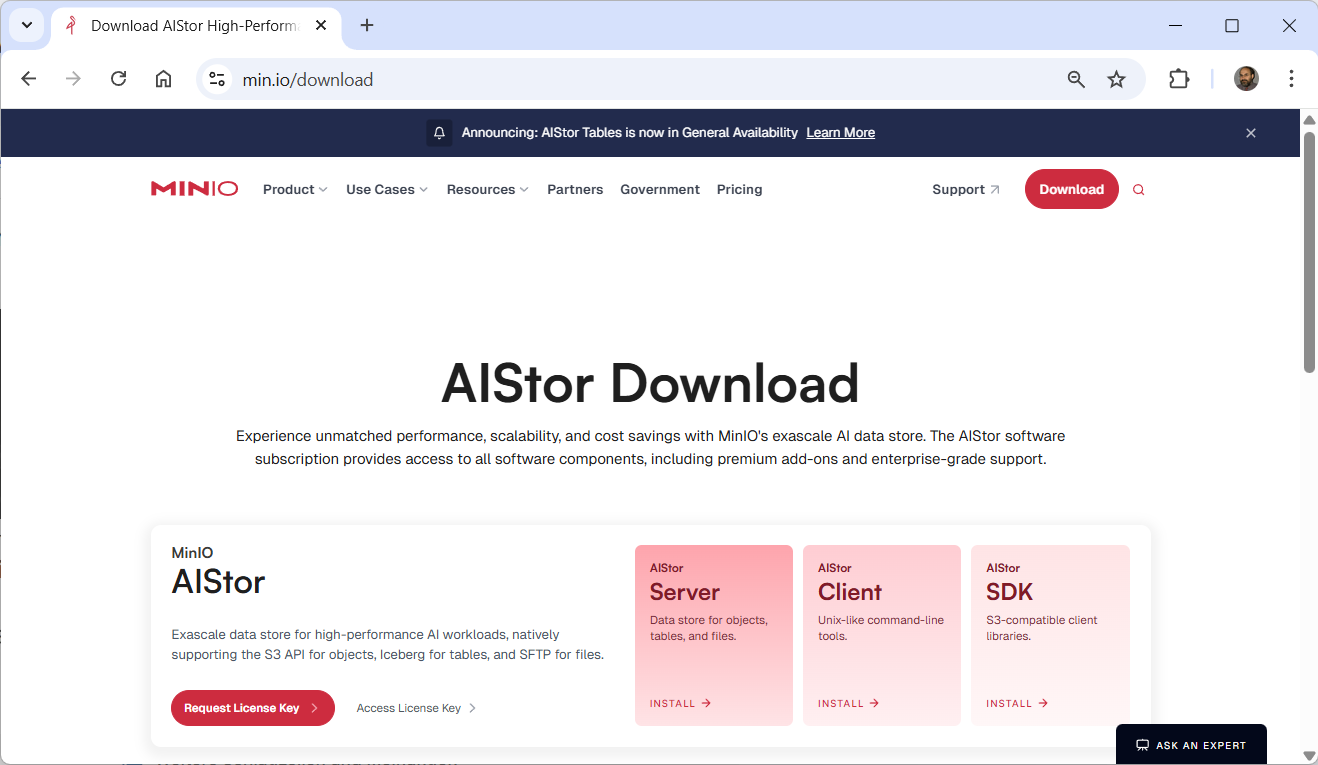
Download the license file to $HOME/minio/minio.license for use in the next step
root@pve-pdman-02:~# podman run -dt \
-p 9000:9000 -p 9001:9001 \
-v $HOME/minio/data:/mnt/data \
-v $HOME/minio/minio.license:/minio.license \
-v $HOME/minio/certs:/etc/minio/certs \
–name „aistor-server“ \
quay.io/minio/aistor/minio:latest minio server /mnt/data \
–license /minio.license
82c3a5cbdae6bd6623deb5acd8eaf882c20290af385e14d990f1d2566920552e
root@pve-pdman-02:~#
root@pve-pdman-02:~# podman ps
CONTAINER ID IMAGE COMMAND CREATED STATUS PORTS NAMES
82c3a5cbdae6 quay.io/minio/aistor/minio:latest minio server /mnt… 8 seconds ago Up 8 seconds 0.0.0.0:9000-9001->9000-9001/tcp aistor-server
root@pve-pdman-02:~#
root@pve-pdman-02:~# podman exec -it aistor-server /bin/bash
bash-5.1#
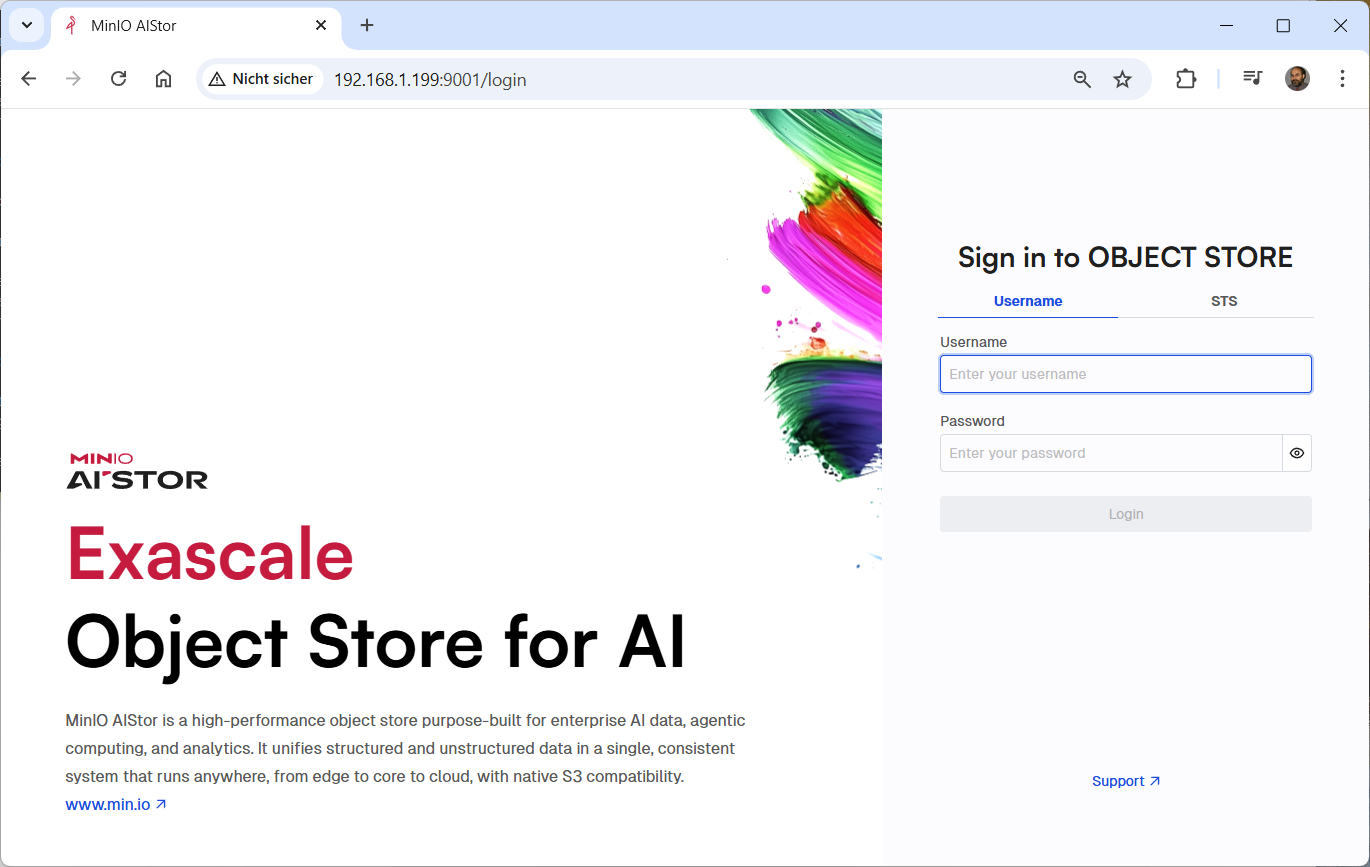
Open your browser to http://pve-pdman-02:9001
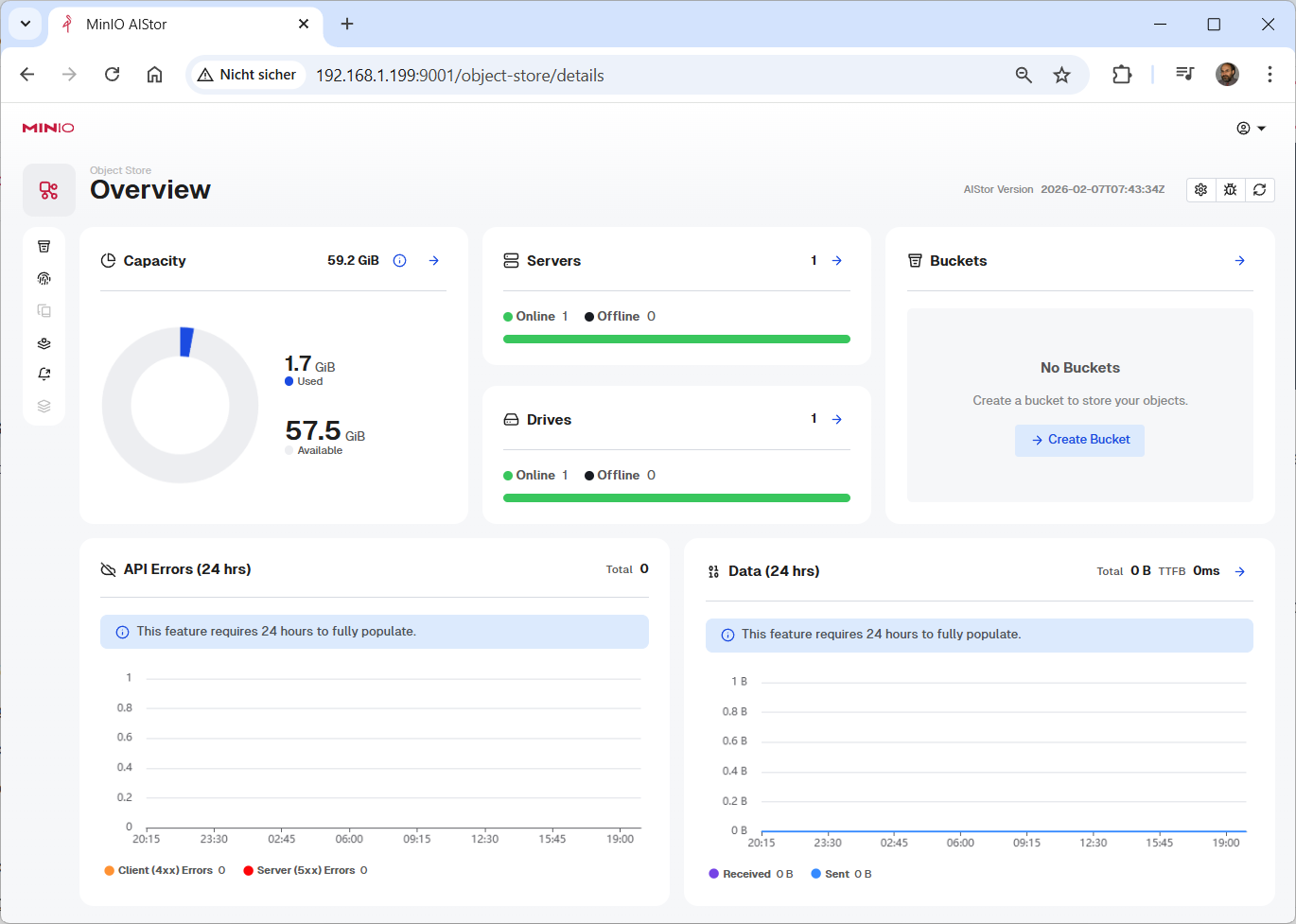
root@pve-pdman-02:~# cd minio
root@pve-pdman-02:~/minio# wget https://dl.min.io/aistor/mc/release/linux-amd64/mc
–2026-03-09 11:13:17– https://dl.min.io/aistor/mc/release/linux-amd64/mc
Resolving dl.min.io (dl.min.io)… 138.68.11.125, 178.128.69.202
Connecting to dl.min.io (dl.min.io)|138.68.11.125|:443… connected.
HTTP request sent, awaiting response… 200 OK
Length: 98529464 (94M) [application/octet-stream]
Saving to: ‚mc‘
mc 100%[===========================================>] 93.96M 9.03MB/s in 12s
2026-03-09 11:13:31 (7.56 MB/s) – ‚mc‘ saved [98529464/98529464]
root@pve-pdman-02:~/minio#
root@pve-pdman-02:~/minio# chmod +x mc
root@pve-pdman-02:~/minio# ./mc –version
mc version RELEASE.2026-02-19T10-32-25Z (commit-id=562ae1114bc24f7d8ffcf78db97b70058b85d659)
Runtime: go1.25.7 linux/amd64
Copyright (c) 2015-2026 MinIO, Inc.
MinIO Enterprise License
root@pve-pdman-02:~/minio#
root@pve-pdman-02:~/minio# ./mc alias set myminio http://192.168.1.199:9000 <user> <password>
Configuration written to `/root/.mc/config.json`. Please update your access credentials.
Successfully created `/root/.mc/share`.
Initialized share uploads `/root/.mc/share/uploads.json` file.
Initialized share downloads `/root/.mc/share/downloads.json` file.
Added `myminio` successfully.
root@pve-pdman-02:~/minio#
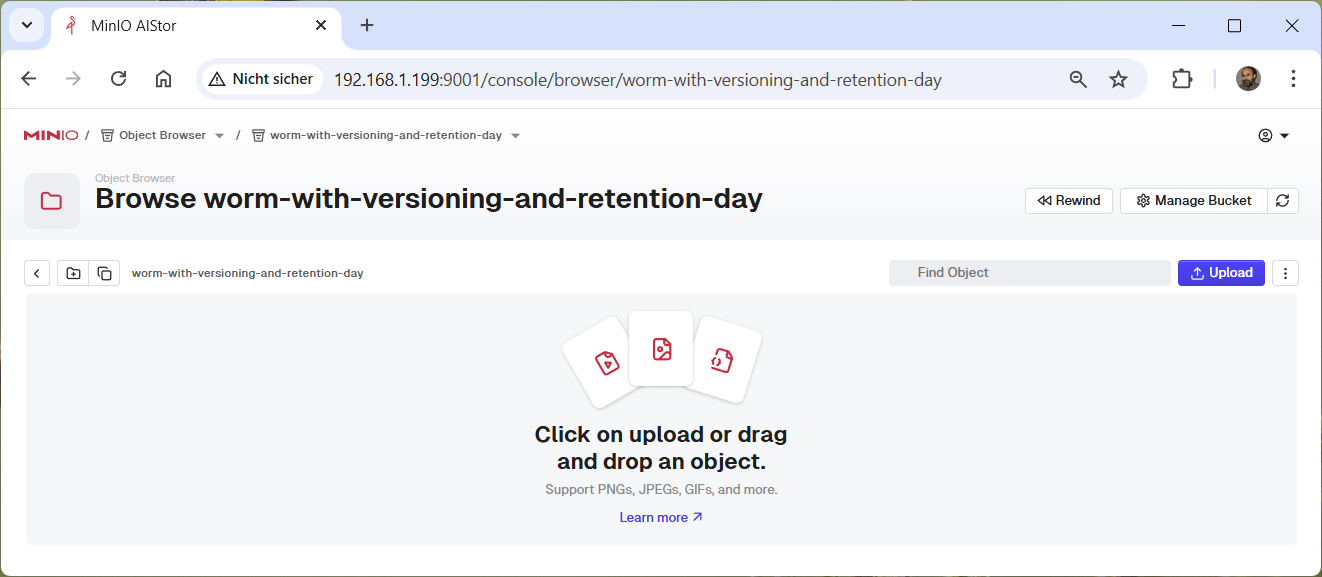
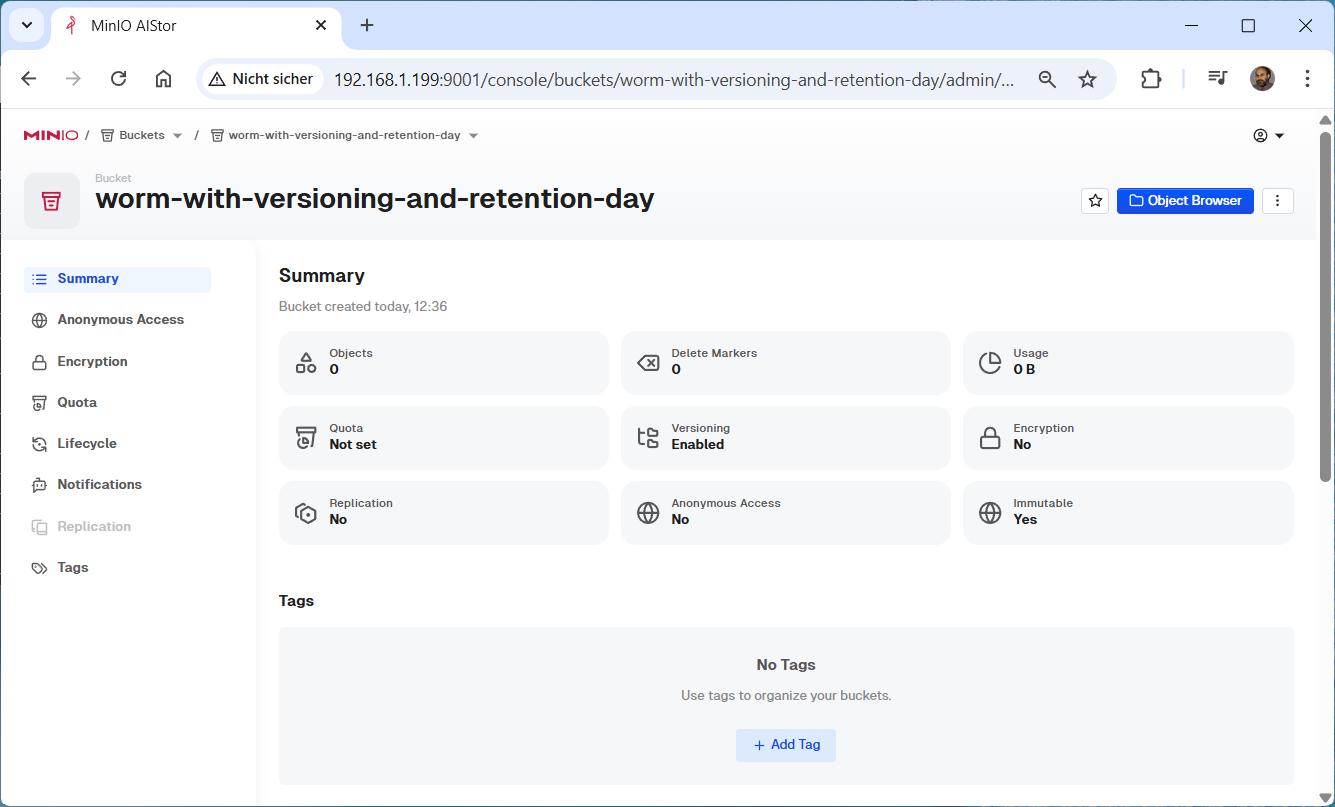
root@pve-pdman-02:~/minio# ./mc mb –with-lock myminio/worm-with-versioning-and-retention-day
Bucket created successfully `myminio/worm-with-versioning-and-retention-day`.
root@pve-pdman-02:~/minio#
root@pve-pdman-02:~/minio# ./mc ilm add –expiry-days 15 myminio/worm-with-versioning-and-retention-day
Lifecycle configuration rule added with ID `d6nb3i35sgm06udsobh0` to myminio/worm-with-versioning-and-retention-day.
root@pve-pdman-02:~/minio#
root@pve-pdman-02:~/minio# ./mc ilm export myminio/worm-with-versioning-and-retention-day
{
„Rules“: [
{
„Expiration“: {
„Days“: 15
},
„ID“: „d6nb3i35sgm06udsobh0“,
„Status“: „Enabled“
}
]
}
root@pve-pdman-02:~/minio#
root@pve-pdman-02:~/minio# ./mc retention set –default compliance 7d myminio/worm-with-versioning-and-retention-day
Object locking ‚COMPLIANCE‘ is configured for 7DAYS.
root@pve-pdman-02:~/minio#
root@pve-pdman-02:~/minio# ./mc –json retention info myminio/worm-with-versioning-and-retention-day
{
„op“: „info“,
„enabled“: „Enabled“,
„mode“: „COMPLIANCE“,
„validity“: „7DAYS“,
„status“: „success“
}
root@pve-pdman-02:~/minio#
root@pve-pdman-02:~/minio# ./mc admin user add myminio admin <password>
Added user `admin` successfully.
root@pve-pdman-02:~/minio#
root@pve-pdman-02:~/minio# ./mc admin policy attach myminio consoleAdmin -user admin
Attached Policies: [consoleAdmin]
To User: admin
root@pve-pdman-02:~/minio# ./mc admin user disable myminio admin
Disabled user `admin` successfully.
root@pve-pdman-02:~/minio# ./mc admin user remove myminio admin
Removed user `admin` successfully.
root@pve-pdman-02:~/minio#
MinIO AIStor – exascale data store for high performance AI workloads natively supporting the S3 API for objects Iceberg for tables and SFTP for files
Samstag, März 7th, 2026
Podman 5.4.1 & MinIO S3 Storage – mit Proxmox Virtual Environment (VE) 9.0.10 Container (LXC) Ubuntu 25.04 installieren für eine Backup Strategie ‚ProtectIT‘
Freitag, Oktober 10th, 2025The –dry-run option ensures that only the availability of new images is checked but no pull operations are performed and no new containers are created
root@pve-pdman-01:~# apt-get install podman -y
root@pve-pdman-01:~# podman -v
podman version 5.4.1
root@pve-pdman-01:~# podman info
root@pve-pdman-01:~# mkdir -p ~/minio/data
root@pve-pdman-01:~# podman run \
-p 9000:9000 \
-p 9001:9001 \
–name minio \
-v ~/minio/data:/data \
-e „MINIO_ROOT_USER=<user>“ \
-e „MINIO_ROOT_PASSWORD=<password>“ \
quay.io/minio/minio server /data –console-address „:9001“
root@pve-pdman-01:~# podman images
REPOSITORY TAG IMAGE ID CREATED SIZE
quay.io/minio/minio latest 69b2ec208575 2 weeks ago 176 MB
root@pve-pdman-01:~# podman ps
CONTAINER ID IMAGE COMMAND CREATED STATUS PORTS NAMES
86234ac671bb quay.io/minio/minio:latest server /data –co… About an hour ago Up 9 minutes 0.0.0.0:9000-9001->9000-9001/tcp minio
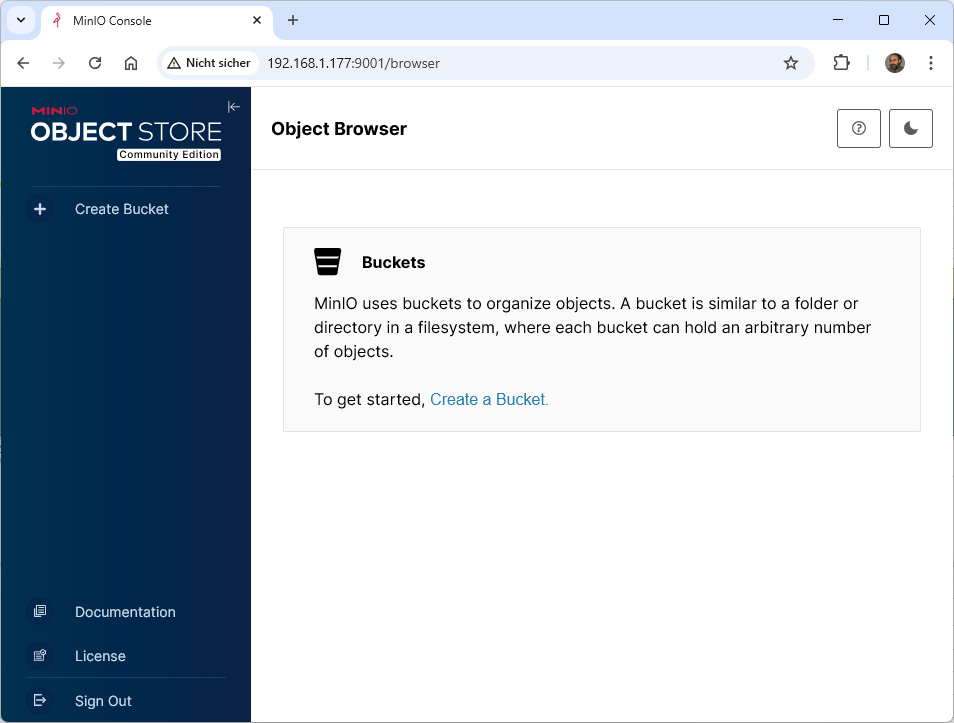
http://<IP@>:9001
The –dry-run option ensures that only the availability of new images is checked but no pull operations are performed and no new containers are created
root@pve-pdman-01:~# podman auto-update –dry-run
root@pve-pdman-01:~#
root@pve-pdman-01:~# curl https://dl.min.io/client/mc/release/linux-amd64/mc \
–create-dirs \
-o $HOME/minio-binaries/mc
root@pve-pdman-01:~# chmod +x $HOME/minio-binaries/mc
root@pve-pdman-01:~# export PATH=$PATH:$HOME/minio-binaries/
root@pve-pdman-01:~# mc –help
The mc alias set command sets or updates an alias in the MinIO client configuration
root@pve-pdman-01:~# mc alias set myminio http://192.168.1.177:9000 <user> <password>
Added `myminio` successfully.
root@pve-pdman-01:~#
Enables object optional locking on the specified bucket and object locking requires and therefore implies enabling object versioning:
–with-lock
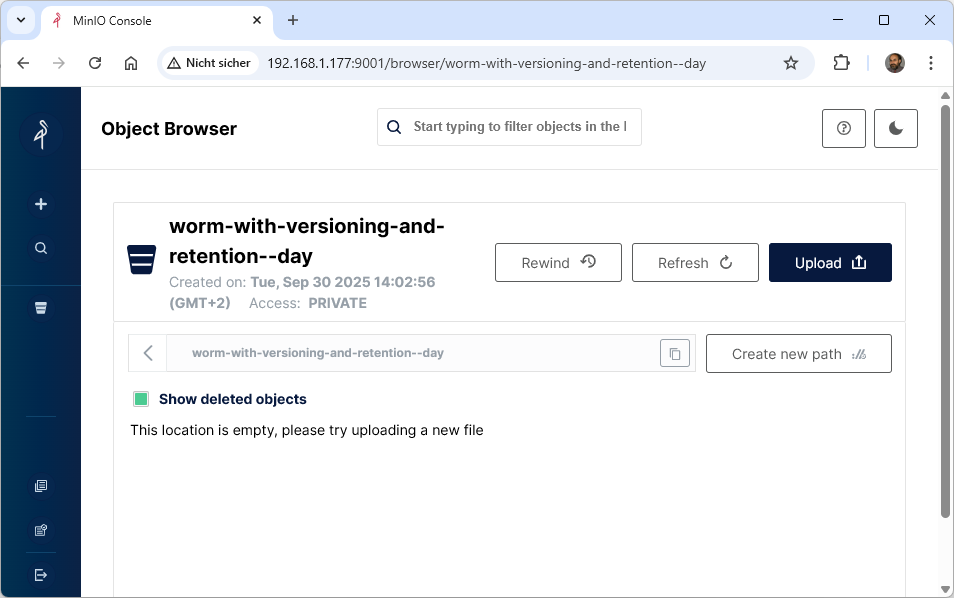
root@pve-pdman-01:~# mc mb –with-lock myminio/worm-with-versioning-and-retention–day
Bucket created successfully `myminio/worm-with-versioning-and-retention–day`.
root@pve-pdman-01:~#
root@pve-pdman-01:~# mc ilm add –expiry-days 15 myminio/worm-with-versioning-and-retention–day
Lifecycle configuration rule added with ID `d3dsfjcukqlgnr42cv90` to myminio/worm-with-versioning-and-retention–day.
root@pve-pdman-01:~#
root@pve-pdman-01:~# mc ilm rule rm –id „d3dsfjcukqlgnr42cv90“ myminio/worm-with-versioning-and-retention–day
Rule ID `d3dsfjcukqlgnr42cv90` from target myminio/worm-with-versioning-and-retention–day removed.
root@pve-pdman-01:~#
The optiml number of days to retain an object after being created:
–expire-days
root@pve-pdman-01:~# mc ilm add –expiry-days 12 myminio/worm-with-versioning-and-retention–day
Lifecycle configuration rule added with ID `d3f7j1cukqlhid0kvulg` to myminio/worm-with-versioning-and-retention–day.
root@pve-pdman-01:~#
The optional number of days to retain an object version after becoming non-current:
–noncurrent-expire-days
root@pve-pdman-01:~# mc ilm add –insecure –noncurrentversion-expiration-days 3 myminio/worm-with-versioning-and-retention–day
Lifecycle configuration rule added with ID `d3dsgocukqlgnqqqgmi0` to myminio/worm-with-versioning-and-retention–day.
root@pve-pdman-01:~#
root@pve-pdman-01:~# mc ilm export myminio/worm-with-versioning-and-retention–day
{
„Rules“: [
{
„ID“: „d3dsgocukqlgnqqqgmi0“,
„NoncurrentVersionExpiration“: {
„NoncurrentDays“: 3
},
„Status“: „Enabled“
},
{
„Expiration“: {
„Days“: 12
},
„ID“: „d3f7j1cukqlhid0kvulg“,
„Status“: „Enabled“
}
]
}
root@pve-pdman-01:~#
root@pve-pdman-01:~# mc ilm add –expiry-days 96 myminio/worm-with-versioning-and-retention–week
root@pve-pdman-01:~# mc ilm add –noncurrentversion-expiration-days 3 myminio/worm-with-versioning-and-retention–week
root@pve-pdman-01:~# mc ilm add –expiry-days 192 myminio/worm-with-versioning-and-retention–month
root@pve-pdman-01:~# mc ilm add –noncurrentversion-expiration-days 3 myminio/worm-with-versioning-and-retention–month
root@pve-pdman-01:~# mc ilm add –expiry-days 484 myminio/worm-with-versioning-and-retention–year
root@pve-pdman-01:~# mc ilm add –noncurrentversion-expiration-days 3 myminio/worm-with-versioning-and-retention–year
root@pve-pdman-01:~#
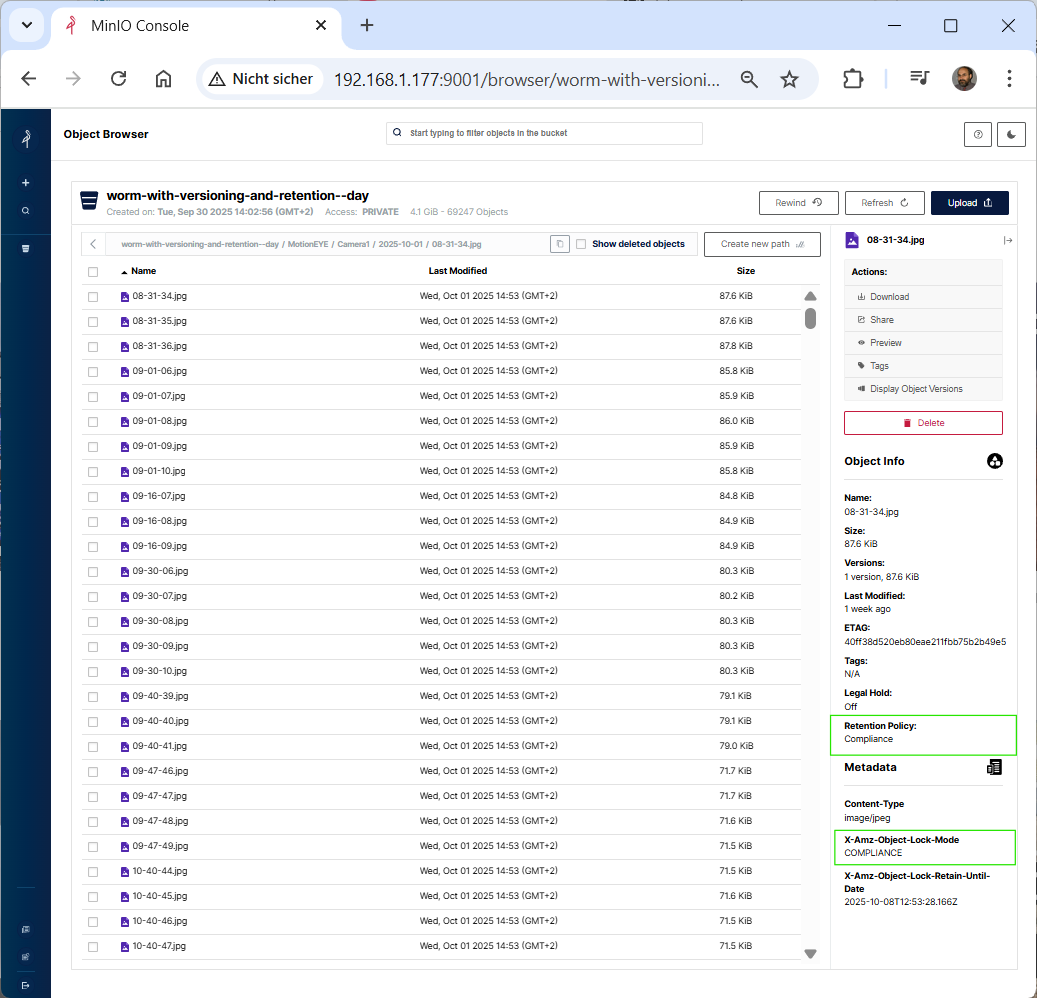
root@pve-pdman-01:~# mc retention set –default compliance 7d myminio/worm-with-versioning-and-retention–day
Object locking ‚COMPLIANCE‘ is configured for 7DAYS.
root@pve-pdman-01:~# mc retention info myminio/worm-with-versioning-and-retention–day
Object locking ‚COMPLIANCE‘ is configured for 7DAYS.
root@pve-pdman-01:~# mc –json retention info myminio/worm-with-versioning-and-retention–day
{
„op“: „info“,
„enabled“: „Enabled“,
„mode“: „COMPLIANCE“,
„validity“: „7DAYS“,
„status“: „success“
}
root@pve-pdman-01:~#
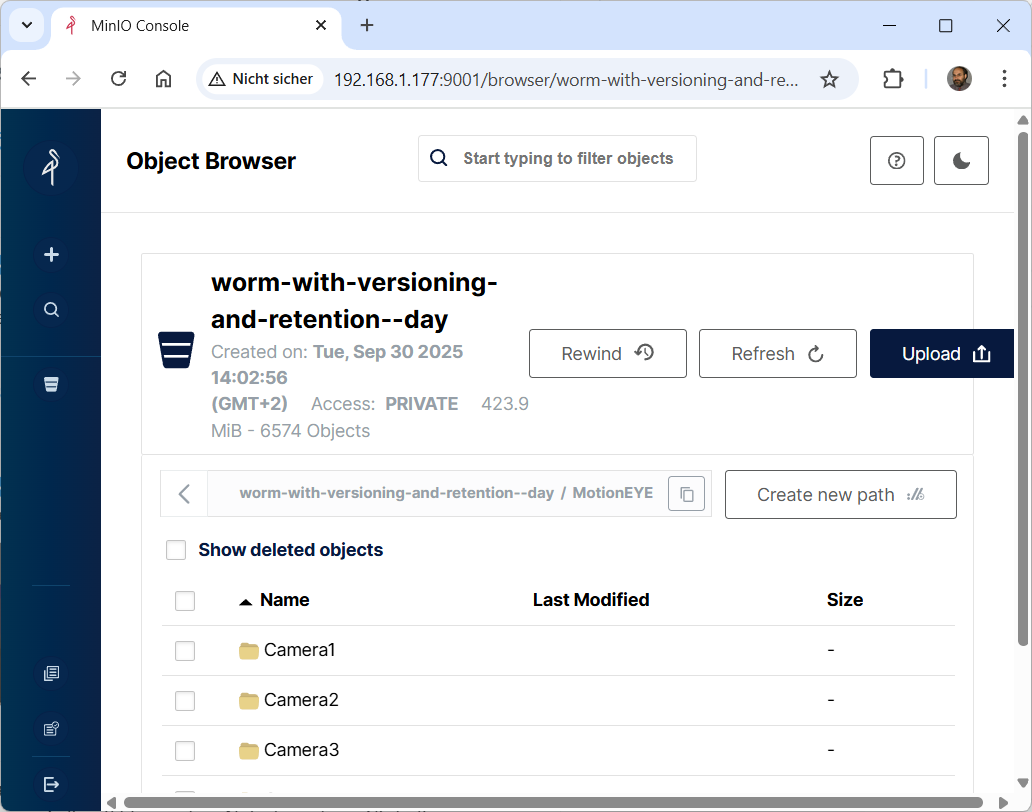
The MinIO mc mirror command synchronizes content to MinIO deployment similar to the ‚rsync‘ utility
root@rpi-iot-jsho-cam-02:~# mc mirror –json $LocalBackupPath/$MirrorDay $MinioBucket/MotionEYE/$MirrorDay
root@pve-pdman-01:~#
root@pve-pdman-01:~# mc admin info myminio
● 192.168.1.177:9000
Uptime: 3 days
Version: 2025-09-07T16:13:09Z
Network: 1/1 OK
Drives: 1/1 OK
Pool: 1
┌──────┬──────────────────────┬─────────────────────┬──────────────┐
│ Pool │ Drives Usage │ Erasure stripe size │ Erasure sets │
│ 1st │ 4.5% (total: 59 GiB) │ 1 │ 1 │
└──────┴──────────────────────┴─────────────────────┴──────────────┘
1005 MiB Used, 1 Bucket, 18,041 Objects, 18,042 Versions, 1 Delete Marker
1 drive online, 0 drives offline, EC:0
root@pve-pdman-01:~#
root@pve-pdman-01:~# mc tree myminio
myminio
└─ worm-with-versioning-and-retention–day
└─ MotionEYE
├─ Camera1
│ ├─ 2025-10-01
│ ├─ 2025-10-02
│ ├─ 2025-10-03
│ ├─ 2025-10-04
│ ├─ 2025-10-05
│ ├─ 2025-10-06
│ ├─ 2025-10-07
│ └─ 2025-10-08
├─ Camera2
│ ├─ 2025-10-01
│ ├─ 2025-10-02
│ ├─ 2025-10-03
│ ├─ 2025-10-04
│ ├─ 2025-10-05
│ ├─ 2025-10-06
│ ├─ 2025-10-07
│ └─ 2025-10-08
├─ Camera3
│ ├─ 2025-10-01
│ ├─ 2025-10-02
│ ├─ 2025-10-03
│ ├─ 2025-10-04
│ ├─ 2025-10-05
│ ├─ 2025-10-06
│ ├─ 2025-10-07
│ └─ 2025-10-08
└─ Camera4
├─ 2025-10-01
├─ 2025-10-02
├─ 2025-10-03
├─ 2025-10-04
├─ 2025-10-05
├─ 2025-10-06
├─ 2025-10-07
└─ 2025-10-08
root@pve-pdman-01:~#
root@pve-pdman-01:~#
root@pve-pdman-01:~# mc mb –with-lock myminio/worm-with-versioning-and-retention–week
Bucket created successfully `myminio/worm-with-versioning-and-retention–week`.
The mc rb command remove an empty bucket