Archive for the ‘ORACLE Database’ Category
Oracle AI Database 26ai – stellt die Weichen für die nächste Ära der KI
Sonntag, März 8th, 2026AI Workflow Automation N8N 2.6.4 – how to create workflows that connect to Oracle databases
Donnerstag, Februar 12th, 2026
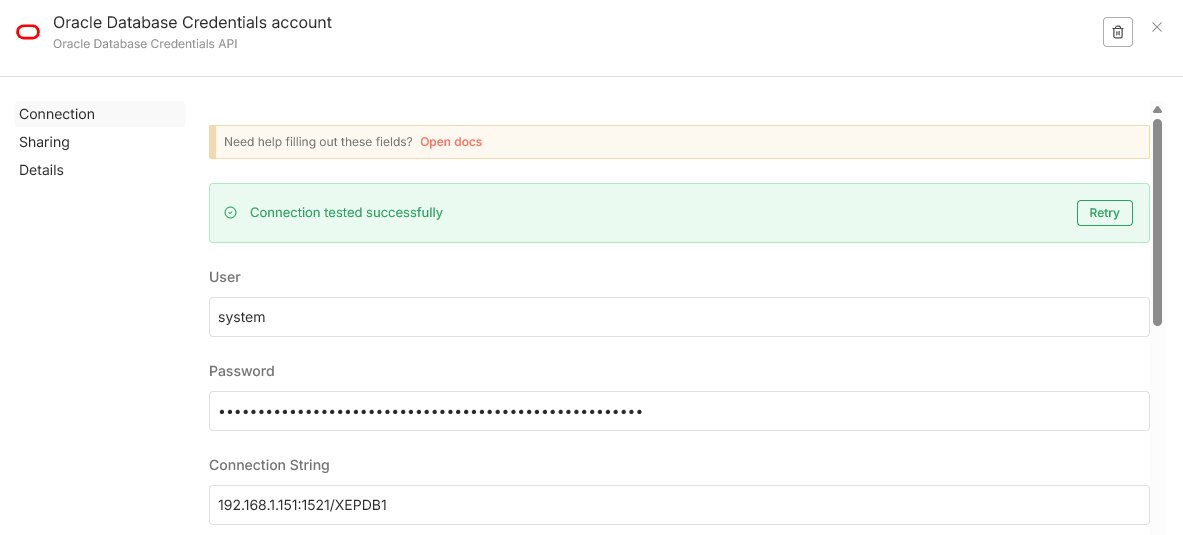
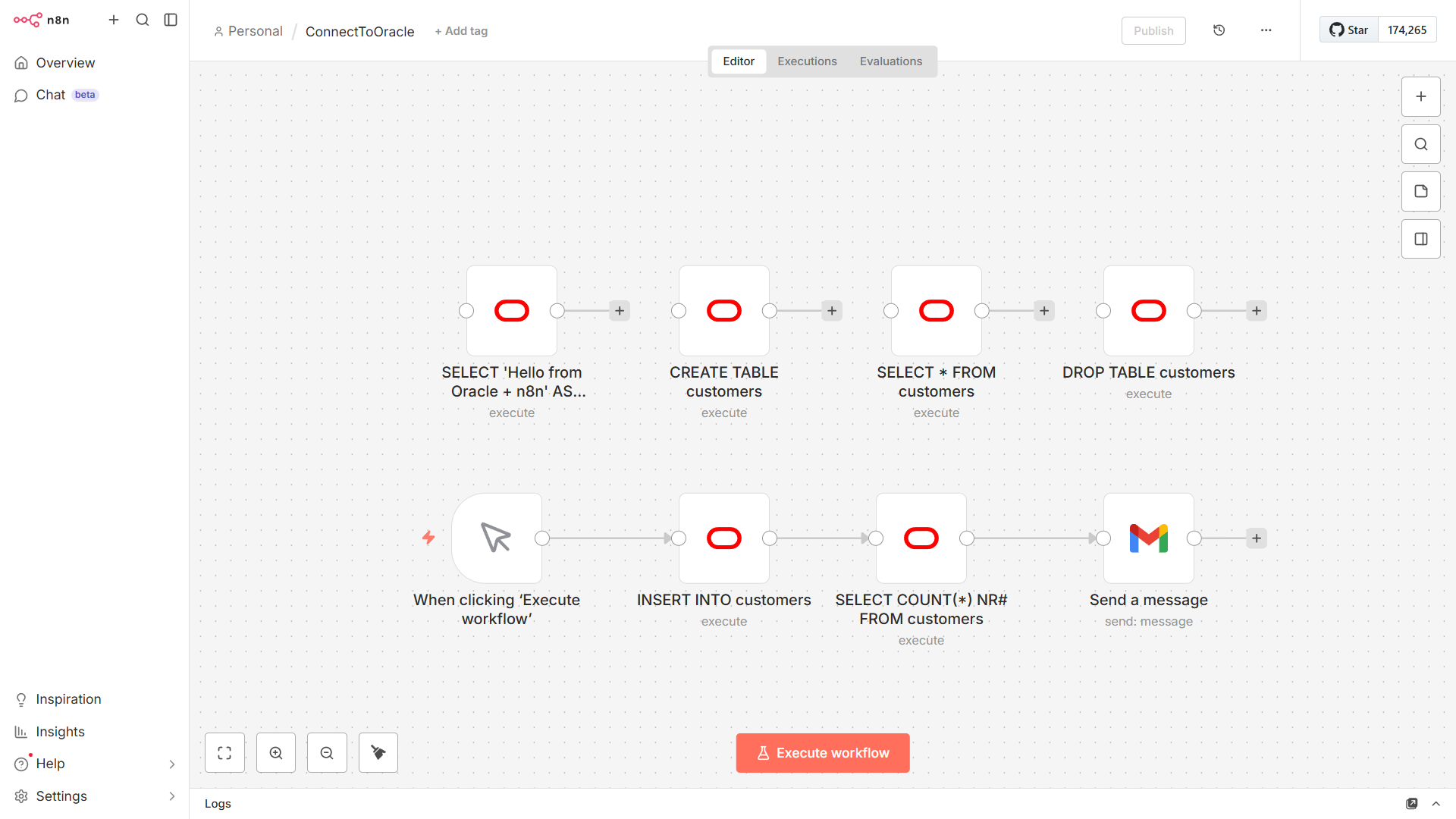
SELECT ‚Hello from Oracle + n8n‘ AS message FROM dual
CREATE TABLE customers (
customer_id NUMBER GENERATED BY DEFAULT AS IDENTITY PRIMARY KEY,
first_name VARCHAR2(50),
last_name VARCHAR2(50),
email VARCHAR2(100),
created_date TIMESTAMP DEFAULT CURRENT_TIMESTAMP,
status VARCHAR2(20),
total_orders NUMBER DEFAULT 0,
last_purchase_date TIMESTAMP
)
INSERT INTO customers (first_name, last_name, email, created_date, status, total_orders,
last_purchase_date)
VALUES (‚John‘,’Doe‘,’john.doe@email.com‘,SYSTIMESTAMP – INTERVAL ’90‘
DAY(3),’active‘,15,SYSTIMESTAMP – INTERVAL ‚5‘ DAY(3))
SELECT * FROM customers
DELETE FROM customers
DROP TABLE customers
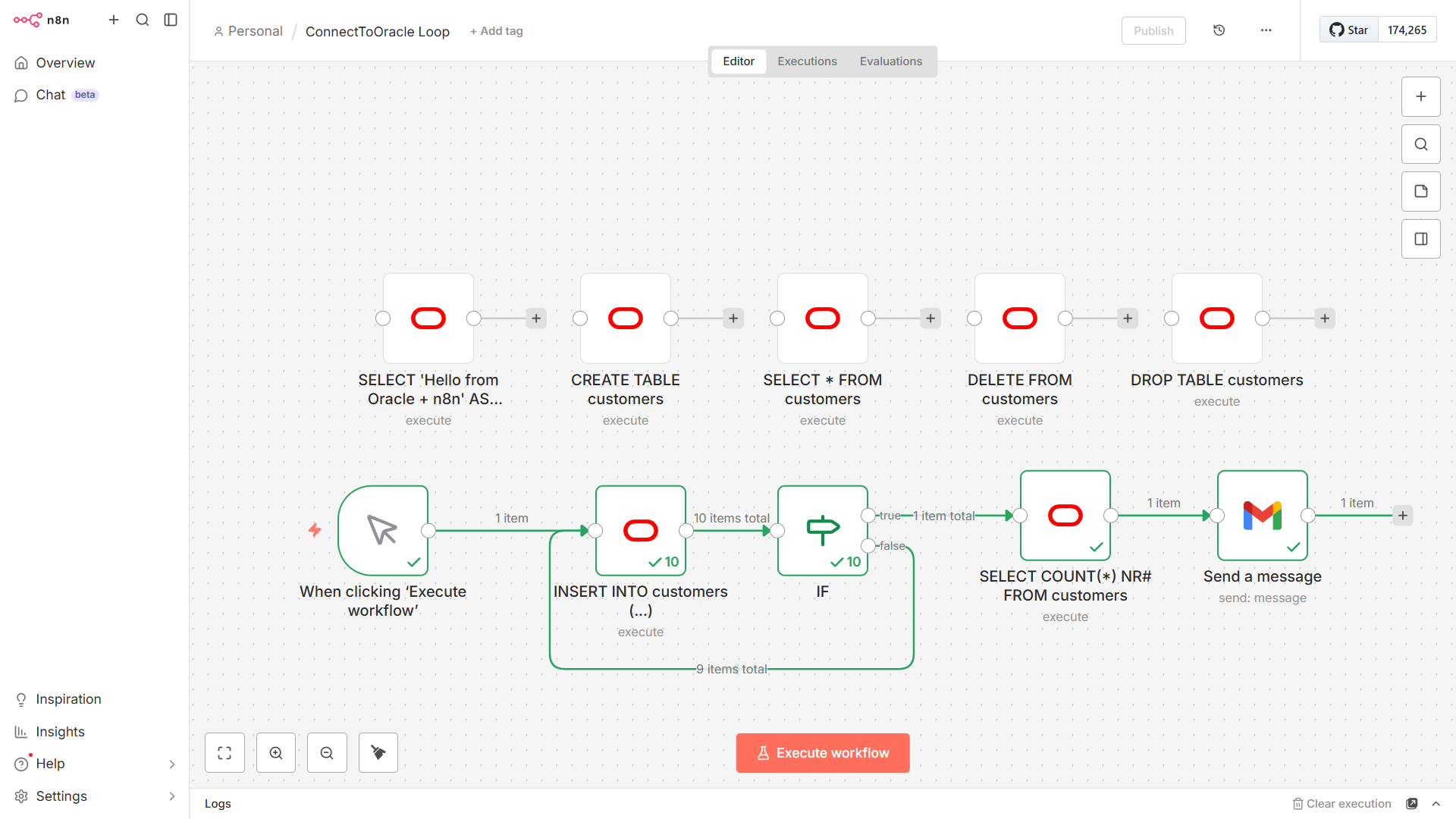
Looping with the IF Node – to run only a number of times you can add a code node into your loop

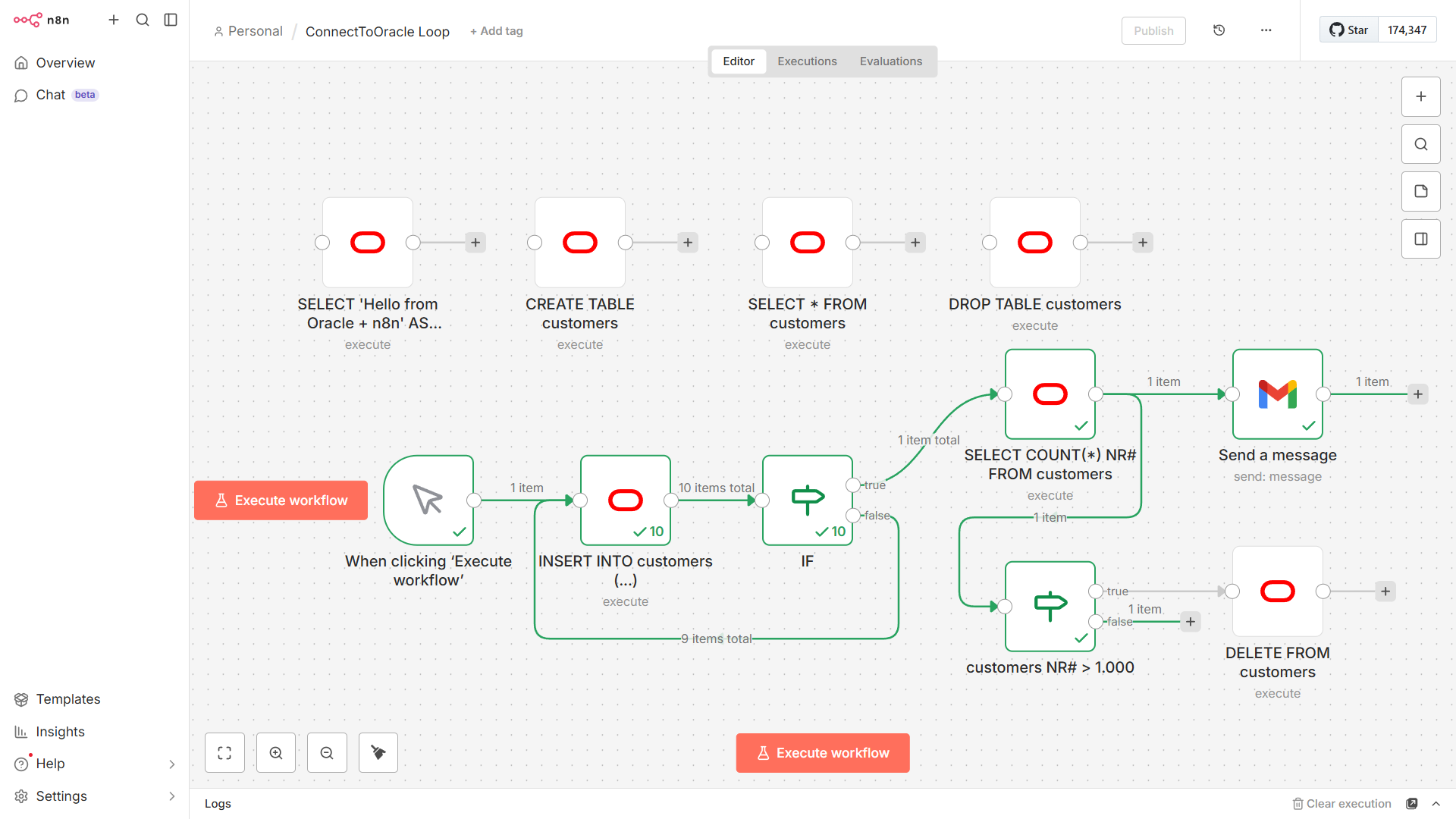
In Oracle ending a query with a semicolon inside a client application like n8n often triggers the „ORA-00933: SQL command not properly ended“ error
The Fix – simply delete the ‚;‚ at the end of your SQL statement in the Oracle Database node
Wrong: SELECT * FROM users;
Right: SELECT * FROM users
Why this happens – in n8n the SQL is sent via a driver (like node-oracledb) and drivers treat the semicolon as a statement terminator for scripts but when sending a single command via an API the semicolon is seen as an illegal character within the command itself
Oracle’s documentation classifies this as an invalid character (ORA-00911) or an improperly ended command (ORA-00933)
Oracle Database Express Edition (XE) 21c – Installation Guide for Docker Containers with Linux x86_64 from ‚https://container-registry.oracle.com‘
Mittwoch, Februar 11th, 2026Oracle Database Express Edition (XE) 21c – Installation Guide for Docker Containers with Linux x86_64 from ‚https://hub.docker.com/‘
Montag, Februar 9th, 2026root@pve-oraDB-01:~# docker run -d –name oracle-xe -p 1521:1521 -e ORACLE_PASSWORD=“<password>“ gvenzl/oracle-xe:21-slim
Unable to find image ‚gvenzl/oracle-xe:21-slim‘ locally
21-slim: Pulling from gvenzl/oracle-xe
f7b0b443446e: Pull complete
073f36588906: Pull complete
4f8ebc90375b: Pull complete
3820d7bb3a88: Pull complete
d3746687fc59: Pull complete
bea495abb2fa: Pull complete
Digest: sha256:ecdf4302ac3d134e1bac5ef6e0c223c2d0f4d4d2b6d551aa79b2346f1ab8f792
Status: Downloaded newer image for gvenzl/oracle-xe:21-slim
66096a703aa1f68b4ece371d47ae66f2e59b4faac9b13e9c40e1c17116d44382
root@pve-oraDB-01:~#
root@pve-oraDB-01:~# docker logs -f oracle-xe
CONTAINER: starting up…
CONTAINER: first database startup, initializing…
CONTAINER: uncompressing database data files, please wait…
CONTAINER: done uncompressing database data files, duration: 12 seconds.
CONTAINER: starting up Oracle Database…
LSNRCTL for Linux: Version 21.0.0.0.0 – Production on 09-FEB-2026 16:32:26
Copyright (c) 1991, 2021, Oracle. All rights reserved.
Starting /opt/oracle/product/21c/dbhomeXE/bin/tnslsnr: please wait…
TNSLSNR for Linux: Version 21.0.0.0.0 – Production
System parameter file is /opt/oracle/homes/OraDBHome21cXE/network/admin/listener.ora
Log messages written to /opt/oracle/diag/tnslsnr/66096a703aa1/listener/alert/log.xml
Listening on: (DESCRIPTION=(ADDRESS=(PROTOCOL=ipc)(KEY=EXTPROC_FOR_XE)))
Listening on: (DESCRIPTION=(ADDRESS=(PROTOCOL=tcp)(HOST=0.0.0.0)(PORT=1521)))
Connecting to (DESCRIPTION=(ADDRESS=(PROTOCOL=IPC)(KEY=EXTPROC_FOR_XE)))
STATUS of the LISTENER
————————
Alias LISTENER
Version TNSLSNR for Linux: Version 21.0.0.0.0 – Production
Start Date 09-FEB-2026 16:32:27
Uptime 0 days 0 hr. 0 min. 0 sec
Trace Level off
Security ON: Local OS Authentication
SNMP OFF
Default Service XE
Listener Parameter File /opt/oracle/homes/OraDBHome21cXE/network/admin/listener.ora
Listener Log File /opt/oracle/diag/tnslsnr/66096a703aa1/listener/alert/log.xml
Listening Endpoints Summary…
(DESCRIPTION=(ADDRESS=(PROTOCOL=ipc)(KEY=EXTPROC_FOR_XE)))
(DESCRIPTION=(ADDRESS=(PROTOCOL=tcp)(HOST=0.0.0.0)(PORT=1521)))
The listener supports no services
The command completed successfully
ORACLE instance started.
Total System Global Area 1610612120 bytes
Fixed Size 9686424 bytes
Variable Size 637534208 bytes
Database Buffers 956301312 bytes
Redo Buffers 7090176 bytes
Database mounted.
Database opened.
CONTAINER: Resetting SYS and SYSTEM passwords.
User altered.
#########################
DATABASE IS READY TO USE!
#########################
################################################
NOTICE: YOU ARE USING AN OLD IMAGE VERSION!
PLEASE CONSIDER UPGRADING TO gvenzl/oracle-free!
################################################
##################################################################
CONTAINER: The following output is now from the alert_XE.log file:
##################################################################
2026-02-09T16:32:40.673697+00:00
Resize operation completed for file# 201, fname /opt/oracle/oradata/XE/temp01.dbf, old size 2048K, new size 12288K
2026-02-09T16:32:40.959467+00:00
XEPDB1(3):Started service freepdb1/freepdb1/freepdb1
XEPDB1(3):Opening pdb with Resource Manager plan: DEFAULT_PLAN
Pluggable database XEPDB1 opened read write
Starting background process CJQ0
2026-02-09T16:32:41.829883+00:00
CJQ0 started with pid=59, OS id=226
Completed: ALTER DATABASE OPEN
2026-02-09T16:33:44.117281+00:00
TABLE SYS.WRP$_REPORTS: ADDED INTERVAL PARTITION SYS_P348 (5884) VALUES LESS THAN (TO_DATE(‚ 2026-02-10 01:00:00‘, ‚SYYYY-MM-DD HH24:MI:SS‘, ‚NLS_CALENDAR=GREGORIAN‘))
TABLE SYS.WRP$_REPORTS_DETAILS: ADDED INTERVAL PARTITION SYS_P349 (5884) VALUES LESS THAN (TO_DATE(‚ 2026-02-10 01:00:00‘, ‚SYYYY-MM-DD HH24:MI:SS‘, ‚NLS_CALENDAR=GREGORIAN‘))
TABLE SYS.WRP$_REPORTS_TIME_BANDS: ADDED INTERVAL PARTITION SYS_P352 (5883) VALUES LESS THAN (TO_DATE(‚ 2026-02-09 01:00:00‘, ‚SYYYY-MM-DD HH24:MI:SS‘, ‚NLS_CALENDAR=GREGORIAN‘))
2026-02-09T16:37:42.937472+00:00
Thread 1 advanced to log sequence 20 (LGWR switch), current SCN: 2977113
Current log# 1 seq# 20 mem# 0: /opt/oracle/oradata/XE/redo01.log
2026-02-09T16:37:49.373157+00:00
XEPDB1(3):TABLE SYS.WRI$_OPTSTAT_HISTHEAD_HISTORY: ADDED INTERVAL PARTITION SYS_P360 (46061) VALUES LESS THAN (TO_DATE(‚ 2026-02-10 00:00:00‘, ‚SYYYY-MM-DD HH24:MI:SS‘, ‚NLS_CALENDAR=GREGORIAN‘))
XEPDB1(3):TABLE SYS.WRI$_OPTSTAT_HISTGRM_HISTORY: ADDED INTERVAL PARTITION SYS_P363 (46061) VALUES LESS THAN (TO_DATE(‚ 2026-02-10 00:00:00‘, ‚SYYYY-MM-DD HH24:MI:SS‘, ‚NLS_CALENDAR=GREGORIAN‘))
2026-02-09T16:37:53.282430+00:00
Thread 1 advanced to log sequence 21 (LGWR switch), current SCN: 2980174
Current log# 2 seq# 21 mem# 0: /opt/oracle/oradata/XE/redo02.log
root@pve-oraDB-01:~#
root@pve-oraDB-01:~# docker exec -it oracle-xe sqlplus / as sysdba
SQL*Plus: Release 21.0.0.0.0 – Production on Mon Feb 9 19:06:42 2026
Version 21.3.0.0.0
Copyright (c) 1982, 2021, Oracle. All rights reserved.
Connected to an idle instance.
SQL> startup
ORACLE instance started.
Total System Global Area 1610612120 bytes
Fixed Size 9686424 bytes
Variable Size 637534208 bytes
Database Buffers 956301312 bytes
Redo Buffers 7090176 bytes
Database mounted.
Database opened.
SQL>
SQL> shutdown
Database closed.
Database dismounted.
ORACLE instance shut down.
SQL>
SQL> exit
Disconnected from Oracle Database 21c Express Edition Release 21.0.0.0.0 – Production
Version 21.3.0.0.0
root@pve-oraDB-01:~#
Oracle Database Enterprise Edition 21c – Installation Guide for Docker Containers with Linux x86_64
Sonntag, Februar 8th, 2026
AI Workflow Automation N8N 2.6.4 – how to create workflows that connect to Oracle or PostgreSQL databases
Freitag, Februar 6th, 2026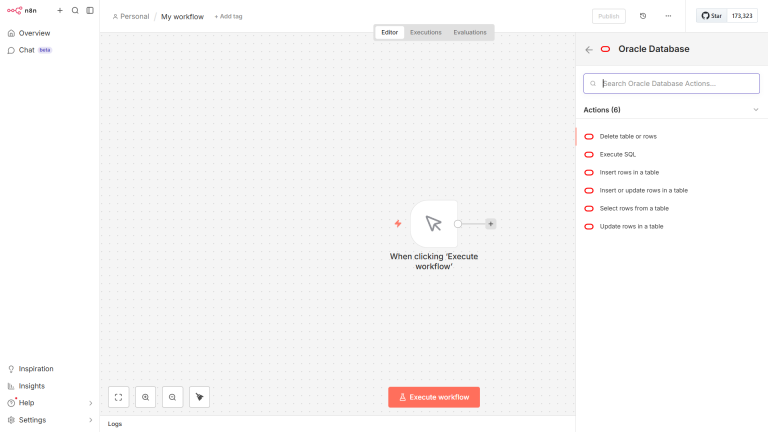
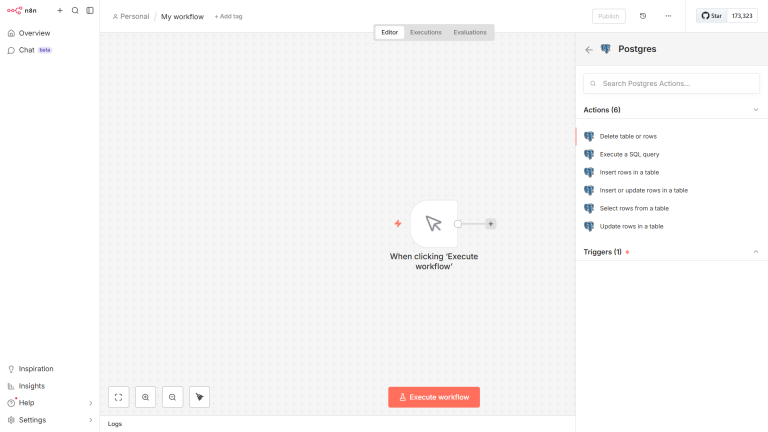
Oracle AI Datenbank 26ai On-Prem Enterprise Edition v23.26.1 – für Linux x86_64 verfügbar
Dienstag, Februar 3rd, 2026 Aktuell steht ausschließlich die Enterprise Edition der Oracle AI Database 26ai On-Prem zur Verfügung ein konkreter Veröffentlichungstermin für die Standard Edition wurde von Oracle bislang nicht kommuniziert
Oracle Database Recovery Manager (RMAN) – to create a shell script for Oracle RMAN is a great way to automate your database protection using four channels allows RMAN to read and write data in parallel which significantly speeds up the process for larger databases
Sonntag, Januar 18th, 2026#!/bin/bash
# =================================================================
# Script Name: rman_full_backup.sh
# Description: Performs a full database backup using 4 parallel channels.
# =================================================================
# 1. Set Environment Variables (Update these for your environment)
export ORACLE_SID=your_sid_here
export ORACLE_HOME=/u01/app/oracle/product/19.0.0/dbhome_1
export PATH=$ORACLE_HOME/bin:$PATH
export DATE=$(date +%Y%m%d_%H%M)
export LOG_FILE=/home/oracle/logs/rman_full_$DATE.log
echo „Starting RMAN Backup for $ORACLE_SID at $(date)“ >> $LOG_FILE
# 2. Execute RMAN
rman target / >> $LOG_FILE << EOF
RUN {
# Allocate 4 channels for parallelism
ALLOCATE CHANNEL c1 DEVICE TYPE DISK;
ALLOCATE CHANNEL c2 DEVICE TYPE DISK;
ALLOCATE CHANNEL c3 DEVICE TYPE DISK;
ALLOCATE CHANNEL c4 DEVICE TYPE DISK;
# Perform Backup
BACKUP
AS COMPRESSED BACKUPSET
DATABASE
PLUS ARCHIVELOG
DELETE ALL INPUT;
# Housekeeping: Remove backups older than 7 days
DELETE NOPROMPT OBSOLETE RECOVERY WINDOW OF 7 DAYS;
RELEASE CHANNEL c1;
RELEASE CHANNEL c2;
RELEASE CHANNEL c3;
RELEASE CHANNEL c4;
}
EXIT;
EOF
# 3. Check Execution Status
if [ $? -eq 0 ]; then
echo „Backup completed successfully at $(date)“ >> $LOG_FILE
else
echo „Backup FAILED at $(date)“ >> $LOG_FILE
# Add alert/email logic here if desired
fi

Oracle AI Database 26ai – is going to be available on non Oracle hardware for Linux x86-64 coming on January 20th 2026
Dienstag, Dezember 30th, 2025Oracle AI Database 26ai – AI Made Simple for Enterprise
Dienstag, November 25th, 2025Oracle AI Database 26ai – is available now on Oracle Cloud Infrastructure on Oracle Cloud Microsoft Azure Google Cloud and AWS
Donnerstag, November 13th, 2025Oracle AI Database 26ai – Next Gen AI Native Database for All Your Data
Donnerstag, Oktober 16th, 2025Oracle Database Recovery Manager (RMAN) – how many channels you can allocate
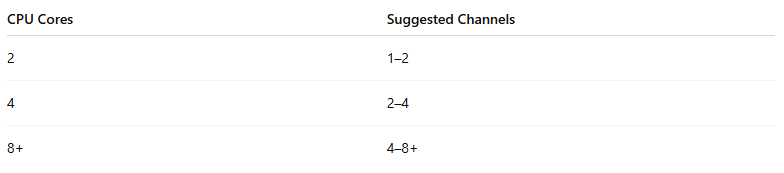
Freitag, August 22nd, 2025 The optimal number of RMAN channels depends on the number of CPU cores physical I/O devices (disks tape drives) and the specific task but a good starting point is to match the number of channels to your physical output devices or to 1-2 less than your total CPU cores to leave resources for the operating system