 Microsoft Teams – is the hub for teamwork in Office 365 that integrates all the people, content, and tools your team needs to be more engaged and effective
Archive for the ‘Microsoft Solution’ Category
Microsoft Teams – meet the hub for teamwork in Office 365
Donnerstag, Mai 24th, 2018Microsoft Internet of Things (IoT) – starts with your things where your things are what matter most to your business
Mittwoch, Mai 23rd, 2018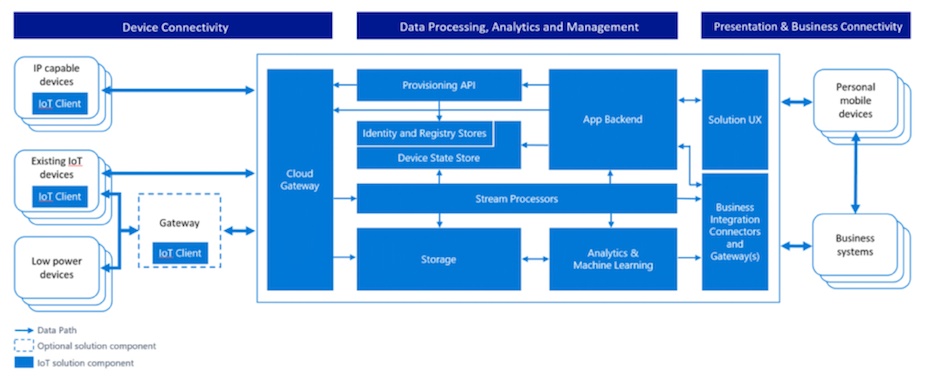
Microsoft Windows Server – Access Denied error message when you access an SMB file share in Windows
Dienstag, Mai 22nd, 2018 Access Denied error message when you access an SMB file share in Windows – when you try to access a specific folder that is located on a Network Appliance (NetApp) Filer or a Windows Server that supports SMB2 from a Windows-based system through the Server Message Block (SMB) Version 2 protocol, the access is denied. This issue occurs in Windows 8.1, Windows Server 2012 R2, Windows 8, Windows Server 2012, Windows 7, Windows Server 2008 R2, Windows Vista, and Windows Server 2008
To resolve this issue, use the ICACLS utility to set the desired permissions that contain the Synchronize bit. For example, at a command prompt, type the following command, and then press ENTER
ICACLS h:\folder /grant domain\user:(RC,RD,REA,RA,X,S)
Microsoft – kauft Semantic Machines sie ist im Bereich der künstlichen Intelligenz aktiv und will erreichen dass sich Menschen mit Maschinen unterhalten können als wären es andere Menschen
Dienstag, Mai 22nd, 2018VMware vSphere 6.7 – enabling Windows 10 Virtualization Based Security (VBS)
Montag, Mai 21st, 2018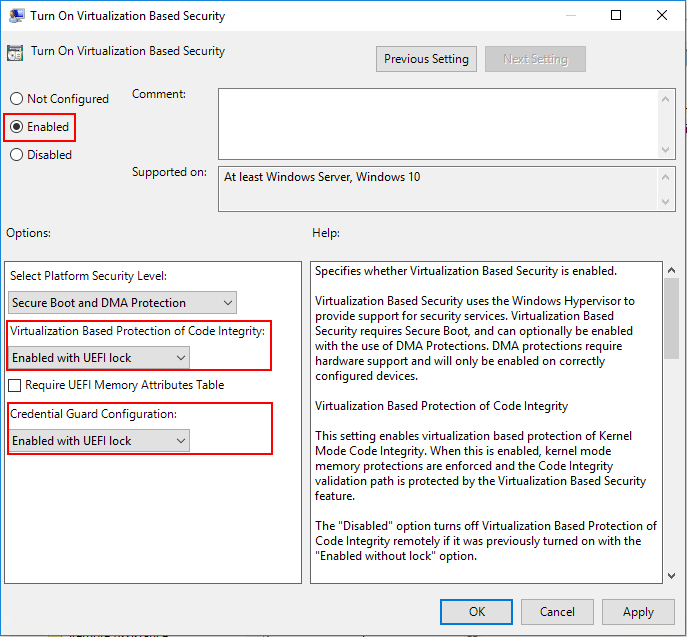
Microsoft Hyper-V Server 2016 – Managing a Non-Domain Hyper-V Server 2016
Sonntag, Mai 20th, 2018
Microsoft Office 365 – Update for May 2018
Samstag, Mai 19th, 2018Microsoft Build – AI for Accessibility
Samstag, Mai 19th, 2018Microsoft Surface Hub 2 – perfect for any space
Samstag, Mai 19th, 2018
Microsoft Power BI Desktop and Power BI Service – analyzing and visualizing data
Freitag, Mai 18th, 2018Microsoft Power BI Desktop – Update May 2018
Montag, Mai 14th, 2018Microsoft Windows Remote Desktop Protocol ‚Credential Security Support Provider protocol (CredSSP)‘ Update – kann zu unerreichbaren Servern führen
Freitag, Mai 11th, 2018EU-Datenschutz-Grundverordnung (EU-DSGVO) – Roadmap und Schritte zur Compliance entwickeln
Freitag, Mai 11th, 2018
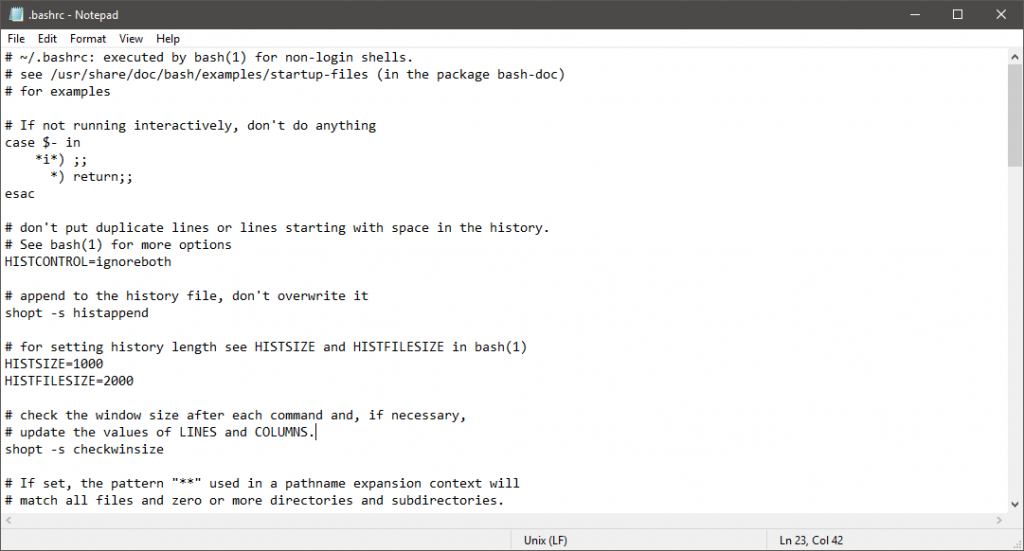
Microsoft Windows 10 ‚Notepad‘ – lernt endlich den Unix-Zeilenumbruch ‚\n‘
Donnerstag, Mai 10th, 2018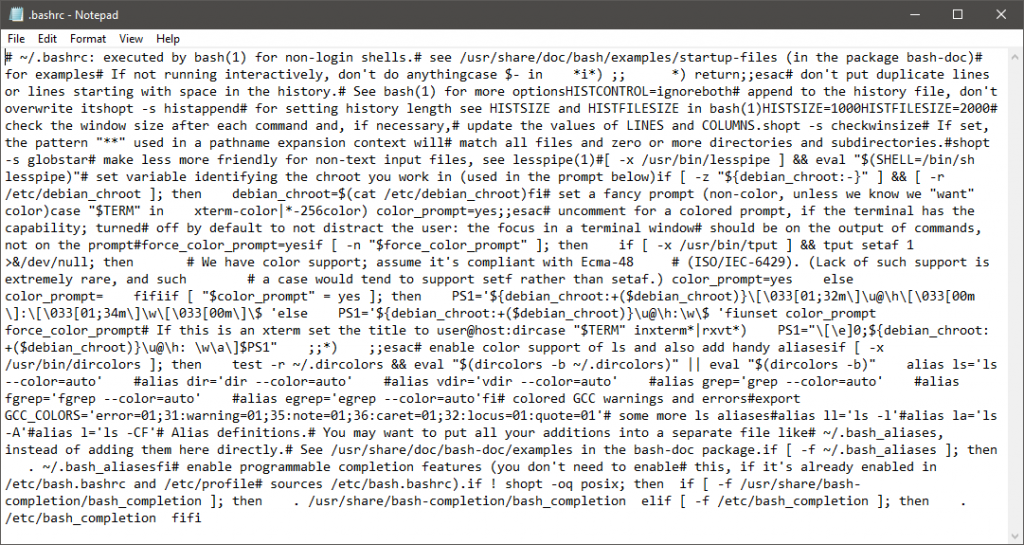
Microsoft Windows 10 – Disabling “Large Send Offload (LSO)”
Donnerstag, Mai 10th, 2018 „Large Send Offload (LSO)“ – is a technique of improving network performance while at the same time reducing CPU Overhead – apparently it does not work very well so it was suggested to disable it
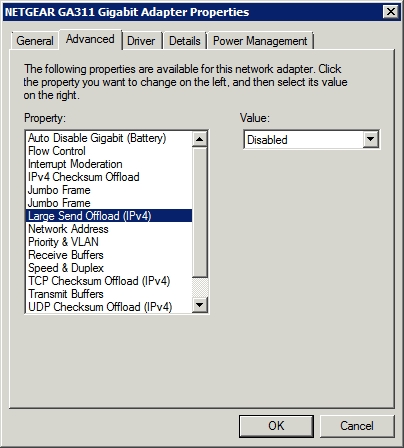
A file can vary between a few Kilobytes (kBs) to several Gigabytes (GBs) in size. While it is being transferred over a network, it’s broken into pieces known as segments. Each segment is put inside of a frame and sent over the network through the switch or the router to another device. The size of a frame is 1500 Bytes which is the standard size for MTU (Maximum Transmission Unit). Sending a frame larger than this size often causes the frame to be dropped, and thus the overall speed of the network goes down drastically as the frame must be re-sent. When the Large Send Offload option is enabled, the segmentation takes place in the Ethernet adapter instead of the server. Since the Ethernet adapter is unable to identify the MTU of the switch, sending a wrong frame size leads the frame to be dropped. However, if this process happens in the server then the MTU size can easily be identified, hence data equal to the MTU size is despatched, and consequently, the overall data transfer speed is improved at the expense of the CPU’s performance