Archive for the ‘Lenovo Systems’ Category
Lenovo ThinkStation P3 Tiny Gen2 – is an AI ready workstation designed for high performance in demanding workflows
Mittwoch, Februar 11th, 2026Lenovo ThinkSystem SR630 V3 – UEFI Setup for ThinkAgile MX nodes using V3 servers
Samstag, November 29th, 2025Um die maximale Performance auf einem ThinkSystem SR630 V3 zu aktivieren müssen Sie im UEFI Setup den entsprechenden vordefinierten Betriebsmodus (Operating Mode) auswählen
Anleitung zur Aktivierung im UEFI Setup
Server starten und UEFI aufrufen:
Schalten sie den Server ein oder starten Sie ihn neu
Drücken sie sobald die entsprechende Aufforderung am unteren Bildschirmrand erscheint wiederholt die Taste F1 um das System-Setup (UEFI Menü) aufzurufen
Zu den Betriebseinstellungen navigieren:
Navigieren sie im UEFI Menü zu System Settings (Systemeinstellungen) > Operating Modes (Betriebsmodi)
„Maximum Performance“ auswählen:
Wählen sie unter Choose Operating Mode (Betriebsmodus auswählen) die Option Maximum Performance (Maximale Leistung) aus
Dieser Modus maximiert die absolute Leistung des Systems wobei die Energieeffizienz zweitrangig ist und die meisten Energiesparfunktionen deaktiviert werden
Einstellungen speichern und neu starten:
Speichern sie die Änderungen und beenden Sie das UEFI Setup
Der Server wird neu gestartet damit die neuen Einstellungen wirksam werden
Hinweis: Es wird empfohlen, den Betriebsmodus „Maximum Performance“ als Basis zu wählen bevor sie versuchen einzelne UEFI Parameter manuell feinabzustimmen da sonst einige spezifische Einstellungen möglicherweise nicht verfügbar sind
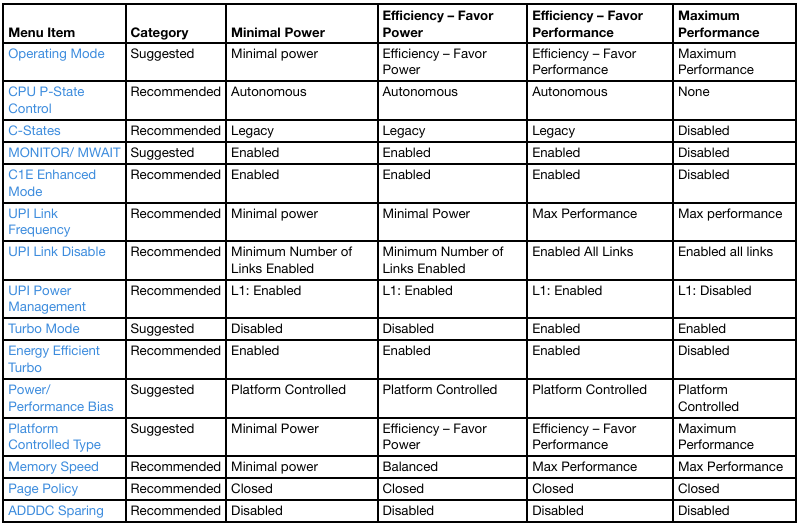
Detailliertere Informationen zu den verschiedenen Betriebsmodi findet man im Lenovo Press Dokument zur Abstimmung von UEFI-Einstellungen für Intel Xeon SP Prozessoren
Lenovo ThinkSystem SR650 V3 – UEFI Setup for ThinkAgile MX nodes using V3 servers
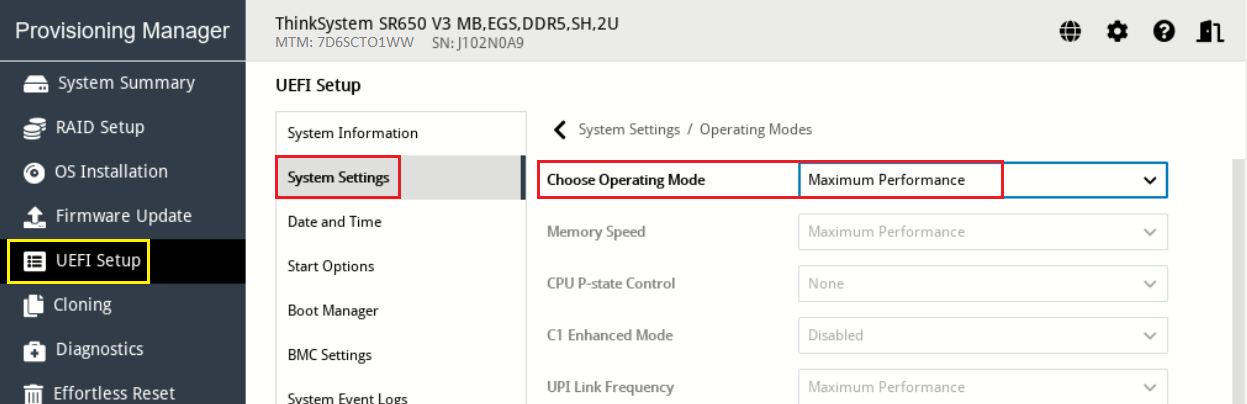
Freitag, November 21st, 2025UEFI Setup > System Settings > Operating Modes. Ensure that Choose Operating Mode is set to Maximum Performance
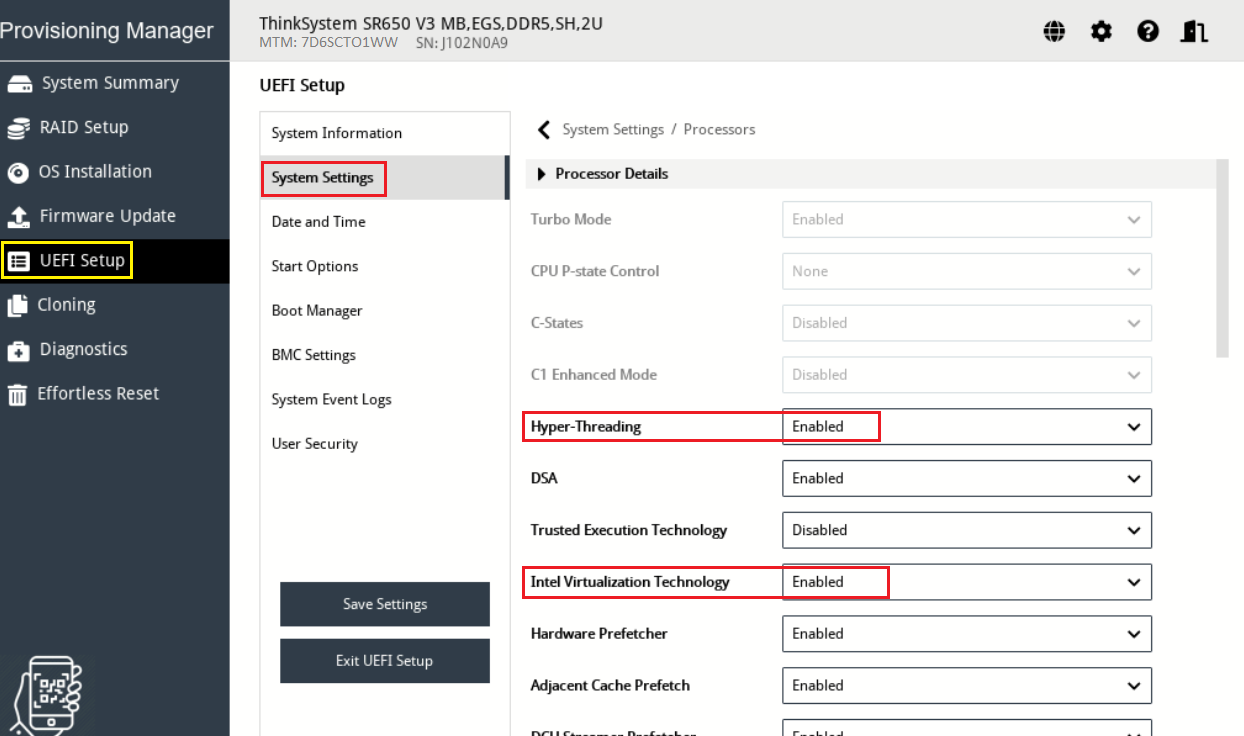
. Ensure that Hyper-Threading and Intel Virtualization Technology are set to Enabled
UEFI Setup > System Settings > Security > Secure Boot Configuration
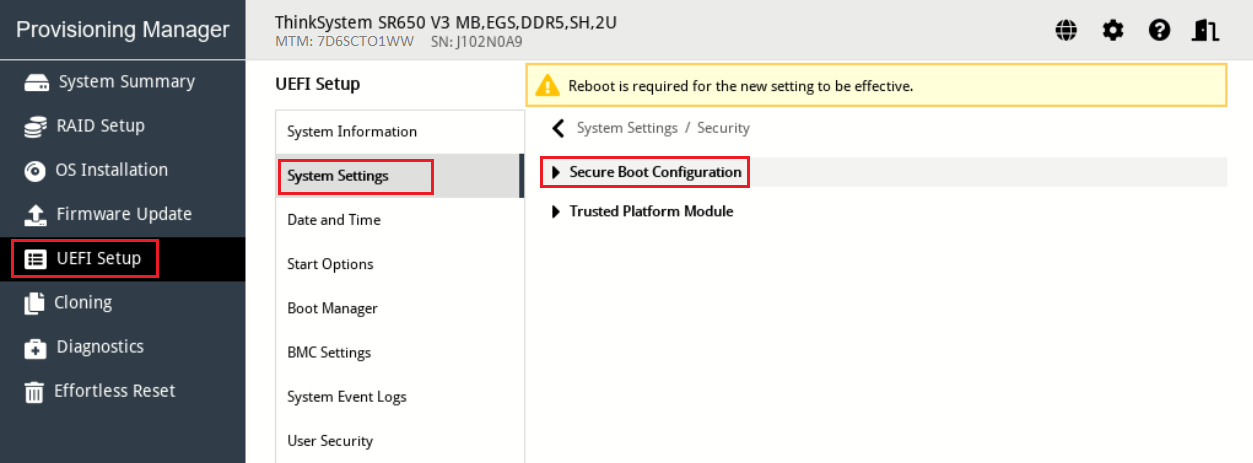
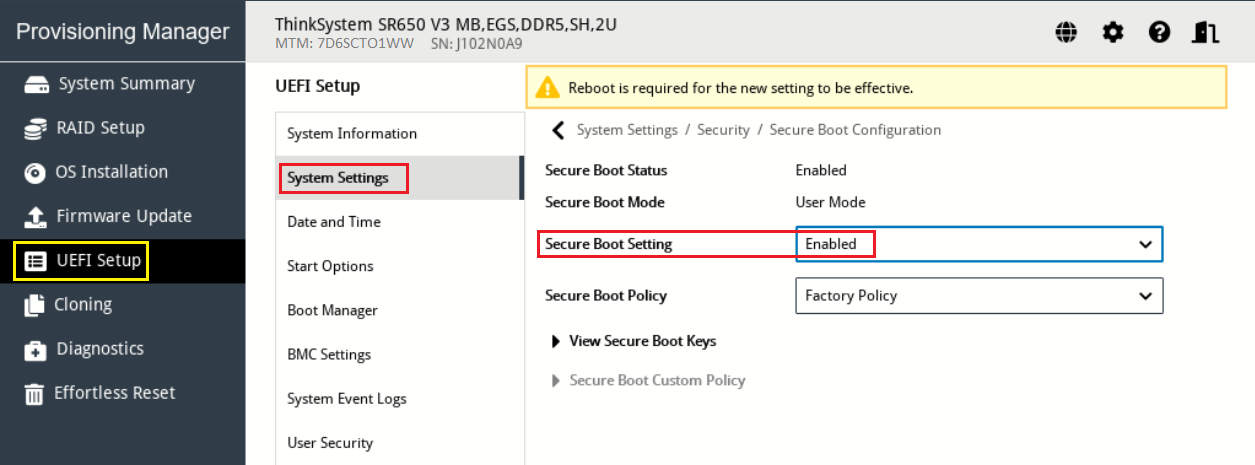
Lenovo XClarity Essentials OneCLI – how to set energy settings on a VMware ESXi host
Sonntag, November 16th, 2025To set energy settings on a VMware ESXi host using Lenovo XClarity Essentials OneCLI use the onecli.exe config set command with the appropriate UEFI or BMC setting name such as PowerPlatform.PowerBias or Processors.DeterminismSlider to adjust the power profile. You must run OneCLI from a Windows command prompt as an administrator with administrator privileges and have the necessary credentials to connect to the ESXi host
onecli.exe config set Processors.DeterminismSlider Power –esxi <userid>:<password>@<ESXiHostIP@>
Common Energy Settings
Processors.CStates (e.g., Legacy or Enabled)
Processors.CPUPstateControl (e.g., Legacy or Enabled)
Processors.TurboMode (e.g., Enabled or Disabled)
You may need to explore the specific setting names for your exact server model using onecli.exe config show command to list all available configuration options and their current values
onecli.exe config show –esxi <userid>:<password>@<ESXiHostIP@>
After changing a UEFI/BMC setting a server reboot is required for the changes to take effect
Lenovo XClarity Essentials OneCLI – how to remotely collect system inventory and the First Failure Data Capture (FFDC) inventory from VMware ESXi
Sonntag, November 16th, 2025Lenovo ThinkStation PGXn – accelerated by the NVIDIA GB10 Grace Blackwell Superchip delivering up to 1 PetaFlop (1.000 TOPS) of AI performance so your AI development journey can start now
Montag, November 3rd, 2025Lenovo ThinkSystem SR665 Rack Server – is a 2-socket 2U server that features the AMD EPYC 7002 ‚Rome‘ and AMD EPYC 7003 ‚Milan‘ families of processors e.g. AMD EPYC 74F3
Samstag, April 5th, 2025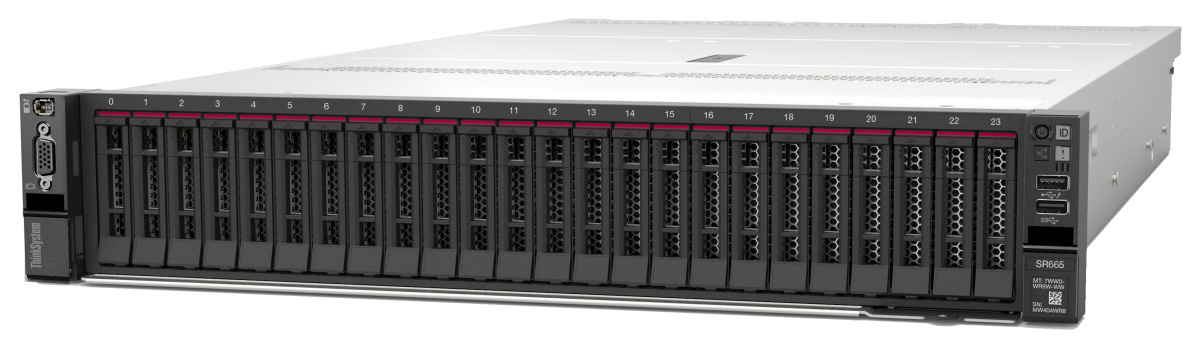
Lenovo Support Center – check your warranty status
Dienstag, Oktober 1st, 2024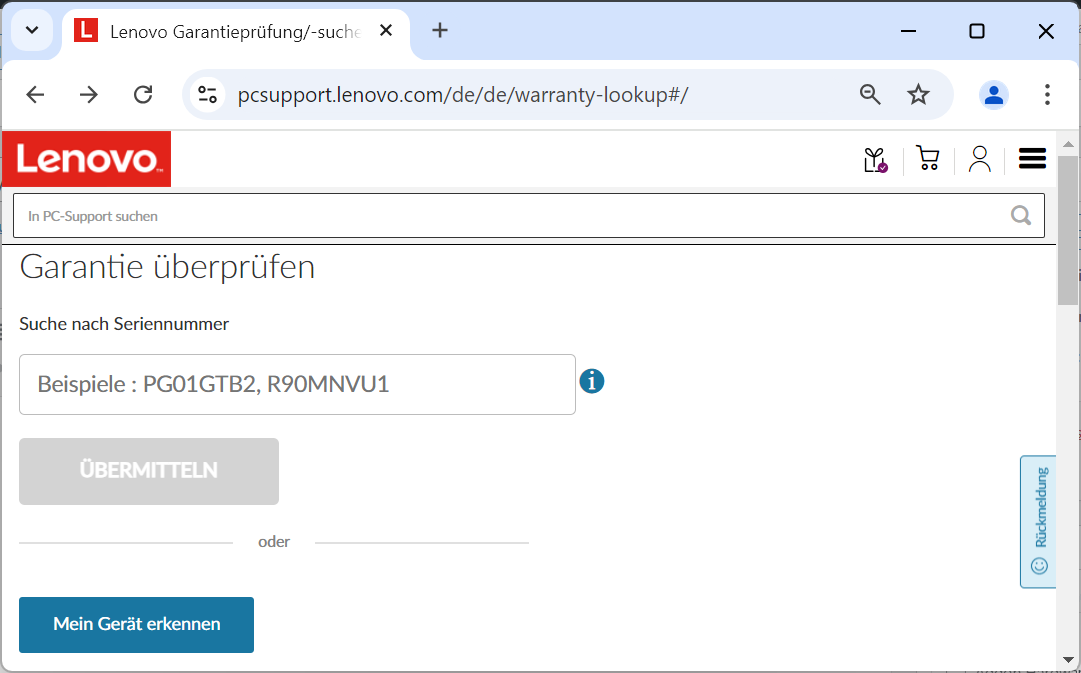
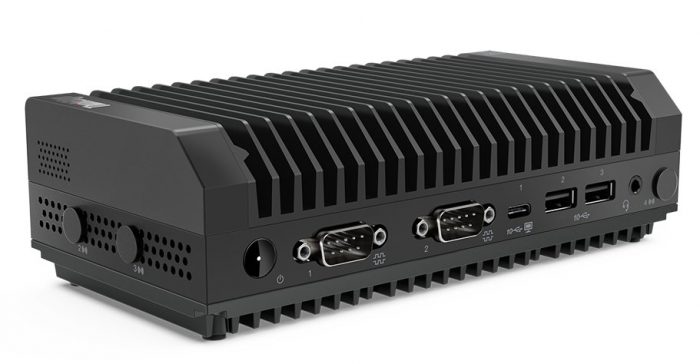
Lenovo ThinkEdge SE30 – is available with up to an Intel Core i5-1145GRE vPro processor up to 16GB of RAM and up to 1TB of storage
Mittwoch, März 3rd, 2021Lenovo is expanding its line of embedded devices with two new small, rugged computers designed for digital signage, point of sale systems, and other embedded applications
Lenovo ThinkSystem SR665 – mit zwei AMD CPUs des Typs EPYC 7H12 mit insgesamt 128 Kernen
Mittwoch, Januar 20th, 2021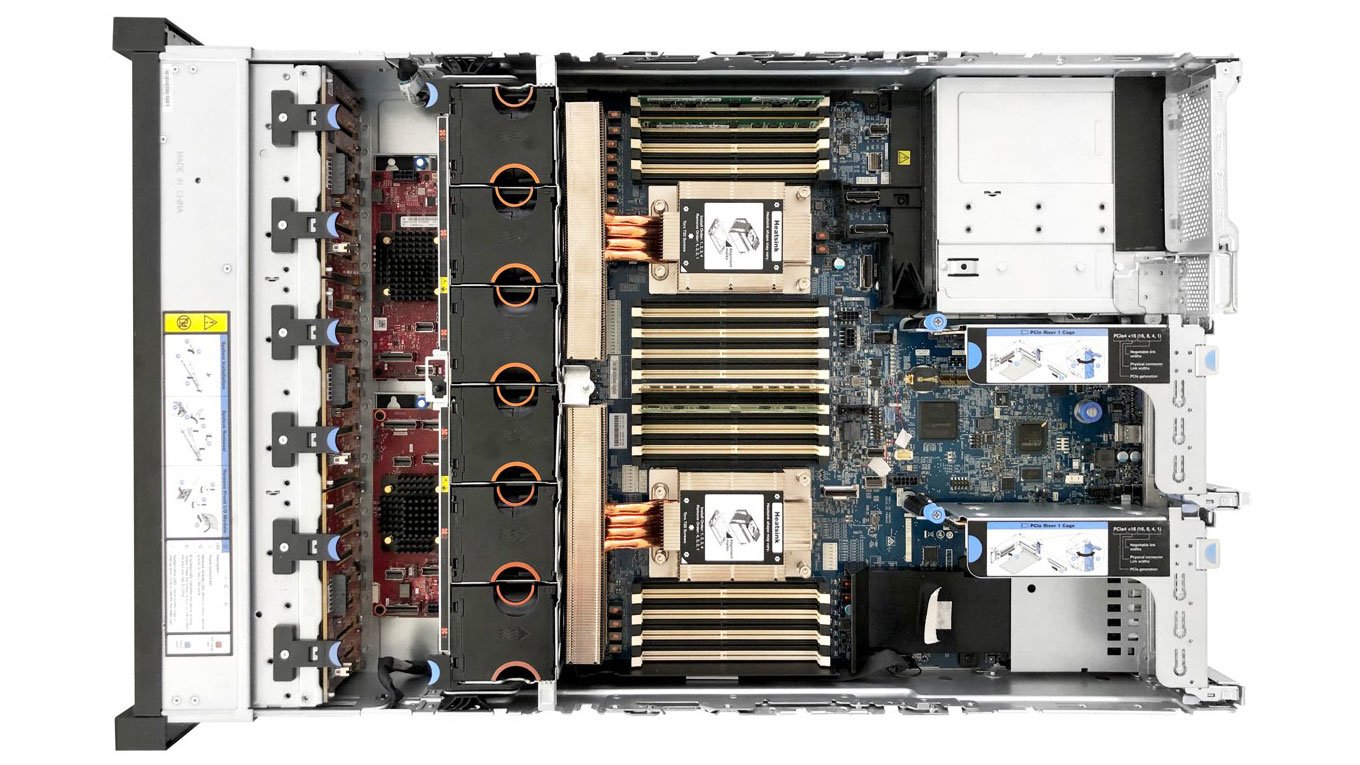
Lenovo ThinkSystem SR630 – Server Video Walkthrough
Donnerstag, Februar 14th, 2019Lenovo ThinkPads – wenn bestimmte BIOS-Option genutzt werden entsteht ein Briefbeschwerer
Freitag, Oktober 26th, 2018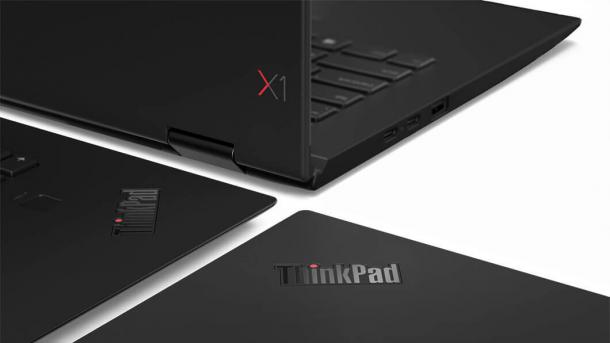
Lenovo – kauft das PC Computergeschäft von Fujitsu für mindestens 135 Mio. Euro
Freitag, November 3rd, 2017Lenovo – baut weltweit weitere rund 1000 Arbeitsplätze ab
Sonntag, Oktober 22nd, 2017