
Archive for Mai, 2026
U.S. Department of Justice Todd Blanche – announces indictment of former Cuban president Raúl Castro (94) over downing of two planes in 1996 that killed four people
Donnerstag, Mai 21st, 2026Bundesnetzagentur (BNetzA) – hat Hinweise darauf erhalten dass vermehrt gefälschte Briefe im Umlauf sind und darin werden die Adressaten beschuldigt eine Photovoltaikanlage nicht ordnungsgemäß im Marktstammdatenregister registriert zu haben
Donnerstag, Mai 21st, 2026 Bundesnetzagentur (BNetzA) – rät dazu keine persönlichen Daten herauszugeben und keine Überweisungen an die in den Schreiben angegebenen Bankverbindungen zu tätigen. Die Bundesnetzagentur würde keine solche Schreiben verschicken
Berlin Park-Klinik Weißensee – die Übernahme soll zum 01.06.2026 abgeschlossen sein wie die Sana Kliniken nun bekanntgegeben haben
Mittwoch, Mai 20th, 2026
OpenRouter – Claude Code komplett kostenlos nutzt ohne ein lokales KI Modell auf deinem Rechner installieren zu müssen
Mittwoch, Mai 20th, 202679. Sitzung des Deutschen Bundestages 20.05.2026
Mittwoch, Mai 20th, 2026Österreich und die Regierungspläne zur Finanzierung der Universitäten und deren Folgen – Pressekonferenz der österreichischen Universitäten
Mittwoch, Mai 20th, 2026Microsoft Surface Pro for Business – delivers on device AI experiences powered by Intel that are fast and powerful
Mittwoch, Mai 20th, 2026re:publica 2026 – wie steht es um die Digitalisierung in Deutschland mit Dr. Karsten Wildberger (CDU) Bundesminister für Digitales und Staatsmodernisierung
Mittwoch, Mai 20th, 2026Compugroup Medical (CGM) – gewinnt Award „AI Application for Pharmacies“ für die umfassende Integration Künstlicher Intelligenz (KI) in Apothekensysteme
Mittwoch, Mai 20th, 2026Open source AI code agent ‚Continue‘ extension – with Ollama inside Visual Studio Code on Windows 11
Mittwoch, Mai 20th, 2026Dell PowerStore Elite – the next era of all flash storage is here
Mittwoch, Mai 20th, 2026Stark VARG EX – das schnellste elektrische Offroad Bike am Erzberg
Dienstag, Mai 19th, 2026Anthropic Claude Code – with Ollama inside Visual Studio Code on Windows 11
Dienstag, Mai 19th, 2026
PS C:\Users\js>
PS C:\Users\js> irm https://claude.ai/install.ps1 | iex
Setting up Claude Code…
✔ Claude Code successfully installed!
Version: 2.1.143
Location: C:\Users\js\.local\bin\claude.exe
Next: Run claude –help to get started
⚠ Setup notes:
● Native installation exists but C:\Users\js\.local\bin is not in your PATH. Add it by opening: System Properties →
Environment Variables → Edit User PATH → New → Add the path above. Then restart your terminal.
✅ Installation complete!
PS C:\Users\js>
PS C:\Users\js> claude –version
2.1.143 (Claude Code)
PS C:\Users\js>
PS C:\Users\js> irm https://ollama.com/install.ps1 | iex
>>> Downloading Ollama for Windows…
######################################## 100.0%
>>> Installing Ollama…
>>> Install complete. Run ‚ollama‘ from the command line.
PS C:\Users\js>
PS C:\Users\js> ollama –version
ollama version is 0.24.0
PS C:\Users\js>
PS C:\Users\js> ollama launch claude –model minimax-m2.5:cloud
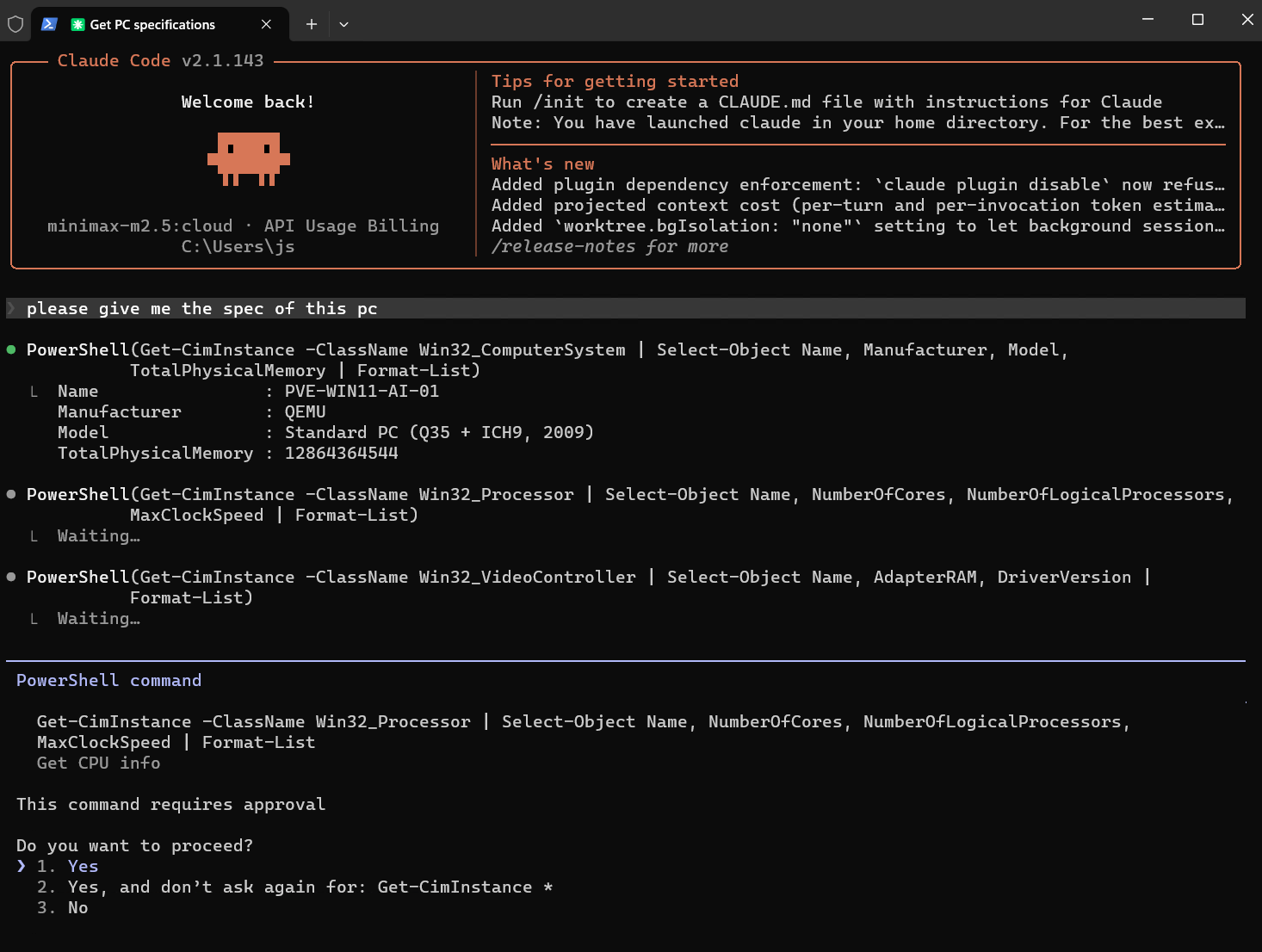
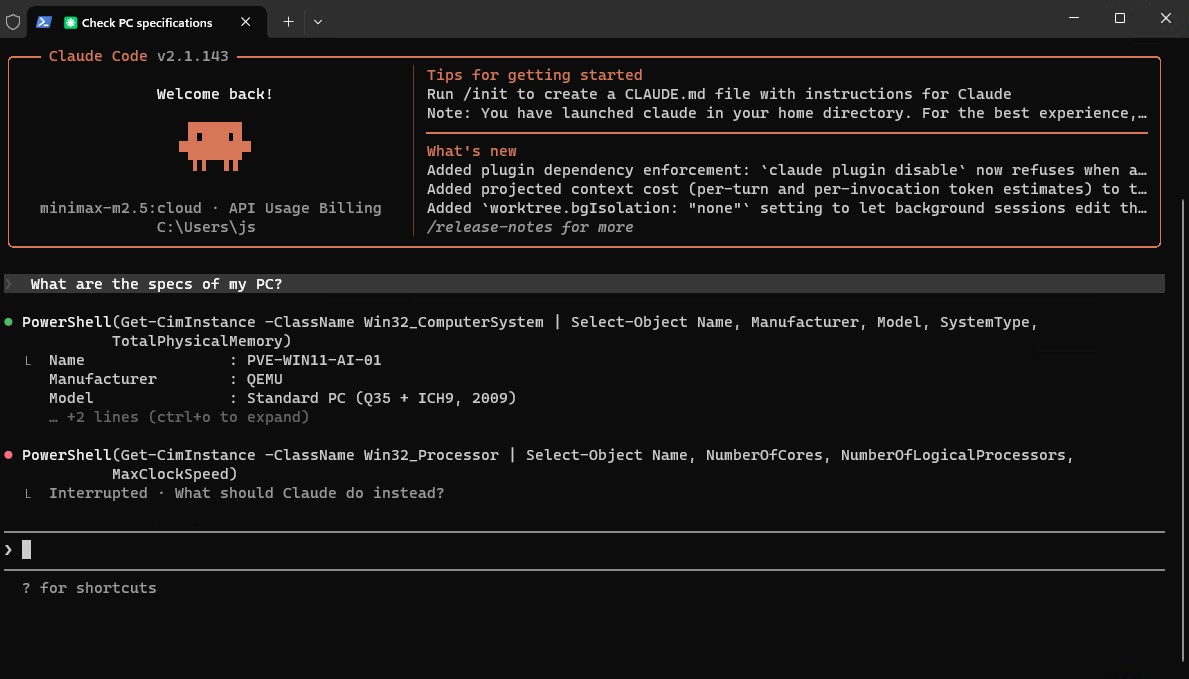
with ClaudeCode: ‚What are the specs of my PC?‘
… inside Visual Studio Code: ‚Create a Linux backup script for a PostgreSQL Database‘
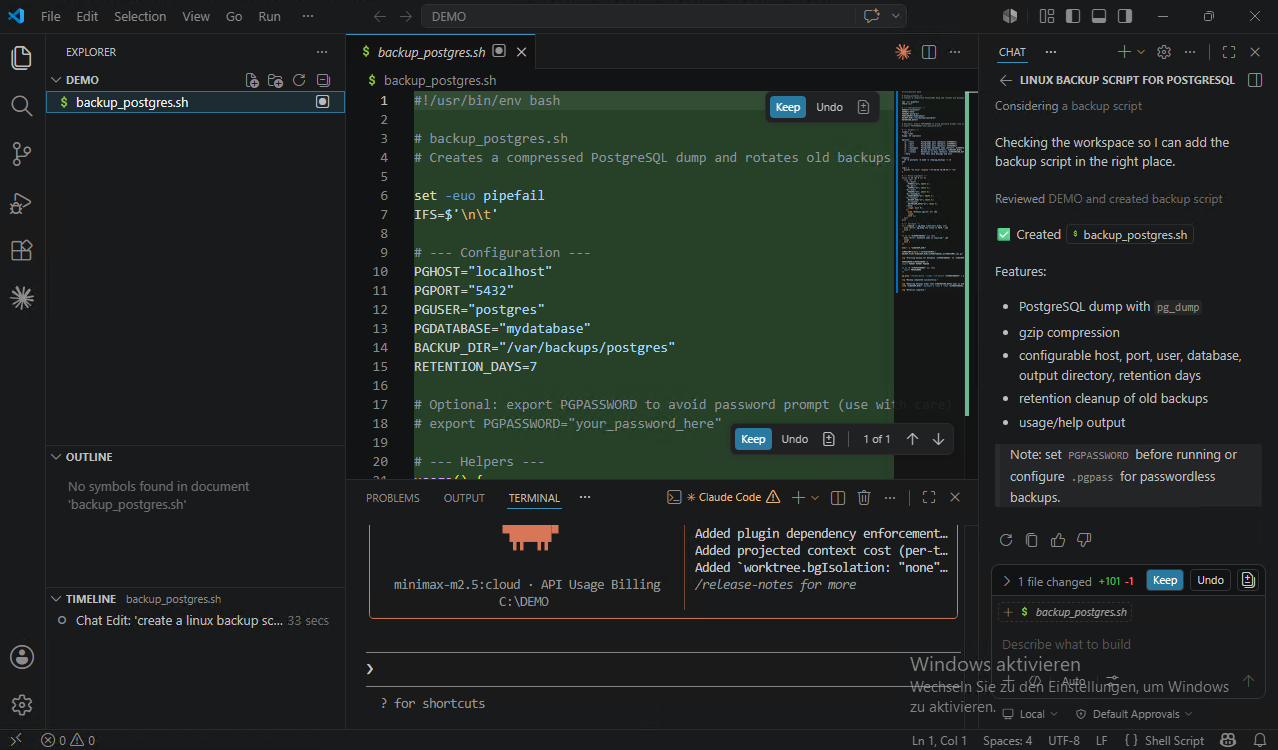
backup_postgres.sh
#!/usr/bin/env bash
# backup_postgres.sh
# Creates a compressed PostgreSQL dump and rotates old backups.
set -euo pipefail
IFS=$’\n\t‘
# — Configuration —
PGHOST=“localhost“
PGPORT=“5432″
PGUSER=“postgres“
PGDATABASE=“mydatabase“
BACKUP_DIR=“/var/backups/postgres“
RETENTION_DAYS=7
# Optional: export PGPASSWORD to avoid password prompt (use with care)
# export PGPASSWORD=“your_password_here“
# — Helpers —
usage() {
cat <<EOF
Usage: $0 [options]
Options:
-h, –host PostgreSQL host (default: ${PGHOST})
-p, –port PostgreSQL port (default: ${PGPORT})
-U, –user PostgreSQL user (default: ${PGUSER})
-d, –database PostgreSQL database name (default: ${PGDATABASE})
-o, –output Backup directory (default: ${BACKUP_DIR})
-r, –retain Retention in days (default: ${RETENTION_DAYS})
–help Show this help message and exit
Example:
$0 -U postgres -d mydb -o /tmp/pg_backups -r 14
EOF
}
log() {
printf „%s %s\n“ „$(date +’%Y-%m-%d %H:%M:%S‘)“ „$1“
}
# — Parse arguments —
while [[ $# -gt 0 ]]; do
case „$1“ in
-h|–host)
PGHOST=“$2″; shift 2;;
-p|–port)
PGPORT=“$2″; shift 2;;
-U|–user)
PGUSER=“$2″; shift 2;;
-d|–database)
PGDATABASE=“$2″; shift 2;;
-o|–output)
BACKUP_DIR=“$2″; shift 2;;
-r|–retain)
RETENTION_DAYS=“$2″; shift 2;;
–help)
usage; exit 0;;
*)
echo „Unknown option: $1“ >&2
usage
exit 1;;
esac
done
# — Validate —
if ! command -v pg_dump >/dev/null 2>&1; then
echo „Error: pg_dump not found in PATH.“ >&2
exit 1
fi
if [[ -z „${PGDATABASE}“ ]]; then
echo „Error: database name is required.“ >&2
usage
exit 1
fi
mkdir -p „${BACKUP_DIR}“
TIMESTAMP=$(date +’%Y%m%dT%H%M%S‘)
BACKUP_FILE=“${BACKUP_DIR}/${PGDATABASE}_${TIMESTAMP}.sql.gz“
log „Starting backup for database ‚${PGDATABASE}‘ to ‚${BACKUP_FILE}‘.“
PGPASSWORD=${PGPASSWORD:-}
export PGHOST PGPORT PGUSER
if [[ -n „${PGPASSWORD}“ ]]; then
export PGPASSWORD
fi
pg_dump –format=plain –clean –if-exists „${PGDATABASE}“ | gzip > „${BACKUP_FILE}“
log „Backup completed successfully.“
log „Removing backups older than ${RETENTION_DAYS} days in ${BACKUP_DIR}.“
find „${BACKUP_DIR}“ -maxdepth 1 -type f -name „${PGDATABASE}_*.sql.gz“ -mtime +${RETENTION_DAYS} -print -delete
log „Rotation complete.“
backup_ingres.sh
#!/usr/bin/env bash
# backup_ingres.sh
# Creates a compressed backup of an Ingres database and rotates old backups.
set -euo pipefail
IFS=$’\n\t‘
# — Configuration —
II_SYSTEM=“${II_SYSTEM:-/opt/ingres}“
II_HOSTNAME=“${II_HOSTNAME:-$(hostname)}“
VNODE=““ # Optional: remote node specification (e.g., „vnode::server“)
INGRES_USER=“${INGRES_USER:-ingres}“
DBNAME=“${DBNAME:-mydb}“
BACKUP_DIR=“/var/backups/ingres“
RETENTION_DAYS=7
# — Helpers —
usage() {
cat <<EOF
Usage: $0 [options]
Options:
-s, –system Ingres installation directory (default: ${II_SYSTEM})
-n, –vnode Vnode for remote database (default: none)
-u, –user Ingres user (default: ${INGRES_USER})
-d, –database Database name (default: ${DBNAME})
-o, –output Backup directory (default: ${BACKUP_DIR})
-r, –retain Retention in days (default: ${RETENTION_DAYS})
–help Show this help message and exit
Example:
$0 -d mydb -o /var/backups/ingres -r 14
EOF
}
log() {
printf „%s %s\n“ „$(date +’%Y-%m-%d %H:%M:%S‘)“ „$1“
}
error() {
log „ERROR: $1“ >&2
exit 1
}
# — Parse arguments —
while [[ $# -gt 0 ]]; do
case „$1“ in
-s|–system)
II_SYSTEM=“$2″; shift 2;;
-n|–vnode)
VNODE=“$2″; shift 2;;
-u|–user)
INGRES_USER=“$2″; shift 2;;
-d|–database)
DBNAME=“$2″; shift 2;;
-o|–output)
BACKUP_DIR=“$2″; shift 2;;
-r|–retain)
RETENTION_DAYS=“$2″; shift 2;;
–help)
usage; exit 0;;
*)
echo „Unknown option: $1“ >&2
usage
exit 1;;
esac
done
# — Validate —
if [[ ! -d „${II_SYSTEM}“ ]]; then
error „Ingres installation not found at ${II_SYSTEM}“
fi
export II_SYSTEM
export II_HOSTNAME
# Check for ing_dump
ING_DUMP=“${II_SYSTEM}/bin/ing_dump“
if [[ ! -x „${ING_DUMP}“ ]]; then
error „ing_dump not found at ${ING_DUMP}“
fi
if [[ -z „${DBNAME}“ ]]; then
error „database name is required“
fi
mkdir -p „${BACKUP_DIR}“
# — Build database spec —
# If vnode is set, format as „vnode::dbname“ otherwise just „dbname“
if [[ -n „${VNODE}“ ]]; then
DB_SPEC=“${VNODE}::${DBNAME}“
else
DB_SPEC=“${DBNAME}“
fi
TIMESTAMP=$(date +’%Y%m%dT%H%M%S‘)
BACKUP_FILE=“${BACKUP_DIR}/${DBNAME}_${TIMESTAMP}.dmp.gz“
log „Starting backup for database ‚${DB_SPEC}‘ to ‚${BACKUP_FILE}‘.“
# Run ing_dump
# -to specifies output file, -hash is optional for faster dumps
„${ING_DUMP}“ „${DB_SPEC}“ -user „${INGRES_USER}“ -to – 2>/dev/null | gzip > „${BACKUP_FILE}“
if [[ ! -s „${BACKUP_FILE}“ ]]; then
error „Backup file is empty or not created“
fi
log „Backup completed successfully: ${BACKUP_FILE}“
# — Rotation —
log „Removing backups older than ${RETENTION_DAYS} days in ${BACKUP_DIR}.“
find „${BACKUP_DIR}“ -maxdepth 1 -type f -name „${DBNAME}_*.dmp.gz“ -mtime +${RETENTION_DAYS} -print -delete
log „Rotation complete.“
AI Workflow Automation N8N 2.16.0 – from Canvas an open-source learning management system (LMS) to Microsoft Teams with Microsoft Agent 365
Dienstag, Mai 19th, 2026With Microsoft Agent 365 generally available N8N users can now build agents that show up as members of the team in Microsoft 365 applications. Microsoft handles access and compliance by giving agents and identity that you can @mention or email from Microsoft Teams Outlook SharePoint or Word. n8n is where you design what the agent does: its system prompt the tools it calls the logic that ties them together and the actions it takes across the rest of your stack