Archive for Februar, 2021
Lago di Garda – Monte Baldo
Sonntag, Februar 14th, 2021Docker – there’s no way to import a container (which wouldn’t make sense as it’s a running environment) as we saw export gives us a file system import takes this file system and imports it as an image which can run as is or serve as a layer for other images
Sonntag, Februar 14th, 2021┌──(root💀vm-iot-jsho-docker-01)-[~]
└─# docker images
REPOSITORY TAG IMAGE ID CREATED SIZE
┌──(root💀vm-iot-jsho-docker-01)-[~]
└─# ls -la
insgesamt 147124
drwx—— 5 root root 4096 14. Feb 14:16 .
drwxr-xr-x 19 root root 4096 14. Feb 12:08 ..
-rw-r–r– 1 root root 4503 5. Feb 20:07 .bashrc
drwx—— 3 root root 4096 6. Feb 16:16 .cache
drwx—— 2 root root 4096 10. Feb 14:35 .docker
drwxr-xr-x 29 root root 4096 10. Feb 15:03 docker-images
-rw-r–r– 1 root root 11656 5. Feb 20:12 .face
lrwxrwxrwx 1 root root 11 5. Feb 21:09 .face.icon -> /root/.face
-rw-r–r– 1 root root 0 5. Feb 20:33 .hushlogin
-rw-r–r– 1 root root 148 4. Nov 21:24 .profile
-rw——- 1 root root 75307008 14. Feb 14:16 ubuntu.20210214.tar
-rw-r–r– 1 root root 75282944 14. Feb 12:08 ubuntu-iot-jsho-01.20210214.tar
-rw——- 1 root root 5918 14. Feb 13:05 .zsh_history
-rw-r–r– 1 root root 8063 5. Feb 20:07 .zshrc
┌──(root💀vm-iot-jsho-docker-01)-[~]
└─# docker import ubuntu-iot-jsho-01.20210214.tar ubuntu-iot-jsho-01:latest
sha256:cfd9ba654e827c5606f8f1dec0578a0ffd7920aff001fb52c29cd7b2434705f4
┌──(root💀vm-iot-jsho-docker-01)-[~]
└─# docker images
REPOSITORY TAG IMAGE ID CREATED SIZE
ubuntu-iot-jsho-01 latest cfd9ba654e82 7 seconds ago 72.9MB
┌──(root💀vm-iot-jsho-docker-01)-[~]
└─#
Docker – how to restore a image from a backup
Sonntag, Februar 14th, 2021┌──(root💀vm-iot-jsho-docker-01)-[~]
└─# docker save -o ubuntu.20210214.tar ubuntu
┌──(root💀vm-iot-jsho-docker-01)-[~]
└─# ls -la
insgesamt 147124
drwx—— 5 root root 4096 14. Feb 14:16 .
drwxr-xr-x 19 root root 4096 14. Feb 12:08 ..
-rw-r–r– 1 root root 4503 5. Feb 20:07 .bashrc
drwx—— 3 root root 4096 6. Feb 16:16 .cache
drwx—— 2 root root 4096 10. Feb 14:35 .docker
drwxr-xr-x 29 root root 4096 10. Feb 15:03 docker-images
-rw-r–r– 1 root root 11656 5. Feb 20:12 .face
lrwxrwxrwx 1 root root 11 5. Feb 21:09 .face.icon -> /root/.face
-rw-r–r– 1 root root 0 5. Feb 20:33 .hushlogin
-rw-r–r– 1 root root 148 4. Nov 21:24 .profile
-rw——- 1 root root 75307008 14. Feb 14:16 ubuntu.20210214.tar
-rw-r–r– 1 root root 75282944 14. Feb 12:08 ubuntu-iot-jsho-01.20210214.tar
-rw——- 1 root root 5918 14. Feb 13:05 .zsh_history
-rw-r–r– 1 root root 8063 5. Feb 20:07 .zshrc
┌──(root💀vm-iot-jsho-docker-01)-[~]
└─# docker load -i ubuntu.20210214.tar
Loaded image: ubuntu:latest
┌──(root💀vm-iot-jsho-docker-01)-[~]
└─# docker images
REPOSITORY TAG IMAGE ID CREATED SIZE
ubuntu latest f63181f19b2f 3 weeks ago 72.9M
┌──(root💀vm-iot-jsho-docker-01)-[~]
└─#
Sanofi CEO Paul Hudson – Covid-19 Impfstoff wird dieses Jahr nicht mehr fertig
Sonntag, Februar 14th, 2021Lago di Garda – Tremosine & Tignale
Sonntag, Februar 14th, 2021Docker – how to make a container backup
Sonntag, Februar 14th, 2021┌──(root💀vm-iot-jsho-docker-01)-[~]
└─# docker ps -all
CONTAINER ID IMAGE COMMAND CREATED STATUS PORTS NAMES
be58c81ad2d2 ubuntu „/bin/bash“ 30 seconds ago Exited (0) 5 seconds ago ubuntu-iot-jsho-01
┌──(root💀vm-iot-jsho-docker-01)-[~]
└─#
┌──(root💀vm-iot-jsho-docker-01)-[~]
└─# docker export ubuntu-iot-jsho-01 > ubuntu-iot-jsho-01.20210214.tar
┌──(root💀vm-iot-jsho-docker-01)-[~]
└─# ls -la
insgesamt 204468
drwx—— 5 root root 4096 14. Feb 12:08 .
drwxr-xr-x 19 root root 4096 14. Feb 12:08 ..
-rw-r–r– 1 root root 4503 5. Feb 20:07 .bashrc
drwx—— 3 root root 4096 6. Feb 16:16 .cache
drwx—— 2 root root 4096 10. Feb 14:35 .docker
drwxr-xr-x 29 root root 4096 10. Feb 15:03 docker-images
-rw-r–r– 1 root root 11656 5. Feb 20:12 .face
lrwxrwxrwx 1 root root 11 5. Feb 21:09 .face.icon -> /root/.face
-rw-r–r– 1 root root 0 5. Feb 20:33 .hushlogin
-rw-r–r– 1 root root 148 4. Nov 21:24 .profile
-rw——- 1 root root 134029824 14. Feb 11:41 ubuntu.20210214.tar
-rw-r–r– 1 root root 75282944 14. Feb 12:08 ubuntu-iot-jsho-01.20210214.tar
-rw——- 1 root root 3697 11. Feb 13:27 .zsh_history
-rw-r–r– 1 root root 8063 5. Feb 20:07 .zshrc
┌──(root💀vm-iot-jsho-docker-01)-[~]
└─#
Docker – how to commit changes to a new image & make a backup
Sonntag, Februar 14th, 2021┌──(root💀vm-iot-jsho-docker-01)-[~]
└─# docker ps –all
CONTAINER ID IMAGE COMMAND CREATED STATUS PORTS NAMES
┌──(root💀vm-iot-jsho-docker-01)-[~]
└─#
┌──(root💀vm-iot-jsho-docker-01)-[~]
└─# docker run -d -it –name ubuntu-iot-jsho-01 –hostname ubuntu-iot-jsho-01 ubuntu /bin/bash
08c3e85909b5f3b549cdaa8ccd3a7a92b72b12d8cbebd6a9696aebec56e03de4
┌──(root💀vm-iot-jsho-docker-01)-[~]
└─# docker ps –all
CONTAINER ID IMAGE COMMAND CREATED STATUS PORTS NAMES
08c3e85909b5 ubuntu „/bin/bash“ 7 seconds ago Up 6 seconds ubuntu-iot-jsho-01
┌──(root💀vm-iot-jsho-docker-01)-[~]
└─#
┌──(root💀vm-iot-jsho-docker-01)-[~]
└─# docker exec -it ubuntu-iot-jsho-01 /bin/bash
root@ubuntu-iot-jsho-01:/#
root@ubuntu-iot-jsho-01:/# apt-get update -y
Get:1 http://archive.ubuntu.com/ubuntu focal InRelease [265 kB]
Get:2 http://security.ubuntu.com/ubuntu focal-security InRelease [109 kB]
Get:3 http://archive.ubuntu.com/ubuntu focal-updates InRelease [114 kB]
Get:4 http://archive.ubuntu.com/ubuntu focal-backports InRelease [101 kB]
Get:5 http://security.ubuntu.com/ubuntu focal-security/multiverse amd64 Packages [13.3 kB]
Get:6 http://security.ubuntu.com/ubuntu focal-security/restricted amd64 Packages [165 kB]
Get:7 http://security.ubuntu.com/ubuntu focal-security/main amd64 Packages [612 kB]
Get:8 http://archive.ubuntu.com/ubuntu focal/main amd64 Packages [1275 kB]
Get:9 http://security.ubuntu.com/ubuntu focal-security/universe amd64 Packages [664 kB]
Get:10 http://archive.ubuntu.com/ubuntu focal/restricted amd64 Packages [33.4 kB]
Get:11 http://archive.ubuntu.com/ubuntu focal/multiverse amd64 Packages [177 kB]
Get:12 http://archive.ubuntu.com/ubuntu focal/universe amd64 Packages [11.3 MB]
Get:13 http://archive.ubuntu.com/ubuntu focal-updates/restricted amd64 Packages [198 kB]
Get:14 http://archive.ubuntu.com/ubuntu focal-updates/universe amd64 Packages [924 kB]
Get:15 http://archive.ubuntu.com/ubuntu focal-updates/multiverse amd64 Packages [21.1 kB]
Get:16 http://archive.ubuntu.com/ubuntu focal-updates/main amd64 Packages [1016 kB]
Get:17 http://archive.ubuntu.com/ubuntu focal-backports/universe amd64 Packages [4301 B]
Fetched 17.0 MB in 3s (6331 kB/s)
Reading package lists… Done
root@ubuntu-iot-jsho-01:/#
root@ubuntu-iot-jsho-01:/# apt-get install nmap
Reading package lists… Done
Building dependency tree
Reading state information… Done
The following additional packages will be installed:
libblas3 liblinear4 liblua5.3-0 libpcap0.8 libssl1.1 lua-lpeg nmap-common
Suggested packages:
liblinear-tools liblinear-dev ncat ndiff zenmap
The following NEW packages will be installed:
libblas3 liblinear4 liblua5.3-0 libpcap0.8 libssl1.1 lua-lpeg nmap nmap-common
0 upgraded, 8 newly installed, 0 to remove and 5 not upgraded.
Need to get 7116 kB of archives.
After this operation, 31.3 MB of additional disk space will be used.
Do you want to continue? [Y/n] y
Get:1 http://archive.ubuntu.com/ubuntu focal-updates/main amd64 libssl1.1 amd64 1.1.1f-1ubuntu2.1 [1319 kB]
Get:2 http://archive.ubuntu.com/ubuntu focal/main amd64 libpcap0.8 amd64 1.9.1-3 [128 kB]
Get:3 http://archive.ubuntu.com/ubuntu focal/main amd64 libblas3 amd64 3.9.0-1build1 [142 kB]
Get:4 http://archive.ubuntu.com/ubuntu focal/universe amd64 liblinear4 amd64 2.3.0+dfsg-3build1 [41.7 kB]
Get:5 http://archive.ubuntu.com/ubuntu focal/main amd64 liblua5.3-0 amd64 5.3.3-1.1ubuntu2 [116 kB]
Get:6 http://archive.ubuntu.com/ubuntu focal/universe amd64 lua-lpeg amd64 1.0.2-1 [31.4 kB]
Get:7 http://archive.ubuntu.com/ubuntu focal/universe amd64 nmap-common all 7.80+dfsg1-2build1 [3676 kB]
Get:8 http://archive.ubuntu.com/ubuntu focal/universe amd64 nmap amd64 7.80+dfsg1-2build1 [1662 kB]
Fetched 7116 kB in 1s (7953 kB/s)
debconf: delaying package configuration, since apt-utils is not installed
Selecting previously unselected package libssl1.1:amd64.
(Reading database … 4121 files and directories currently installed.)
Preparing to unpack …/0-libssl1.1_1.1.1f-1ubuntu2.1_amd64.deb …
Unpacking libssl1.1:amd64 (1.1.1f-1ubuntu2.1) …
Selecting previously unselected package libpcap0.8:amd64.
Preparing to unpack …/1-libpcap0.8_1.9.1-3_amd64.deb …
Unpacking libpcap0.8:amd64 (1.9.1-3) …
Selecting previously unselected package libblas3:amd64.
Preparing to unpack …/2-libblas3_3.9.0-1build1_amd64.deb …
Unpacking libblas3:amd64 (3.9.0-1build1) …
Selecting previously unselected package liblinear4:amd64.
Preparing to unpack …/3-liblinear4_2.3.0+dfsg-3build1_amd64.deb …
Unpacking liblinear4:amd64 (2.3.0+dfsg-3build1) …
Selecting previously unselected package liblua5.3-0:amd64.
Preparing to unpack …/4-liblua5.3-0_5.3.3-1.1ubuntu2_amd64.deb …
Unpacking liblua5.3-0:amd64 (5.3.3-1.1ubuntu2) …
Selecting previously unselected package lua-lpeg:amd64.
Preparing to unpack …/5-lua-lpeg_1.0.2-1_amd64.deb …
Unpacking lua-lpeg:amd64 (1.0.2-1) …
Selecting previously unselected package nmap-common.
Preparing to unpack …/6-nmap-common_7.80+dfsg1-2build1_all.deb …
Unpacking nmap-common (7.80+dfsg1-2build1) …
Selecting previously unselected package nmap.
Preparing to unpack …/7-nmap_7.80+dfsg1-2build1_amd64.deb …
Unpacking nmap (7.80+dfsg1-2build1) …
Setting up lua-lpeg:amd64 (1.0.2-1) …
Setting up libssl1.1:amd64 (1.1.1f-1ubuntu2.1) …
debconf: unable to initialize frontend: Dialog
debconf: (No usable dialog-like program is installed, so the dialog based frontend cannot be used. at /usr/share/perl5/Debconf/FrontEnd/Dialog.pm line 76.)
debconf: falling back to frontend: Readline
debconf: unable to initialize frontend: Readline
debconf: (Can’t locate Term/ReadLine.pm in @INC (you may need to install the Term::ReadLine module) (@INC contains: /etc/perl /usr/local/lib/x86_64-linux-gnu/perl/5.30.0 /usr/local/share/perl/5.30.0 /usr/lib/x86_64-linux-gnu/perl5/5.30 /usr/share/perl5 /usr/lib/x86_64-linux-gnu/perl/5.30 /usr/share/perl/5.30 /usr/local/lib/site_perl /usr/lib/x86_64-linux-gnu/perl-base) at /usr/share/perl5/Debconf/FrontEnd/Readline.pm line 7.)
debconf: falling back to frontend: Teletype
Setting up libblas3:amd64 (3.9.0-1build1) …
update-alternatives: using /usr/lib/x86_64-linux-gnu/blas/libblas.so.3 to provide /usr/lib/x86_64-linux-gnu/libblas.so.3 (libblas.so.3-x86_64-linux-gnu) in auto mode
Setting up libpcap0.8:amd64 (1.9.1-3) …
Setting up nmap-common (7.80+dfsg1-2build1) …
Setting up liblua5.3-0:amd64 (5.3.3-1.1ubuntu2) …
Setting up liblinear4:amd64 (2.3.0+dfsg-3build1) …
Setting up nmap (7.80+dfsg1-2build1) …
Processing triggers for libc-bin (2.31-0ubuntu9.1) …
root@ubuntu-iot-jsho-01:/#
root@ubuntu-iot-jsho-01:/# nmap –version
Nmap version 7.80 ( https://nmap.org )
Platform: x86_64-pc-linux-gnu
Compiled with: liblua-5.3.3 openssl-1.1.1d nmap-libssh2-1.8.2 libz-1.2.11 libpcre-8.39 libpcap-1.9.1 nmap-libdnet-1.12 ipv6
Compiled without:
Available nsock engines: epoll poll select
root@ubuntu-iot-jsho-01:/#
root@ubuntu-iot-jsho-01:/# exit
exit
┌──(root💀vm-iot-jsho-docker-01)-[~]
└─#
┌──(root💀vm-iot-jsho-docker-01)-[~]
└─# docker ps –all
CONTAINER ID IMAGE COMMAND CREATED STATUS PORTS NAMES
08c3e85909b5 ubuntu „/bin/bash“ 9 minutes ago Up 9 minutes ubuntu-iot-jsho-01
┌──(root💀vm-iot-jsho-docker-01)-[~]
└─#
┌──(root💀vm-iot-jsho-docker-01)-[~]
└─# docker commit ubuntu-iot-jsho-01 ubuntu-iot-jsho-01.20210214
sha256:5057a0c683177e645fcec4d7da605b5906d4d362f923254776e41134f3ff8a56
┌──(root💀vm-iot-jsho-docker-01)-[~]
└─#
┌──(root💀vm-iot-jsho-docker-01)-[~]
└─# docker ps –all
CONTAINER ID IMAGE COMMAND CREATED STATUS PORTS NAMES
08c3e85909b5 ubuntu „/bin/bash“ 11 minutes ago Up 11 minutes ubuntu-iot-jsho-01
┌──(root💀vm-iot-jsho-docker-01)-[~]
└─# docker images
REPOSITORY TAG IMAGE ID CREATED SIZE
ubuntu-iot-jsho-01.20210214 latest 5057a0c68317 About a minute ago 131MB
ubuntu latest f63181f19b2f 3 weeks ago 72.9MB
┌──(root💀vm-iot-jsho-docker-01)-[~]
└─#
┌──(root💀vm-iot-jsho-docker-01)-[~]
└─# docker save -o ubuntu.20210214.tar ubuntu-iot-jsho-01.20210214 ubuntu
┌──(root💀vm-iot-jsho-docker-01)-[~]
└─# ls -la
insgesamt 130948
drwx—— 5 root root 4096 14. Feb 11:41 .
drwxr-xr-x 19 root root 4096 5. Feb 21:07 ..
-rw-r–r– 1 root root 4503 5. Feb 20:07 .bashrc
drwx—— 3 root root 4096 6. Feb 16:16 .cache
drwx—— 2 root root 4096 10. Feb 14:35 .docker
drwxr-xr-x 29 root root 4096 10. Feb 15:03 docker-images
-rw-r–r– 1 root root 11656 5. Feb 20:12 .face
lrwxrwxrwx 1 root root 11 5. Feb 21:09 .face.icon -> /root/.face
-rw-r–r– 1 root root 0 5. Feb 20:33 .hushlogin
-rw-r–r– 1 root root 148 4. Nov 21:24 .profile
-rw——- 1 root root 134029824 14. Feb 11:41 ubuntu.20210214.tar
-rw——- 1 root root 3697 11. Feb 13:27 .zsh_history
-rw-r–r– 1 root root 8063 5. Feb 20:07 .zshrc
┌──(root💀vm-iot-jsho-docker-01)-[~]
└─#
Former President Donald Trump has received enough not guilty votes to be acquitted in his Senate impeachment trial which requires a two-thirds vote for conviction
Sonntag, Februar 14th, 2021Knaus VAN Ti 550 MF Vansation – unter 6m Außenlänge und dabei trotzdem ein 1.4m breites und 2m langes französisches Bett
Samstag, Februar 13th, 2021Panama im Ebersberger Forst – ein Briefkasten an einem unscheinbaren Schuppen im Forst war für den Landkreis lange Zeit viel Geld wert jetzt könnte es ebendieses kosten nämlich € 23,5 Millionen Steuernachzahlung an die Stadt München
Samstag, Februar 13th, 2021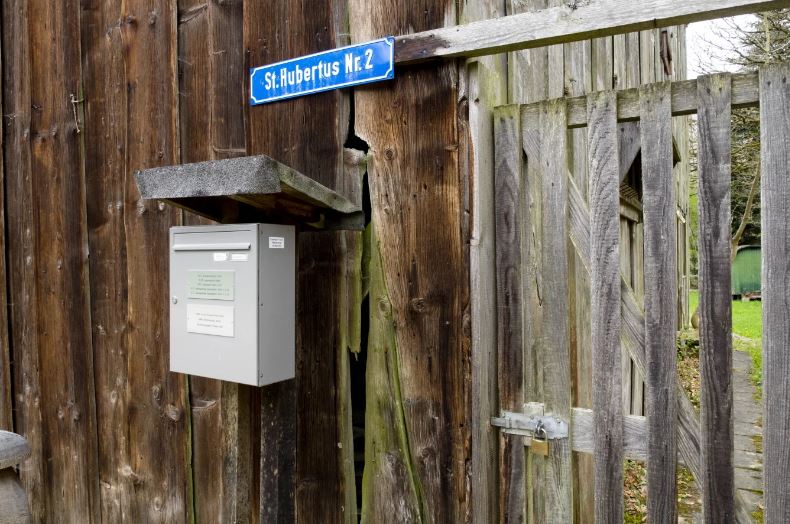
Autobahn GmbH – soll mit einem millionenschweren Werbeetat „aufpoliert“ werden
Samstag, Februar 13th, 2021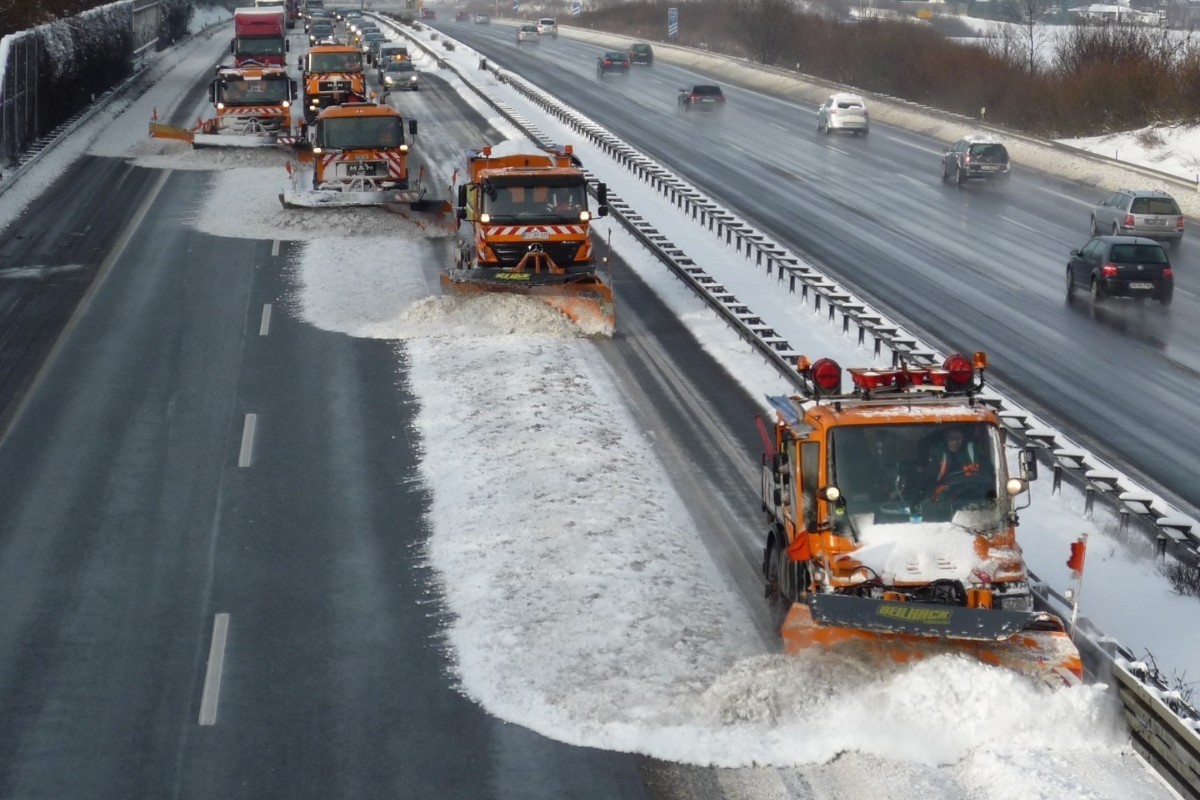
OYO Bike – a hydraulic chain-less eBike with automatic seamless gears for the smoothest ride you’ll ever have
Samstag, Februar 13th, 2021AVM FRITZ!Box – wie die Rufnummer des Anrufers bei einer Rufumleitung angezeigt werden kann
Samstag, Februar 13th, 2021Установка Oracle 19 Enterprise Edition (EE) в Docker – Installieren von Oracle 19 Enterprise Edition (EE) in Docker
Samstag, Februar 13th, 2021 https://github.com/oracle/docker-images/blob/main/OracleDatabase/SingleInstance/README.md
The requirements are you must have 2 CPUs / 6 GByte of the memory / 15 GByte of free storage
┌──(root💀vm-iot-jsho-docker-02)-[~]
└─# git clone https://github.com/oracle/docker-images.git
Klone nach ‚docker-images‘ …
remote: Enumerating objects: 18, done.
remote: Counting objects: 100% (18/18), done.
remote: Compressing objects: 100% (17/17), done.
remote: Total 13652 (delta 1), reused 4 (delta 0), pack-reused 13634
Empfange Objekte: 100% (13652/13652), 9.83 MiB | 5.03 MiB/s, fertig.
Löse Unterschiede auf: 100% (7995/7995), fertig.
┌──(root💀vm-iot-jsho-docker-01)-[~]
└─# cd docker-images/OracleDatabase/SingleInstance/dockerfiles/19.3.0
┌──(root💀vm-iot-jsho-docker-02)-[~/…/OracleDatabase/SingleInstance/dockerfiles/19.3.0]
└─#
┌──(root💀vm-iot-jsho-docker-02)-[~/…/OracleDatabase/SingleInstance/dockerfiles/19.3.0]
└─# mv /tmp/LINUX.X64_193000_db_home.zip .
┌──(root💀vm-iot-jsho-docker-02)-[~/…/OracleDatabase/SingleInstance/dockerfiles/19.3.0]
└─# cd ..
┌──(root💀vm-iot-jsho-docker-02)-[~/docker-images/OracleDatabase/SingleInstance/dockerfiles]
└─# ./buildContainerImage.sh -h
Usage: buildContainerImage.sh -v [version] [-e | -s | -x] [-i] [-o] [container build option]
Builds a container image for Oracle Database.
Parameters:
-v: version to build
Choose one of: 11.2.0.2 12.1.0.2 12.2.0.1 18.3.0 18.4.0 19.3.0
-e: creates image based on ‚Enterprise Edition‘
-s: creates image based on ‚Standard Edition 2‘
-x: creates image based on ‚Express Edition‘
-i: ignores the MD5 checksums
-o: passes on container build option
* select one edition only: -e, -s, or -x
LICENSE UPL 1.0
Copyright (c) 2014,2021 Oracle and/or its affiliates.
┌──(root💀vm-iot-jsho-docker-02)-[~/docker-images/OracleDatabase/SingleInstance/dockerfiles]
└─# ./buildContainerImage.sh -v 19.3.0 -e
Oracle Database container image for ‚ee‘ version 19.3.0 is ready to be extended:
–> oracle/database:19.3.0-ee
Build completed in 653 seconds.
┌──(root💀vm-iot-jsho-docker-02)-[~/docker-images/OracleDatabase/SingleInstance/dockerfiles]
└─#
┌──(root💀vm-iot-jsho-docker-02)-[~]
└─# docker images
REPOSITORY TAG IMAGE ID CREATED SIZE
oracle/database 19.3.0-ee 28f2ce0e86dc 15 minutes ago 6.67GB
┌──(root💀vm-iot-jsho-docker-02)-[~]
└─#
# docker run –name <container name> \
-p <host port>:1521 -p <host port>:5500 \
-e ORACLE_SID=<your SID> \
-e ORACLE_PDB=<your PDB name> \
-e ORACLE_PWD=<your database passwords> \
-e INIT_SGA_SIZE=<your database SGA memory in MB> \
-e INIT_PGA_SIZE=<your database PGA memory in MB> \
-e ORACLE_EDITION=<your database edition> \
-e ORACLE_CHARACTERSET=<your character set> \
-v [<host mount point>:]/opt/oracle/oradata \
oracle/database:19.3.0-ee
┌──(root💀vm-iot-jsho-docker-02)-[~]
└─# docker run -d -it –name oracle19ee –hostname oracle19ee -p 1521:1521 -p 5500:5500 -e ORACLE_PWD=<password> oracle/database:19.3.0-ee
┌──(root💀vm-iot-jsho-docker-02)-[~]
└─# docker logs -f oracle19ee
ORACLE EDITION: ENTERPRISE
ORACLE PASSWORD FOR SYS, SYSTEM AND PDBADMIN:<password>
LSNRCTL for Linux: Version 19.0.0.0.0 – Production on 12-FEB-2021 08:33:21
Copyright (c) 1991, 2019, Oracle. All rights reserved.
Starting /opt/oracle/product/19c/dbhome_1/bin/tnslsnr: please wait…
TNSLSNR for Linux: Version 19.0.0.0.0 – Production
System parameter file is /opt/oracle/product/19c/dbhome_1/network/admin/listener.ora
Log messages written to /opt/oracle/diag/tnslsnr/oracle19ee/listener/alert/log.xml
Listening on: (DESCRIPTION=(ADDRESS=(PROTOCOL=ipc)(KEY=EXTPROC1)))
Listening on: (DESCRIPTION=(ADDRESS=(PROTOCOL=tcp)(HOST=0.0.0.0)(PORT=1521)))
Connecting to (DESCRIPTION=(ADDRESS=(PROTOCOL=IPC)(KEY=EXTPROC1)))
STATUS of the LISTENER
————————
Alias LISTENER
Version TNSLSNR for Linux: Version 19.0.0.0.0 – Production
Start Date 12-FEB-2021 08:33:21
Uptime 0 days 0 hr. 0 min. 0 sec
Trace Level off
Security ON: Local OS Authentication
SNMP OFF
Listener Parameter File /opt/oracle/product/19c/dbhome_1/network/admin/listener.ora
Listener Log File /opt/oracle/diag/tnslsnr/oracle19ee/listener/alert/log.xml
Listening Endpoints Summary…
(DESCRIPTION=(ADDRESS=(PROTOCOL=ipc)(KEY=EXTPROC1)))
(DESCRIPTION=(ADDRESS=(PROTOCOL=tcp)(HOST=0.0.0.0)(PORT=1521)))
The listener supports no services
The command completed successfully
.
Prepare for db operation
8% complete
Copying database files
31% complete
Creating and starting Oracle instance
32% complete
36% complete
40% complete
43% complete
46% complete
Completing Database Creation
51% complete
54% complete
Creating Pluggable Databases
58% complete
77% complete
Executing Post Configuration Actions
100% complete
Database creation complete. For details check the logfiles at:
/opt/oracle/cfgtoollogs/dbca/ORCLCDB.
Database Information:
Global Database Name:ORCLCDB
System Identifier(SID):ORCLCDB
Look at the log file „/opt/oracle/cfgtoollogs/dbca/ORCLCDB/ORCLCDB.log“ for further details.
SQL*Plus: Release 19.0.0.0.0 – Production on Fri Feb 12 08:50:20 2021
Version 19.3.0.0.0
Copyright (c) 1982, 2019, Oracle. All rights reserved.
Connected to:
Oracle Database 19c Enterprise Edition Release 19.0.0.0.0 – Production
Version 19.3.0.0.0
SQL>
System altered.
SQL>
System altered.
SQL>
Pluggable database altered.
SQL>
PL/SQL procedure successfully completed.
SQL> Disconnected from Oracle Database 19c Enterprise Edition Release 19.0.0.0.0 – Production
Version 19.3.0.0.0
The Oracle base remains unchanged with value /opt/oracle
#########################
DATABASE IS READY TO USE!
#########################
The following output is now a tail of the alert.log:
ORCLPDB1(3):ALTER DATABASE DEFAULT TABLESPACE „USERS“
ORCLPDB1(3):Completed: ALTER DATABASE DEFAULT TABLESPACE „USERS“
2021-02-12T08:50:20.389852+00:00
ALTER SYSTEM SET control_files=’/opt/oracle/oradata/ORCLCDB/control01.ctl‘ SCOPE=SPFILE;
2021-02-12T08:50:20.395466+00:00
ALTER SYSTEM SET local_listener=“ SCOPE=BOTH;
ALTER PLUGGABLE DATABASE ORCLPDB1 SAVE STATE
Completed: ALTER PLUGGABLE DATABASE ORCLPDB1 SAVE STATE
XDB initialized.
┌──(root💀vm-iot-jsho-docker-02)-[~]
└─# docker exec -it oracle19ee /bin/bash
[oracle@oracle19ee ~]$
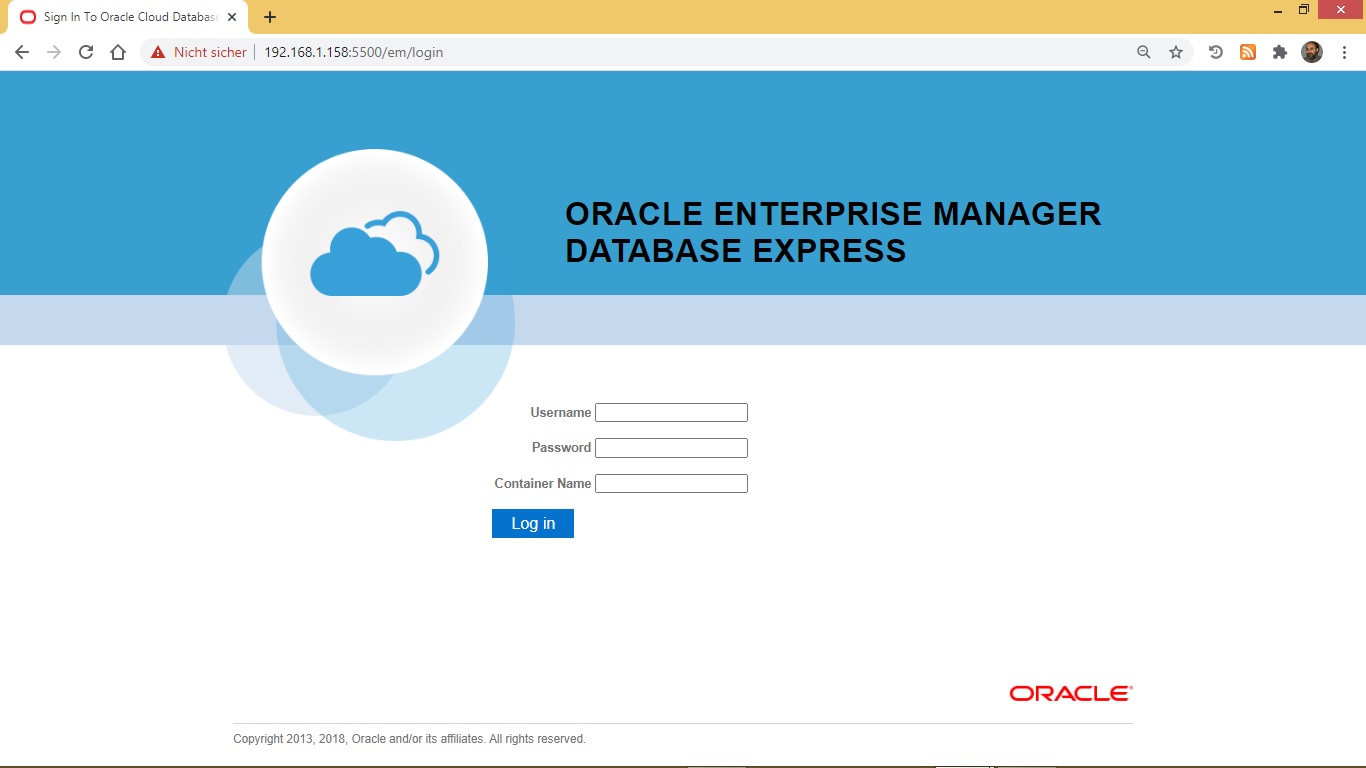
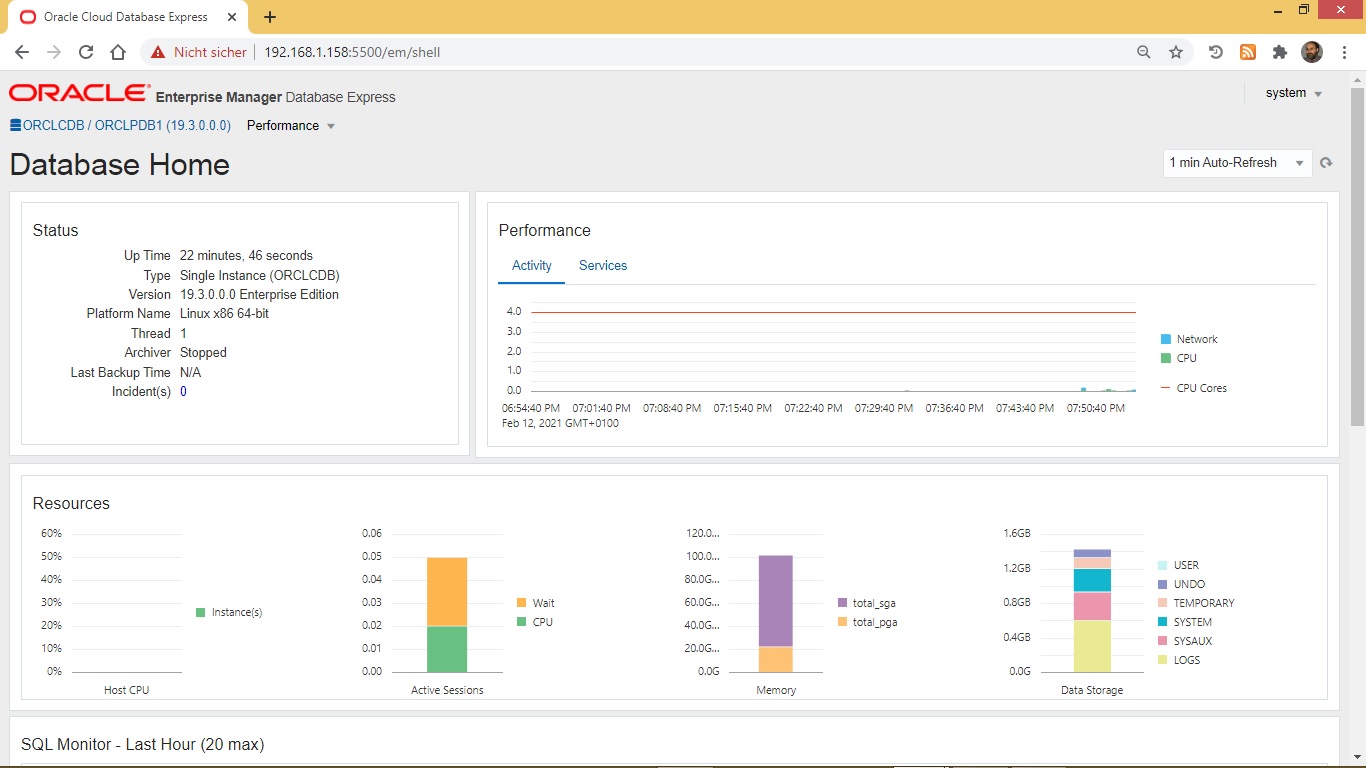
Oracle Enterprise Manager Database Express
https://127.0.0.1:5500/em/login
system <password> orclpdb1