
The MAILTO environment variable in cron allows you to specify an email address to receive output from your cron job
root@rpi-samba-01:~# crontab -l
…
MAILTO=josef.schuster@dpsolution.de
# * * * * * echo „eMail Check“
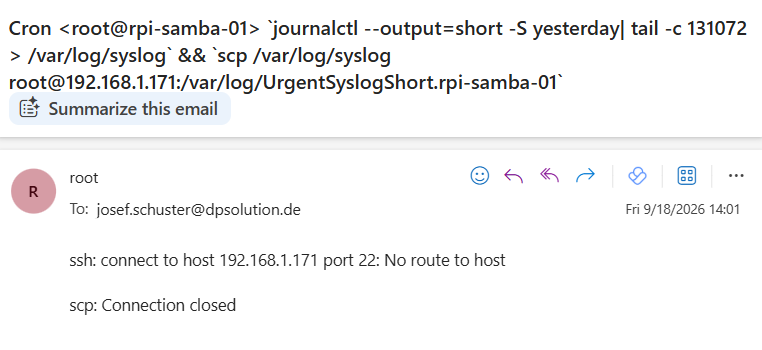
01 0-23 * * * `journalctl –output=short -S yesterday| tail -c 131072 > /var/log/syslog` && `scp /var/log/syslog root@192.168.1.171:/var/log/UrgentSyslogShort.rpi-samba-01`
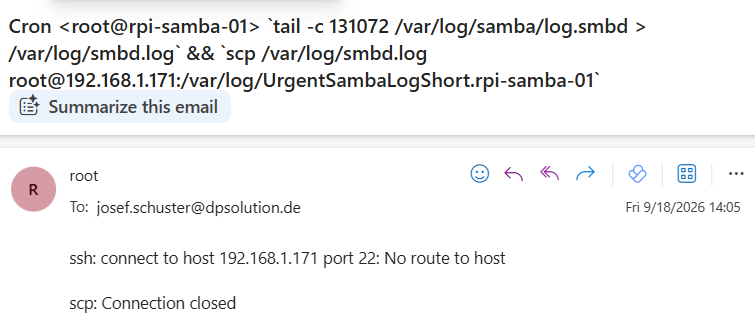
05 0-23 * * * `tail -c 131072 /var/log/samba/log.smbd > /var/log/smbd.log` && `scp /var/log/smbd.log root@192.168.1.171:/var/log/UrgentSambaLogShort.rpi-samba-01`
root@rpi-samba-01:~#
By default cron jobs sends an email via the MAILTO variable only if the cron job generates output (stdout or stderr) if a script runs completely error free and silently cron sends no message at all by default
root@rpi-iot-jsho-rslsync-01:~# crontab -l
…
MAILTO=josef.schuster@dpsolution.de
# * * * * * echo „eMail Check“
35 01 * * * ( export RESTIC_PASSWORD_FILE=/root/.restic-pass ; date >> /var/log/restic.local.log && restic -r /mnt/USB-Stick check && restic -r /mnt/USB-Stick forget –keep-daily 7 –keep-weekly 4 –keep-monthly 6 –prune && date >> /var/log/restic.local.log ; ) >> /var/log/restic.local.log
35 02 * * * ( export RESTIC_PASSWORD_FILE=/root/.restic-pass ; date >> /var/log/restic.extern.log && restic -r /mnt/USB-Stick.extern check && restic -r /mnt/USB-Stick.extern forget –keep-daily 7 –keep-weekly 4 –keep-monthly 6 –prune && date >> /var/log/restic.extern.log ; ) >> /var/log/restic.extern.log
05 01-23/2 * * * ( export RESTIC_PASSWORD_FILE=/root/.restic-pass ; date >> /var/log/restic.local.log && restic -r /mnt/USB-Stick backup /resilio-sync.data/USB-Stick && date >> /var/log/restic.local.log ; ) >> /var/log/restic.local.log
05 00-22/2 * * * ( export RESTIC_PASSWORD_FILE=/root/.restic-pass ; date >> /var/log/restic.extern.log && restic -r /mnt/USB-Stick.extern backup /resilio-sync.data/USB-Stick && date >> /var/log/restic.extern.log ; ) >> /var/log/restic.extern.log
root@rpi-iot-jsho-rslsync-01:~#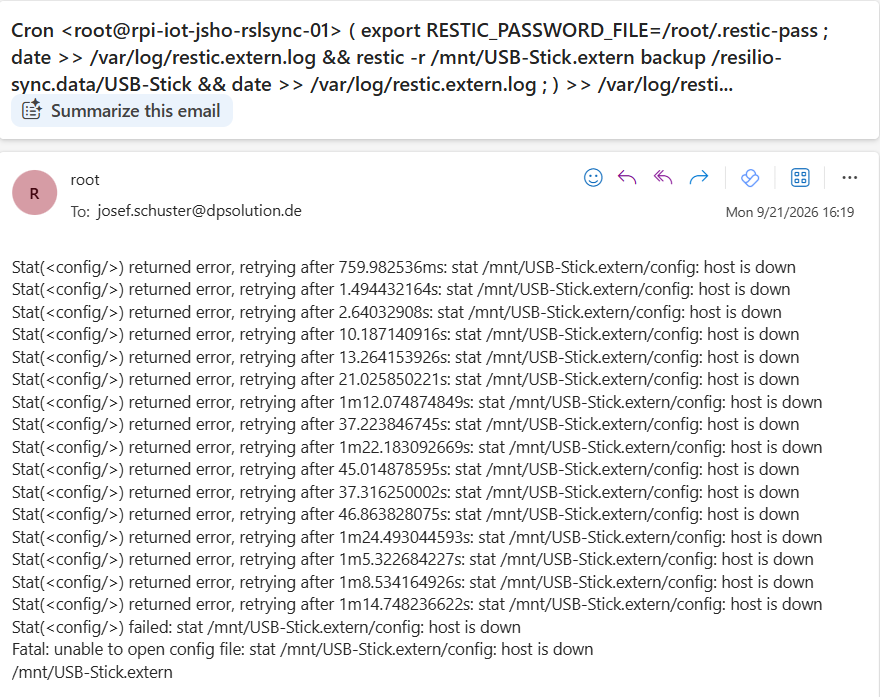
This entry was posted on Freitag, September 18th, 2026 at 14:12 and is filed under Administration, Linux Solution. You can follow any responses to this entry through the RSS 2.0 feed.
You can leave a response, or trackback from your own site.